Free Shipping on Domestic Orders $75+

Ordro HDV-D395 Back Case Replacement

What you need

    1. Ordro HDV-D395 Back Case Replacement, Back Case: step 1, image 1 of 2 Ordro HDV-D395 Back Case Replacement, Back Case: step 1, image 2 of 2
      • Pull the slider labeled open, on the bottom right, to unlock the battery.

      Ask FixBot

      Add Comment

    2. Ordro HDV-D395 Back Case Replacement: step 2, image 1 of 1
      • Pull battery out of slot.

      Ask FixBot

      Add Comment

    3. Ordro HDV-D395 Back Case Replacement: step 3, image 1 of 1
      • Unfold the screen from the side of the camera.

      Ask FixBot

      Add Comment

    4. Ordro HDV-D395 Back Case Replacement: step 4, image 1 of 1
      • Twist the screen so that the screen is facing downward.

      Ask FixBot

      Add Comment

    5. Ordro HDV-D395 Back Case Replacement: step 5, image 1 of 2 Ordro HDV-D395 Back Case Replacement: step 5, image 2 of 2
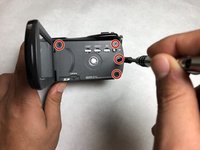
      • Unscrew the four screws on the side (length 2.9 mm) with a JIS #000 screwdriver.

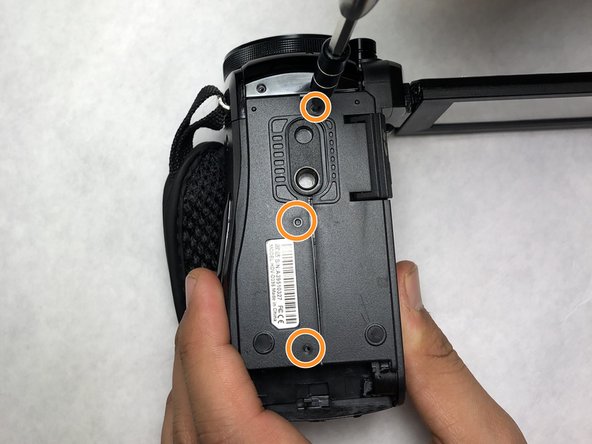
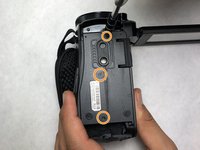
      • Unscrew the three screws on the bottom (length 7.7 mm) with a JIS #000 screwdriver.

      Ask FixBot

      Add Comment

    6. Ordro HDV-D395 Back Case Replacement: step 6, image 1 of 1
      • Pull apart the camera into two pieces by pulling the side with the screen away from the main body of the camera.

      Ask FixBot

      Add Comment

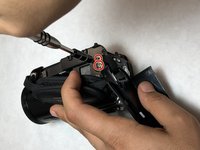
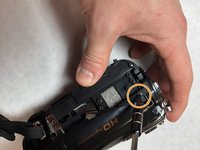
    7. Ordro HDV-D395 Back Case Replacement: step 7, image 1 of 2 Ordro HDV-D395 Back Case Replacement: step 7, image 2 of 2
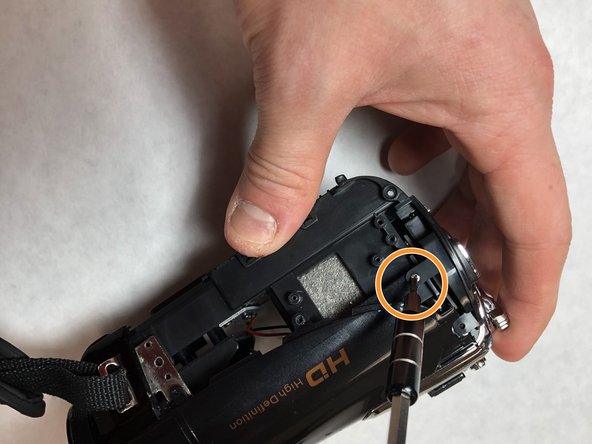
      • Unscrew the two screws (size 4.75 mm) with a PH #00 screwdriver.

      • Unscrew the screw (size 7.65 mm) with a PH #00 screwdriver.

      Ask FixBot

      Add Comment

    8. Ordro HDV-D395 Back Case Replacement: step 8, image 1 of 1
      • Take the back case off by pulling it away from the main body.

      • Be careful not to tear the white strap that connects the back case to the main body.

      Ask FixBot

      Add Comment

    9. Ordro HDV-D395 Back Case Replacement: step 9, image 1 of 1
      • Unscrew all four screws (length 4.13 mm) on the inside of the case with a PH #00 screwdriver.

      Ask FixBot

      Add Comment

    10. Ordro HDV-D395 Back Case Replacement: step 10, image 1 of 1
      • Pull the board away from the back case.

      Ask FixBot

      Add Comment

Conclusion

To reassemble your device, follow these instructions in reverse order.

Cancel: I did not complete this guide.

Mostafa Abdulaleem

Member since: 11/05/18

181 Reputation

1 Guide authored

Team

IUPUI, Team S1-G3, Baechle Fall 2018 Member of IUPUI, Team S1-G3, Baechle Fall 2018

IUPUI-BAECHLE-F18S1G3

3 Members

3 Guides authored

0 Guide Comments

Add Comment

View Statistics:

Past 24 Hours: 1

Past 7 Days: 2

Past 30 Days: 25

All Time: 592