What you need
-
-
-
Take sim tray out prior to beginning repair.
-
Heat back of phone to make the adhesion more pliable
-
Insert a slim prying tool to begin removing the back cover, move in a counterclockwise direction
-
Add IPA as you work to detatch the adhesion layer
-
When approaching the volume button, be cautious, as the ribbon cable is exposed and can easilyt be cut
-
Remove back cover
 Ask FixBot
-
-
-
Using a J000 screwdriver, remove the Screws holding the edge casing to the screen (19 Total)
-
Using a pry tool, seperate the edge plastic from the screen
-
Once you have attained suitable lift, disconnect the power button cable.
-
Remove the edge plastic and set aside.
-
-
-
-
Remove the plastic speaker piece
-
Disconnect the antenna cables and main board connector
-
Remove the board and insert new component
-
reconnect connectors
-
-
-
Reconnect the antenna and main board
-
Reconnect the power cable, and reattach the plastic edge
-
Using J000, screw the 19 screws back in
-
-
-
Reconnect the back plastic, and set on heat to adhere
-
You can also use tesa tape to increase the adhesion.
-
-


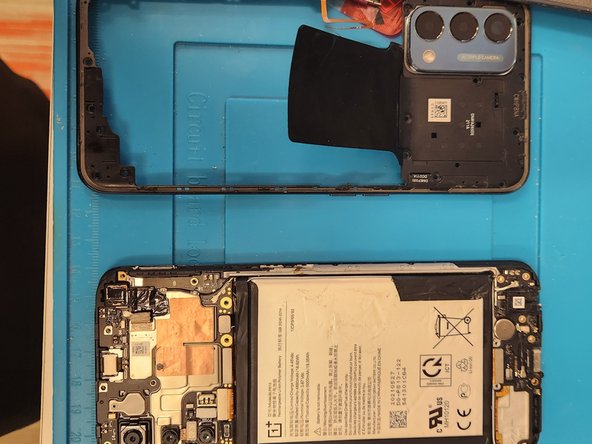
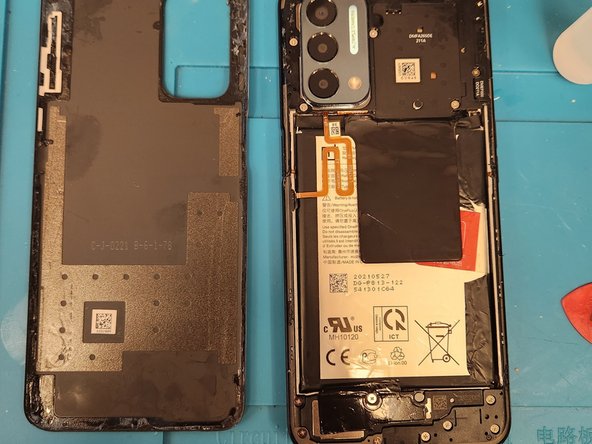


This order can be used for charger, headphone jack, or water damage to sub board.

