Introduction
This guide demonstrates how to remove the back cover of your OnePlus Nord N200. If the back cover of your phone gets damaged or you need to access the internal components of your phone for another repair, follow this guide.
What you need
-
-
-
Insert the Jimmy into the seam between the rear glass and the midframe at the bottom edge of the phone to create a gap.
 Ask FixBot
-
-
-
Insert an iFixit opening pick into the gap you created with the Jimmy.
-
Slide the Jimmy around the phone to slice the adhesive.
-
Insert a second iFixit opening pick at the spot you have sliced open to keep it open.
-
-
-
-
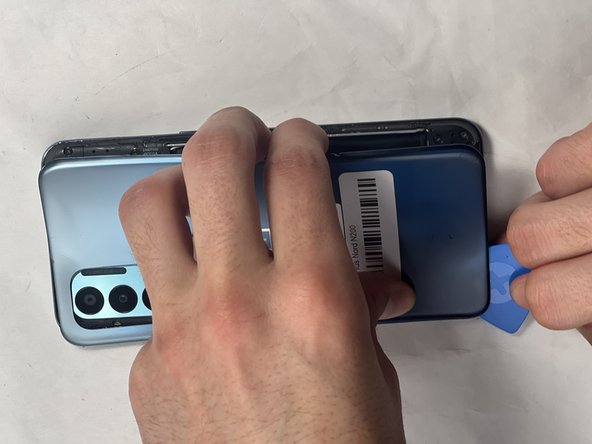
Slide the iFixit opening pick along the top edge to slice the adhesive.
-
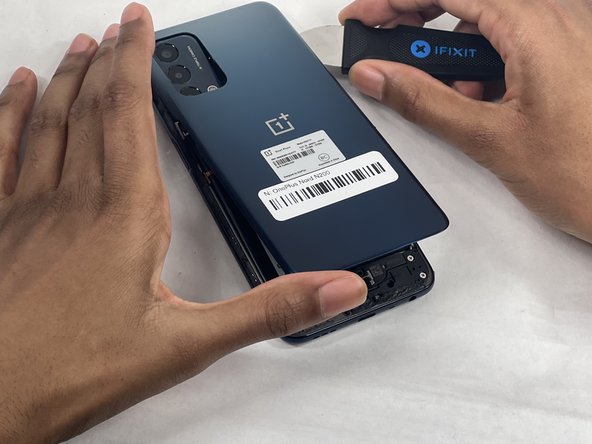
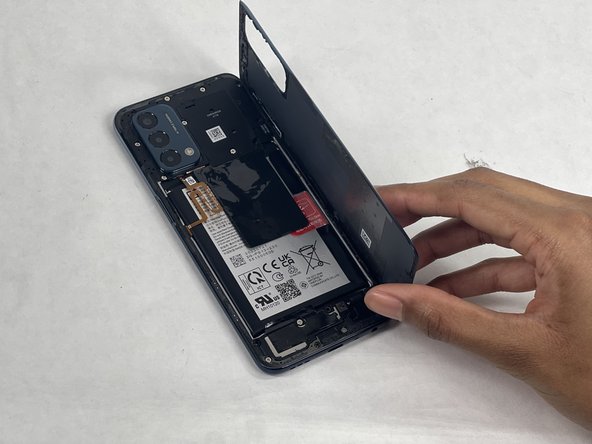
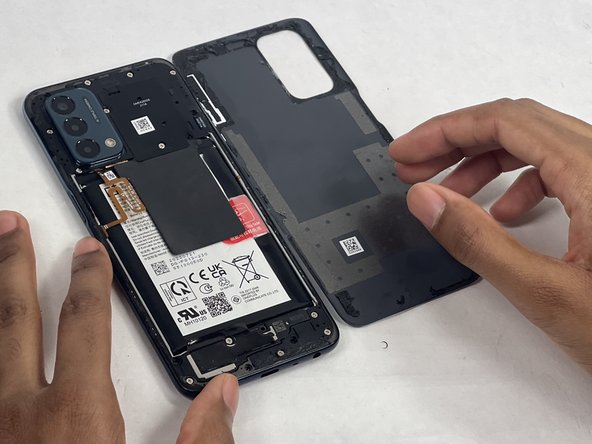
Start prying the back plate off the phone.
-
-



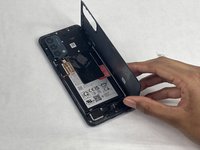
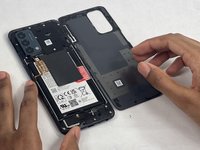
To reassemble your device, follow these instructions in reverse order.
Cancel: I did not complete this guide.
2 other people completed this guide.

Team

UMass Dartmouth, Team 1-1, Konn Spring 2024 Member of UMass Dartmouth, Team 1-1, Konn Spring 2024
UMASSD-KONN-S24S1G1
4 Members
63 Guides authored
