Introduction
The OnePlus 6 smartphone might need a speaker replacement for several reasons, like water damage or wear from regular use. The internal speaker plays sound out loud when no external audio output is present. If the device will not play sound or sounds come out distorted, a speaker replacement may be required.
As this guide will help everyday users replace a part within the device, they should be aware of potential damage from using the heat gun. While working on the inside of the mobile phone, users should be careful not to damage any delicate parts.
What you need
-
-
-
Turn on the heat gun to a low heat and and gently heat the curved edges on the back of the phone.
-
Wedge the opening picks between the front and back panel and slide them around the perimeter to break the adhesive securing the back cover.
-
Repeat until the back panel is fully released.
 Ask FixBot
-
-
-
Gently lift up the back panel, with care not to damage the fingerprint sensor ribbon cable.
-
-
Tool used on this step:Tweezers$4.99
-
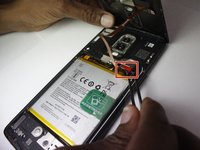
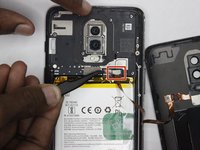
Use a pair of tweezers to gently pull up on the red tab and disconnect the cable from the device.
-
Completely remove the back panel from the device.
-
-
-
-
-
-
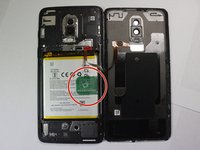
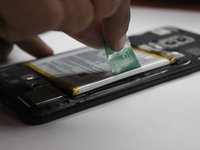
Grip the green tab connected to the battery and pull the battery directly up and out.
-
-
-
-
-
Use a Phillips #000 screwdriver to remove the eight screws.
-
Carefully lift the speaker up and out of the chassis.
-
-
-
Properly orient the new speaker unit and use a Phillips #000 screwdriver to replace the eight screws removed from the previous step.
-
-
-
Place the battery back into the phone and connect it to the same port, making sure to firmly press the connection down into place.
-
Place the red cover back over the top of the port.
-
-
-
Strip the existing adhesive, and place new adhesive around the entire perimeter of the back cover.
-
Replace the back cover and hold it down for about a minute to to let the adhesive set.
-
-






Enjoy your new speaker!
Cancel: I did not complete this guide.
One other person completed this guide.

Team

The Citadel Military College of South Carolina, Team 7-8, Eggleston Spring 2022 Member of The Citadel Military College of South Carolina, Team 7-8, Eggleston Spring 2022
CMCSC-EGGLESTON-S22S7G8
3 Members
36 Guides authored
