Free Shipping on Domestic Orders $75+

OneLink Safe and Sound Cover Replacement

Prerequisite Only
This is a prerequisite-only guide! This guide is part of another procedure and isn’t meant to be used alone.

What you need

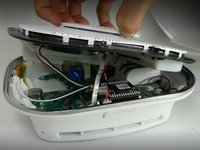
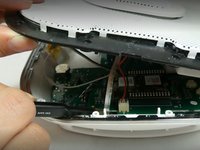
    1. OneLink Safe and Sound Cover Replacement, Cover: step 1, image 1 of 2 OneLink Safe and Sound Cover Replacement, Cover: step 1, image 2 of 2
      • Run the metal spudger under the plastic rim and around the perimeter, on the top of the device to loosen the adhesive.

      • Remove plastic rim.

      Ask FixBot

      Add Comment

    2. OneLink Safe and Sound Cover Replacement: step 2, image 1 of 2 OneLink Safe and Sound Cover Replacement: step 2, image 2 of 2
      • Use a Phillips #0 screwdriver to remove nine screws from the top of the device.

      Ask FixBot

      Add Comment

    3. OneLink Safe and Sound Cover Replacement: step 3, image 1 of 2 OneLink Safe and Sound Cover Replacement: step 3, image 2 of 2
      Tool used on this step:
      Tweezers
      $4.99
      Buy
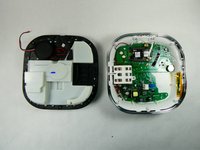
      • Don't yank or pull the lid off as there are ribbons and cables connecting the top of the device to the motherboard. They need to be disconnected before the top is removed.

      • Use tweezers or a spudger to disconnect the ribbon from the motherboard.

      Ask FixBot

      Add Comment

    4. OneLink Safe and Sound Cover Replacement: step 4, image 1 of 1
      • Use tweezers to unplug the speaker cable from the motherboard.

      Ask FixBot

      Add Comment

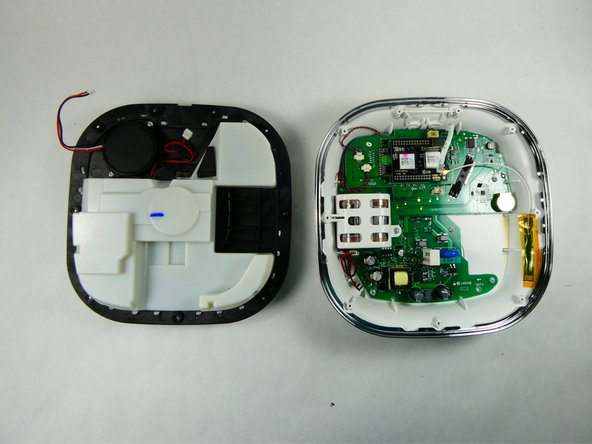
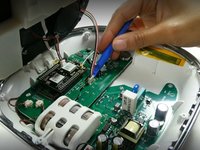
    5. OneLink Safe and Sound Cover Replacement: step 5, image 1 of 2 OneLink Safe and Sound Cover Replacement: step 5, image 2 of 2
      • Use the plastic opening tool to remove the microphone connection from the motherboard.

      • Remove the top of the device.

      Ask FixBot

      Add Comment

Conclusion

To reassemble your device, follow these instructions in reverse order.

Cancel: I did not complete this guide.

Arianna Roberts

Member since: 11/10/22

687 Reputation

6 Guides authored

Team

UMass Dartmouth, Team 2-2, Petersen Fall 2022 Member of UMass Dartmouth, Team 2-2, Petersen Fall 2022

UMASSD-PETERSEN-F22S2G2

3 Members

72 Guides authored

0 Guide Comments

Add Comment

View Statistics:

Past 24 Hours: 0

Past 7 Days: 3

Past 30 Days: 9

All Time: 166