Free Shipping on Domestic Orders $75+

Olympus D590 Lens Replacement

What you need

  1. Olympus D590 Lens Replacement, Face Plate: step 1, image 1 of 1
    • Remove five baseplate screws using a Phillips #00 screwdriver.

    Ask FixBot
    Add Comment

  2. Olympus D590 Lens Replacement: step 2, image 1 of 1
    Tool used on this step:
    Tweezers
    $4.99
    Buy
    • Press and slide the battery cover retainer clip to the left. Use tweezers to lift the battery cover away.

    Ask FixBot
    Add Comment

  3. Olympus D590 Lens Replacement: step 3, image 1 of 1
    • Remove the single screw from the battery housing using a Phillips #00 screwdriver.

    Ask FixBot
    Add Comment

  4. Olympus D590 Lens Replacement: step 4, image 1 of 1
    • Using tweezers, lift the rubber plate to expose the ports.

    Ask FixBot

    Add Comment

  5. Olympus D590 Lens Replacement: step 5, image 1 of 1
    • Remove two screws from the ports using a Phillips #00 screwdriver.

    Ask FixBot
    Add Comment

  6. Olympus D590 Lens Replacement: step 6, image 1 of 1
    • Use a spudger to pry the faceplate away from the rest of the camera.

    Ask FixBot
    Add Comment

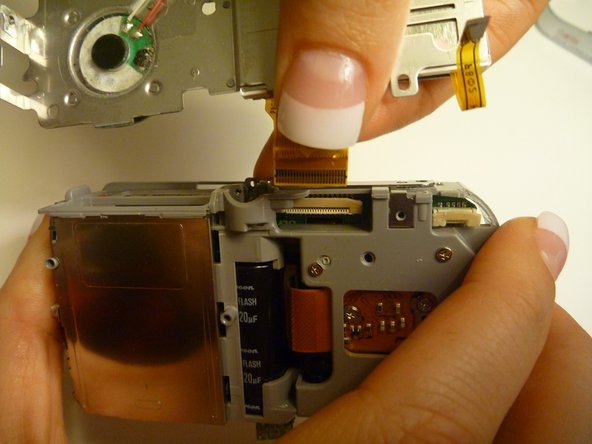
  7. Olympus D590 Lens Replacement: step 7, image 1 of 1
    • To avoid disconnection of the connector line to the motherboard, use caution when pulling faceplate away from camera case.

    • Damage to the connector line will prevent the on/off power switch's operational function.

    Ask FixBot
    Add Comment

  8. Olympus D590 Lens Replacement, Backplate: step 8, image 1 of 1
    • Using a Phillips #00 screwdriver, remove three screws fastened to the camera backplate edge.

    Ask FixBot

    Add Comment

  9. Olympus D590 Lens Replacement: step 9, image 1 of 1
    • Using a Phillips #00 screwdriver, remove the two camera flash screws secured to either side of bulb housing component.

    Ask FixBot

    Add Comment

  10. Olympus D590 Lens Replacement: step 10, image 1 of 1
    • Using an iFixit opening tool, pry the backplate from the camera internal housing component.

    Ask FixBot

    Add Comment

  11. Olympus D590 Lens Replacement: step 11, image 1 of 1
    • Pull the backplate away from the camera internal housing component.

    Ask FixBot

    Add Comment

  12. Olympus D590 Lens Replacement, LCD Screen: step 12, image 1 of 1
    • Remove one screw Phillips #00 from the right side of the LCD screen camera internal housing component.

    Ask FixBot

    Add Comment

  13. Olympus D590 Lens Replacement: step 13, image 1 of 2 Olympus D590 Lens Replacement: step 13, image 2 of 2
    • To check that all screws are removed from the exterior side panel, gradually slide and lift no more than 3cm away from the camera internal component body.

    Ask FixBot

    Add Comment

  14. Olympus D590 Lens Replacement: step 14, image 1 of 2 Olympus D590 Lens Replacement: step 14, image 2 of 2
    Tool used on this step:
    Tweezers
    $4.99
    Buy
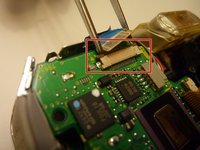
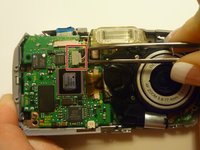
    • View the front of the camera internal housing component.

    • Using tweezers, detach the gray connector and blue wiring tape.

    • Be cautious to gently wiggle and pull blue wiring tape and gray wire connector during detachment.

    Ask FixBot

    Add Comment

  15. Olympus D590 Lens Replacement: step 15, image 1 of 2 Olympus D590 Lens Replacement: step 15, image 2 of 2
    • View the top of the camera internal housing component.

    • Using tweezers, gently lift the black tape exposing all connector wires.

    Ask FixBot

    Add Comment

  16. Olympus D590 Lens Replacement: step 16, image 1 of 1
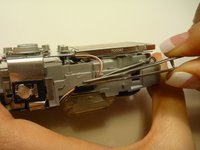
    • View the bottom of the camera internal housing component.

    • Caution: Keep yellow taped wire attached to the LCD screen.

    • Use tweezers to gently wiggle, pull, and detach tape from the surface of the camera internal housing component.

    Ask FixBot

    Add Comment

  17. Olympus D590 Lens Replacement: step 17, image 1 of 3 Olympus D590 Lens Replacement: step 17, image 2 of 3 Olympus D590 Lens Replacement: step 17, image 3 of 3
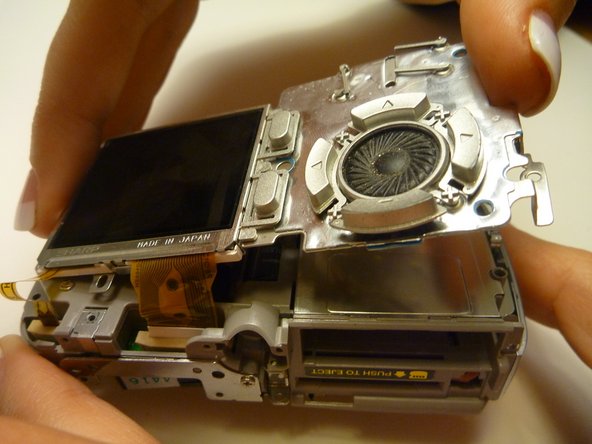
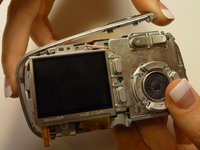
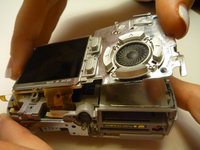
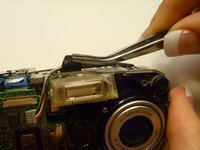
    • View the front of the camera internal housing component.

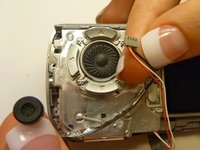
    • Using tweezers, gently lift the speaker, cautiously maneuvering the wire away from the side of the internal housing component toward the front of the camera internal housing component.

    Ask FixBot

    Add Comment

  18. Olympus D590 Lens Replacement: step 18, image 1 of 2 Olympus D590 Lens Replacement: step 18, image 2 of 2
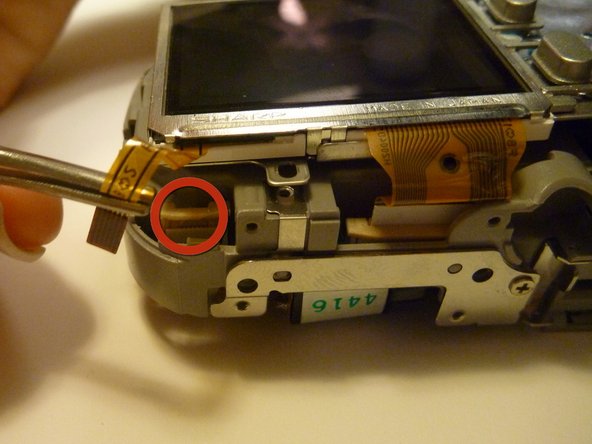
    • Gently lift the LCD screen away from the camera internal housing component hinging the thick yellow wiring tape attached to the camera internal housing component.

    • Use a forefinger and thumb to gently pull the thick yellow wiring tape out of the camera internal housing component.

    Ask FixBot

    Add Comment

  19. Olympus D590 Lens Replacement, Lens: step 19, image 1 of 1
    • Flip the camera so you are looking at the back.

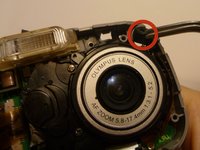
    • Looking at the back of the camera, remove the 3 screws behind the camera lens.

    Ask FixBot

    Add Comment

  20. Olympus D590 Lens Replacement: step 20, image 1 of 1
    • Flip the camera so that the front lens is facing up.

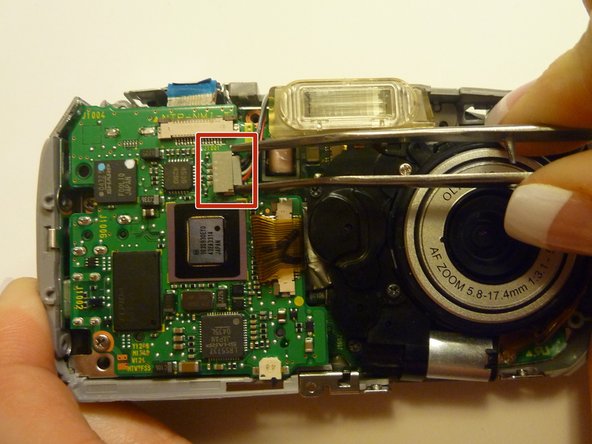
    • Disconnect the lens from the logic board.

    Ask FixBot

    Add Comment

  21. Olympus D590 Lens Replacement: step 21, image 1 of 1
    • Flip the camera back over so that the back of the camera is facing you, and the lens in facing away.

    • Disconnect the wire that connects the logic board to the lens assembly.

    • Gently pull back on the wire to disconnect it safely.

    Ask FixBot

    Add Comment

  22. Olympus D590 Lens Replacement: step 22, image 1 of 1
    • Flip the camera back around so that the front is facing you.

    • Carefully lift the lens assembly out of the camera.

    Ask FixBot

    Add Comment

Conclusion

To reassemble your device, follow these instructions in reverse order.

Cancel: I did not complete this guide.

Joshua

Member since: 04/15/10

7 Reputation

2 Guides authored

Team

Cal Poly, Team 28-23, Regan Spring 2010 Member of Cal Poly, Team 28-23, Regan Spring 2010

CPSU-REGAN-S10S28G23

4 Members

14 Guides authored

0 Guide Comments

Add Comment

View Statistics:

Past 24 Hours: 1

Past 7 Days: 9

Past 30 Days: 47

All Time: 2,946