Free Shipping on Domestic Orders $75+

Nokia 2610 Screen Replacement

What you need

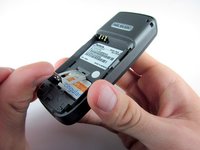
  1. Nokia 2610 Screen Replacement, Battery and Sim Card: step 1, image 1 of 3 Nokia 2610 Screen Replacement, Battery and Sim Card: step 1, image 2 of 3 Nokia 2610 Screen Replacement, Battery and Sim Card: step 1, image 3 of 3
    • Place your thumb on the middle of the back cover and push it toward the bottom of the phone to slide the cover off.

    Ask FixBot
  2. Nokia 2610 Screen Replacement: step 2, image 1 of 3 Nokia 2610 Screen Replacement: step 2, image 2 of 3 Nokia 2610 Screen Replacement: step 2, image 3 of 3
    • Use a plastic opening tool (or your finger) to gently pry the battery out of the battery slot on the back of the phone.

    Ask FixBot
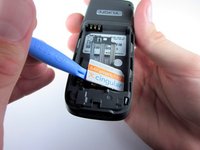
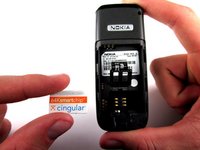
  3. Nokia 2610 Screen Replacement: step 3, image 1 of 3 Nokia 2610 Screen Replacement: step 3, image 2 of 3 Nokia 2610 Screen Replacement: step 3, image 3 of 3
    • Lift the metal sim card holder (at the bottom of the battery slot) up and carefully pry the sim card out of its slot with a plastic opening tool or your finger.

    • After removal, lower the metal sim card holder into its original position.

    Ask FixBot
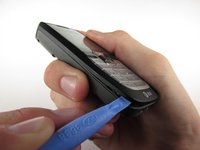
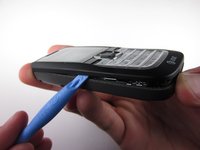
  4. Nokia 2610 Screen Replacement, Front Pannel: step 4, image 1 of 2 Nokia 2610 Screen Replacement, Front Pannel: step 4, image 2 of 2
    • Insert the plastic opening tool into the crack between the front and back panels.

    • Gently pry the front cover away from the back cover while sliding the plastic opening tool towards the top of the phone.

    Ask FixBot
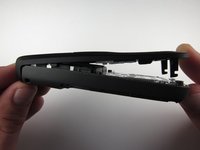
  5. Nokia 2610 Screen Replacement: step 5, image 1 of 2 Nokia 2610 Screen Replacement: step 5, image 2 of 2
    • Lift the bottom of the front cover away from the phone.

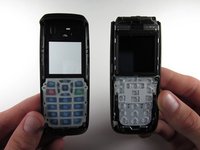
    • Continue lifting until the top of the front cover is fully removed from the phone.

    • Note: To replace the Keypad, gently lift it out of the front cover. It is located below the clear viewing window.

    Ask FixBot
  6. Nokia 2610 Screen Replacement, Screen: step 6, image 1 of 1
    • Remove the 4 screws surrounding the screen using the precision T6 screwdriver.

    Ask FixBot
  7. Nokia 2610 Screen Replacement: step 7, image 1 of 1
    • Lift the screen away from the phone and circuit board.

    • Warning: The screen is attached to the circuit board by a connector on the circuit board, so lift the screen straight up to avoid damage to the connector.

    Ask FixBot
Conclusion

To reassemble your device, follow these instructions in reverse order.

2 other people completed this guide.

Andrew Wood

Member since: 10/05/10

336 Reputation

3 Guides authored

Team

Cal Poly, Team 7-52, Amido Fall 2010 Member of Cal Poly, Team 7-52, Amido Fall 2010

CPSU-AMIDO-F10S7G52

4 Members

12 Guides authored

1 Guide Comment

My Nokia 2610 dates from 2005 (or2006) and its screen was very scratched.

I bought a complete front cover replacement from vmobile.pl who were very efficient.

Andrew Wood’s instructions are crystal clear. The phone is as new now.

Many thanks. Andrew Boxall

Andrew - Reply Share

Add Comment

View Statistics:

Past 24 Hours: 1

Past 7 Days: 6

Past 30 Days: 73

All Time: 3,613