
Nobis NB09 Battery Replacement

Jackson McAdams and 7 other contributors
Last updated on Jun 30, 2021
Views: 3.6K
View statistics:
- Past 24 Hours:
- 1
- Past 7 Days:
- 20
- Past 30 Days:
- 100
- All Time:
- 3,574
Comments: 1
1 guide comment.
Go to guide commentsCompleted: 3 4
3 people have marked this guide "completed." Will you be next?
4 people have marked this guide "completed." Including you — great job!
Favorites: 0 1
No one has favorited (and subscribed to) this guide. Will you be the first?
1 person has favorited (and subscribed to) this guide — and that's you!
Action Shots
Be an action hero! This guide needs images that better demonstrate how to perform specific actions.
Missing Steps
Oops! This guide is currently missing one or more important steps.
Slice and Dice
The steps in this guide should be split up and made into a series of prerequisite guides.
Introduction
Go to step 1 ↓This guide will show you how to replace the battery in an Android Nobis NB09 tablet.
Some possible symptoms which could show that your tablet's battery is dying include:
- Battery is at a low percentage even after a fresh charge.
- The tablet dies when it still has a lot of battery life.
- The tablet becomes hot after using for a short period of time.
If you experience any of these symptoms, then it is likely the culprit is a failing battery.
What you need
Tools
-
Spudger4.9
-
-


-
-
-
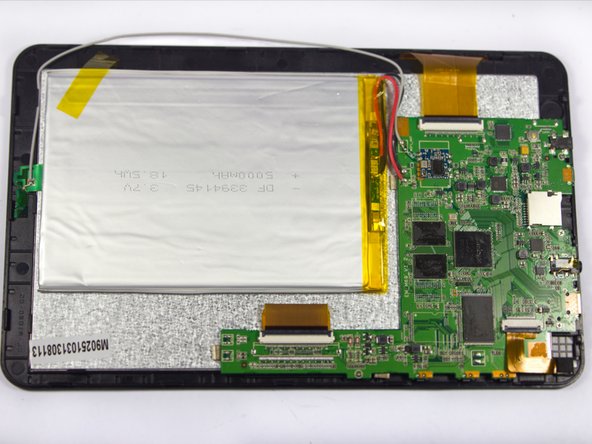
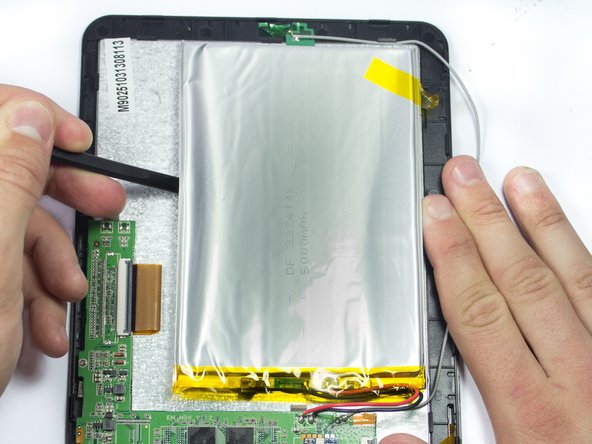
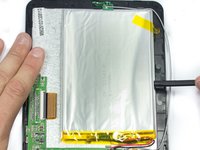
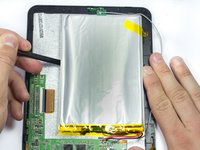
Use the soldering iron to remove the black and red wires from the circuit board.
-
-

 Ask FixBot




To reassemble your device, follow these instructions in reverse order.
Cancel: I did not complete this guide.
3 other people completed this guide.

Team

UMass Dartmouth, Team 7-1, Cichon Spring 2015 Member of UMass Dartmouth, Team 7-1, Cichon Spring 2015
UMASSD-CICHON-S15S7G1
4 Members
72 Guides authored
