
Nintendo Wii Remote B Trigger Button Replacement

Emily and 11 other contributors
Last updated on Jan 28, 2014
Views: 21K
View statistics:
- Past 24 Hours:
- 13
- Past 7 Days:
- 61
- Past 30 Days:
- 205
- All Time:
- 21,319
Comments: 3
3 comments on steps.
Completed: 6 7
6 people have marked this guide "completed." Will you be next?
7 people have marked this guide "completed." Including you — great job!
Favorites: 9 10
9 people have favorited (and subscribed to) this guide. Will you be next?
10 people have favorited (and subscribed to) this guide — including you!
Featured Student Guide
This guide has been the hard work of our awesome students and is found to be exceptionally cool by the iFixit staff.
Introduction
Go to step 1 ↓The B button can malfunction or get misaligned due to improper or over use. Installing the B button requires disassembly of the entire device. This means removing the front cover plate, and the motherboard.
What you need
Tools
-
Spudger4.9


-
-
-
Flip the Wii Remote over so the battery cover faces you.
-
Push up on the bottom tab.
-
Remove the battery cover.
 Ask FixBot
-
-
-
Remove the first battery by pressing down on the positive end and pulling the battery out.
-
Remove the second battery by pushing up on the positive end and pulling the battery out.
-
-
-
Using a tri-point Y1 Screwdriver, remove the two center 7mm screws by turning them counterclockwise.
-
Repeat with the two bottom screws.
-
-
-
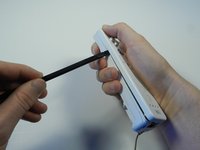
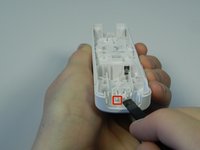
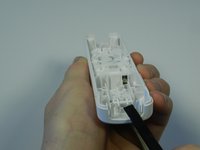
With the flat end of a spudger, gently apply pressure to the tabs located on left side of the controller.
-
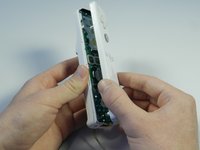
Open the front plate like a book.
-
-
-
-
-
-
Using the connector port, gently lift the motherboard about 2 cm from the base.
-
-
-
-
-
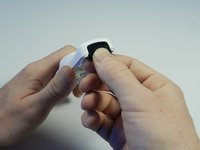
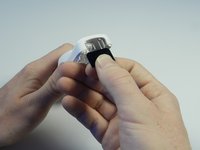
Locate the black sensor screen found at the bottom end of the Wii remote.
-
Grip the free edge of the black sensor screen and gently pull it down to remove from the Wii control.
-
-
-
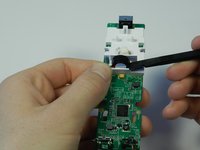
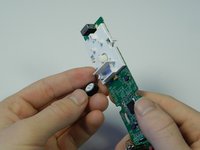
Find the two small tabs near the front end of the white plastic housing.
-
Place the flat end of the spudger tool under one tab and lightly push up until the tabs pop out of place.
-
-
-
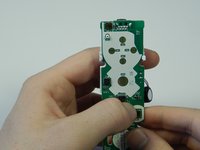
Flip the motherboard so that the rumble motor and the white plastic housing face up.
-
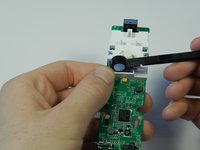
Place the flat end of the spudger tool under the round rumble motor and lightly push up.
-
Tilt the motherboard to the left and the rumble motor will fall out of the white housing.
-
-
-
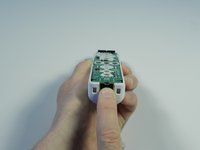
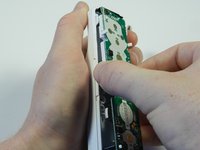
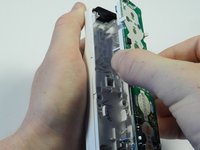
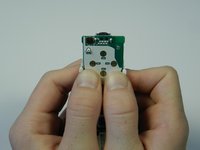
Flip the motherboard over and locate the two white tabs at the top the plastic housing.
-
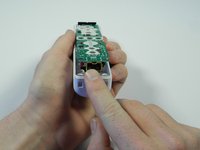
Place both thumbs on the inside of the tabs and push the tabs outward.
-
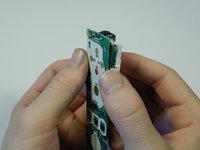
Use the inner sides of your thumbs to separate the motherboard from the plastic housing.
-
-
















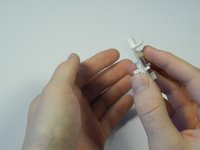
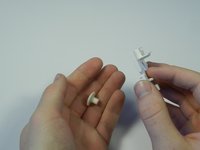
To reassemble your device, follow these instructions in reverse order.
Cancel: I did not complete this guide.
6 other people completed this guide.

Team

Cal Poly, Team 3-44, Amido Spring 2013 Member of Cal Poly, Team 3-44, Amido Spring 2013
CPSU-AMIDO-S13S3G44
4 Members
72 Guides authored
