
Nintendo Wii DVD Drive Replacement

David Hodson and 10 other contributors
Last updated on Dec 2, 2025
Views: 395K
View statistics:
- Past 24 Hours:
- 73
- Past 7 Days:
- 440
- Past 30 Days:
- 2,006
- All Time:
- 394,535
Comments: 256
149 comments on steps, 107 guide comments.
Go to guide commentsCompleted: 470 471
470 people have marked this guide "completed." Will you be next?
471 people have marked this guide "completed." Including you — great job!
Favorites: 147 148
147 people have favorited (and subscribed to) this guide. Will you be next?
148 people have favorited (and subscribed to) this guide — including you!
Featured Guide
This guide has been found to be exceptionally cool by the iFixit staff.
Introduction
Go to step 1 ↓Use this guide to replace a broken DVD drive. Depending on your new part, you may have to swap out the four rubber grommets on the DVD drive housing.
What you need
Fix Kit
This kit contains all the parts and tools needed to complete this guide.

Parts


Tools


-
-
-
Use a metal spudger to remove the white plastic screw covers stuck to the lower case near the front of the Wii.
 Ask FixBot
-
-
-
Remove the two 8.3 mm Tri-Point screws hidden under the covers you just removed.
-
-
-
Remove the single 5.9 mm Phillips screw under the controller port door nearest the faceplate.
-
-
-
Use a metal spudger to remove the rubber foot stuck to the side of the Wii near the DVD drive opening.
-
-
-
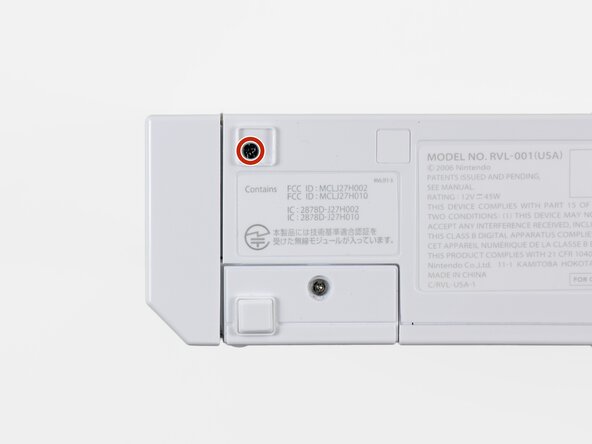
Remove the single 5.9 mm Phillips screw hidden under the foot you just removed.
-
-
Tool used on this step:Tweezers$4.99
-
-
-
-
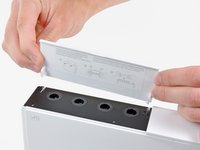
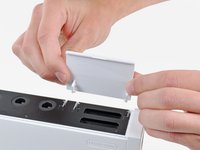
Open the controller port cover until it is perpendicular to the black controller port bezel.
-
Pull the controller port cover straight up to release it from the outer case.
-
-
-
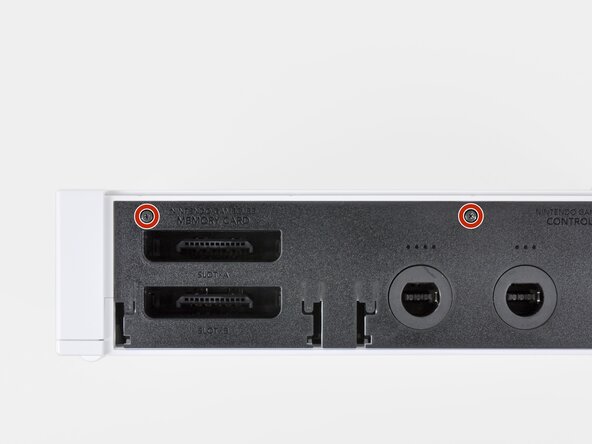
Remove the two remaining 4.1 mm Phillips screws along the top edge of the black plastic controller port bezel.
-
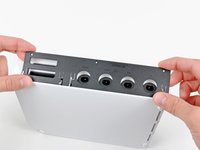
Lift the bezel from the long edge furthest away from the controller ports and remove it from the Wii.
-
-
-
Use a metal spudger to remove the three highlighted screw covers stuck to the side of the Wii.
-
-
-
Remove the following screws:
-
Two 5 mm Phillips screws
-
One 8.2 mm Tri-Point screw
-
-
-
Use a metal spudger to remove the two rubber feet stuck to the bottom face of the Wii near the rear ports.
-
-
Tool used on this step:iFixit Precision 4 mm Screwdriver Bit$2.99
-
Remove the two 8.2 mm Tri-Point screws hidden under the feet you just removed.
-
-
-
-
-
Remove the small Phillips screw securing the battery door to the bottom panel.
-
Pull the battery door out of the Wii.
-
-
-
Remove the two 8.2 mm Tri-Point screws securing the DVD drive shield near the controller ports.
-
-
-
-
Remove the four 9 mm Phillips screws securing the DVD drive to the bottom panel.
-
-
-
Lift the side of the DVD drive opposite the controller ports enough to access the cables on its bottom face.
-
Carefully pull the DVD drive power cable out from under the plastic shroud near the heat sink.
-
-
-
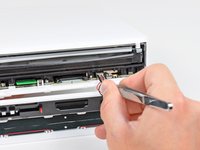
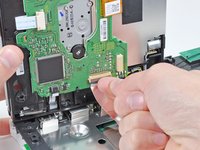
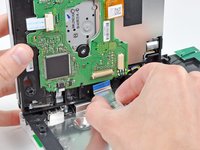
Use your fingernail to flip up the retaining flap on the DVD drive ribbon cable socket.
-
Pull the DVD drive ribbon cable out of its socket.
-
Remove the DVD drive from the Wii.
-
-
-
-
-
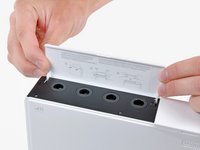
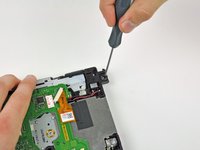
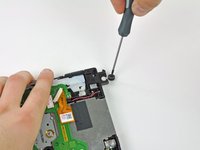
Insert the tip of a long, skinny screwdriver into the hole in the center of the first grommet on the rear of the DVD drive housing.
-
Pull the grommet straight away from the DVD drive housing until it is free.
-
-
-
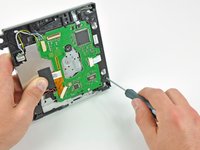
Repeat the procedure described in the preceding step for the second rubber grommet on the rear of the DVD drive housing.
-
-
-
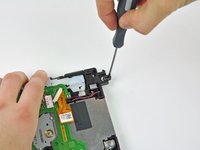
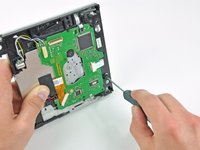
Insert the end of the skinny screwdriver into the hole in the center of the lower rubber grommet along the front of the DVD drive housing.
-
Pull the screwdriver straight up until the grommet is free.
-
-
-
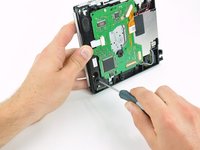
Repeat the procedure in the preceding step to remove the second rubber grommet along the front of the DVD drive housing.
-
-




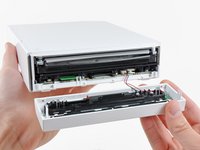












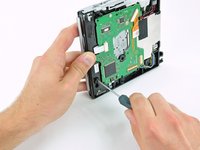
To reassemble your device, follow these instructions in reverse order.
Cancel: I did not complete this guide.
470 other people completed this guide.

107 Guide Comments
Brilliant guide. I had the drive swapped in 10 mins and my son is over the moon.
My Wii stopped reading disks and there was a bad clicking noise when trying to read disks. I swapped it out with a new one by following this guide and it works perfectly now! I could not be more pleased. Great guide!
This was exact and awesome. I ordered a drive online and installed it using these very exact and useful instructions. worked perfectly, and two little people are quite happy. Thanks again.
I need the video here is one: http://www.youtube.com/watch?v=u0qXRq8hB...
Excellent Guide!! Very descriptive.
