Free Shipping on Domestic Orders $75+

Nintendo Switch Rear Panel Replacement

Archived Guide
This guide is retained solely for historical purposes. Use the updated version of the guide to perform your repair.

What you need

  1. Nintendo Switch Rear Panel Replacement, Rear Panel: step 1, image 1 of 1
    • Remove the four 6.3 mm Tri-point Y00 screws from the rear panel.

  2. Nintendo Switch Rear Panel Replacement: step 2, image 1 of 1
    • Remove the single 6.1 mm Phillips #000 screw from underneath the kickstand.

  3. Nintendo Switch Rear Panel Replacement: step 3, image 1 of 1
    • Remove the two 2.7 mm Phillips #000 screws from the bottom of the device.

  4. Nintendo Switch Rear Panel Replacement: step 4, image 1 of 1
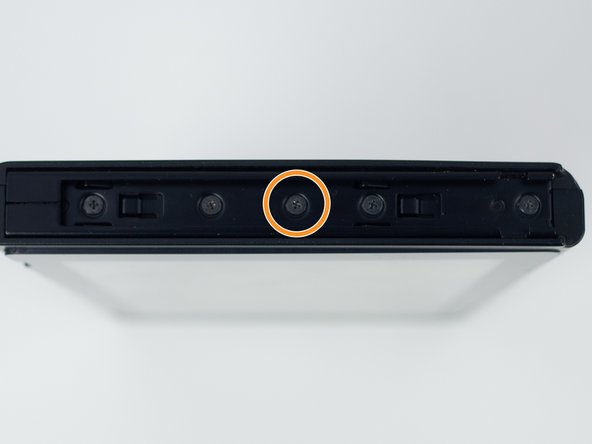
    • Remove the single 2.7 mm Phillips #000 screw from the top of the device.

  5. Nintendo Switch Rear Panel Replacement: step 5, image 1 of 2 Nintendo Switch Rear Panel Replacement: step 5, image 2 of 2
    • Remove the single 3.8 mm Phillips #000 screw from the right Joy-Con rail.

    • Remove the single 3.8 mm Phillips #000 screw from the left Joy-Con rail.

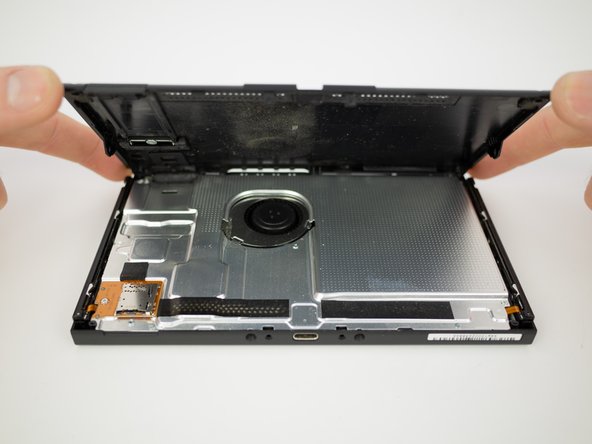
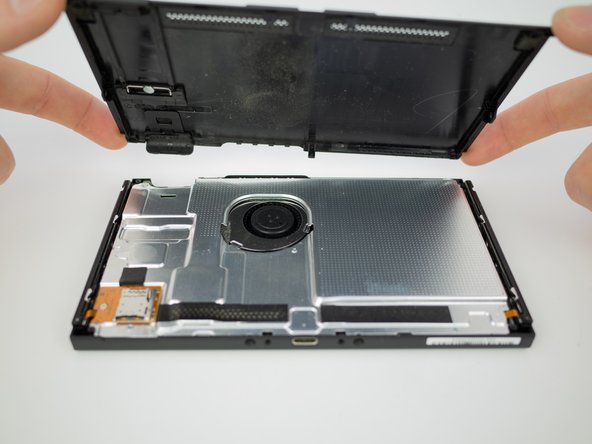
  6. Nintendo Switch Rear Panel Replacement: step 6, image 1 of 3 Nintendo Switch Rear Panel Replacement: step 6, image 2 of 3 Nintendo Switch Rear Panel Replacement: step 6, image 3 of 3
    • Pull the rear panel up and off of the device.

Conclusion

To reassemble your device, follow these instructions in reverse order.

Blake Klein

Member since: 01/29/17

74,013 Reputation

50 Guides authored

0 Guide Comments

Add Comment

View Statistics:

Past 24 Hours: 0

Past 7 Days: 5

Past 30 Days: 9

All Time: 164