Shop the Holiday Gift Guide
Free Shipping on Domestic Orders $75+

Nintendo Switch 2 Kickstand Installation

Views: 117

View statistics:

Past 24 Hours:
0
Past 7 Days:
2
Past 30 Days:
5
All Time:
117
Comments: 0

No one has left comments on this guide. Will you be first?

Go to guide comments
Completed: 0

No one has marked this guide "completed." Will you be the first?

Favorites: 0

No one has favorited (and subscribed to) this guide. Will you be the first?

Time Required: No estimate
Difficulty: Moderate
Prerequisite Only

This is a prerequisite-only guide! This guide is part of another procedure and isn’t meant to be used alone.

Nintendo Switch 2 Kickstand Installation

What you need

Tools

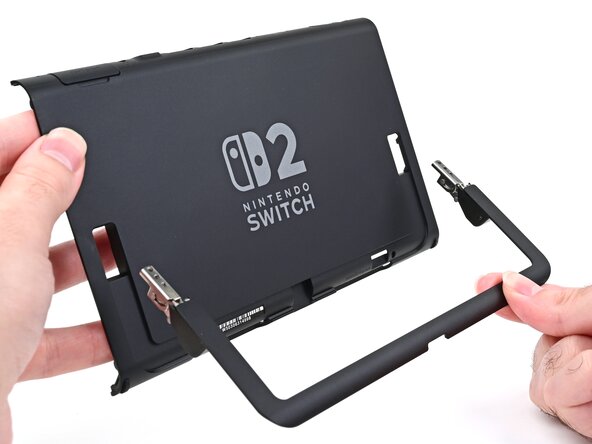
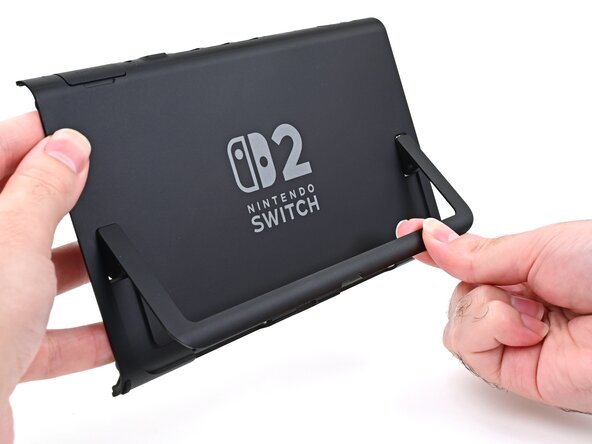
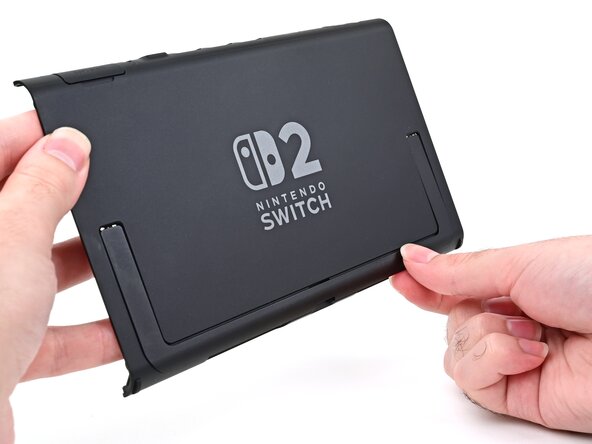
    1. Nintendo Switch 2 Kickstand Installation, Install the kickstand: step 1, image 1 of 3 Nintendo Switch 2 Kickstand Installation, Install the kickstand: step 1, image 2 of 3 Nintendo Switch 2 Kickstand Installation, Install the kickstand: step 1, image 3 of 3
      • Align the kickstand so its hinge covers are facing the back cover.

      • Insert the hinges through their slots in the back cover and set the kickstand into its cutout.

      Ask FixBot

      Add Comment

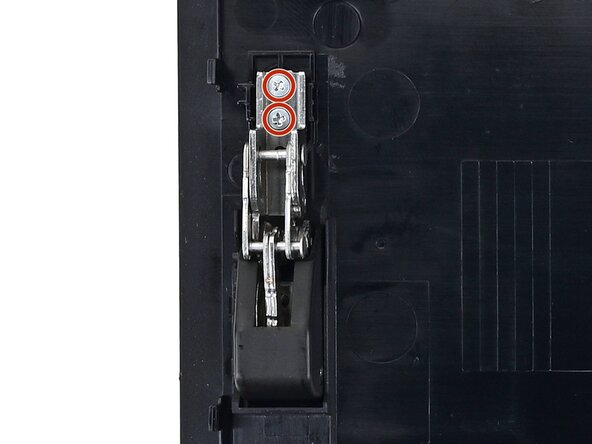
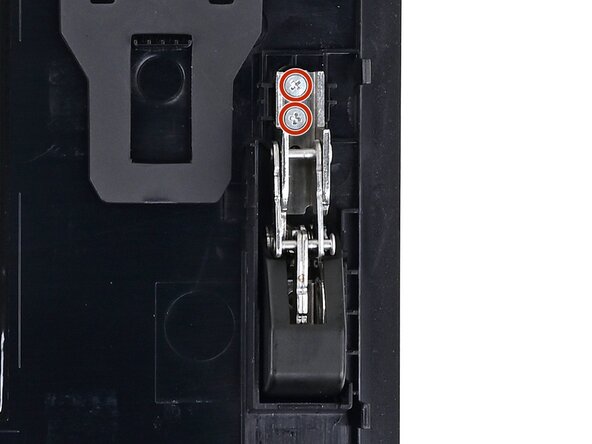
    2. Nintendo Switch 2 Kickstand Installation, Install the kickstand screws: step 2, image 1 of 2 Nintendo Switch 2 Kickstand Installation, Install the kickstand screws: step 2, image 2 of 2
      • Use a JIS 00 driver to install the two 2.3 mm‑long silver screws securing each hinge to the inside of the back cover (four total).

      Ask FixBot

      Add Comment

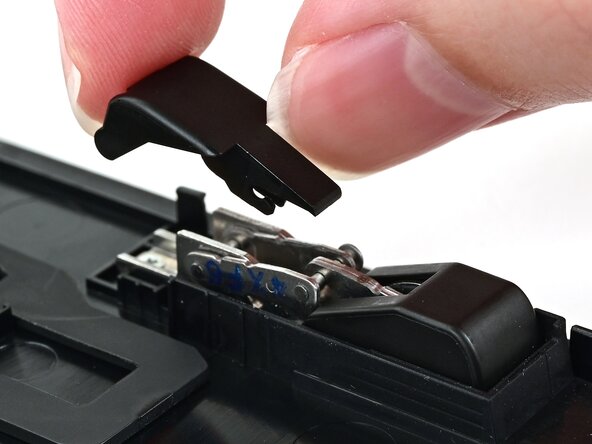
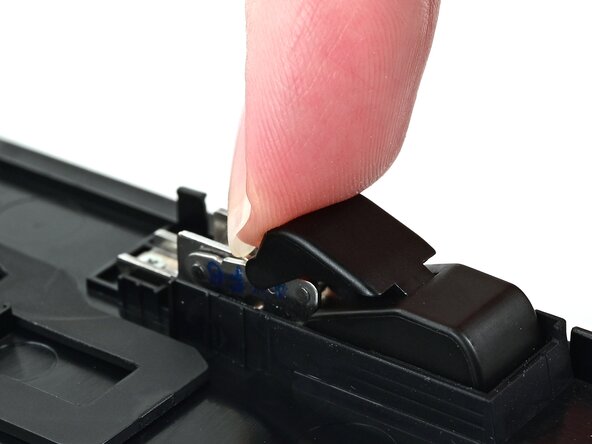
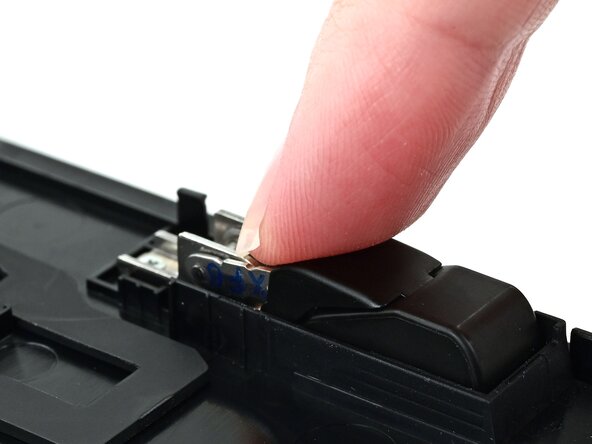
    3. Nintendo Switch 2 Kickstand Installation, Install the upper hinge covers: step 3, image 1 of 3 Nintendo Switch 2 Kickstand Installation, Install the upper hinge covers: step 3, image 2 of 3 Nintendo Switch 2 Kickstand Installation, Install the upper hinge covers: step 3, image 3 of 3
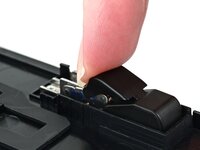
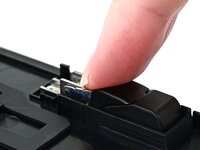
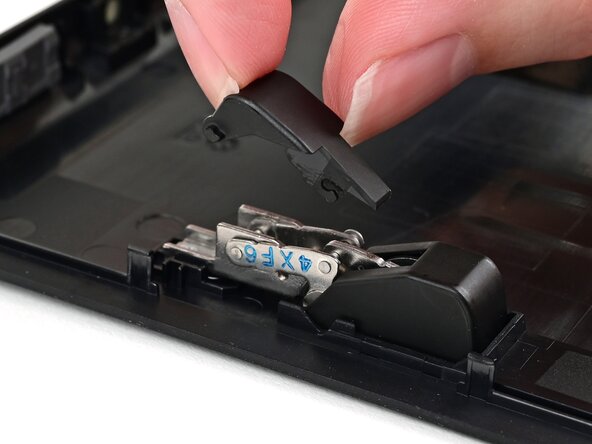
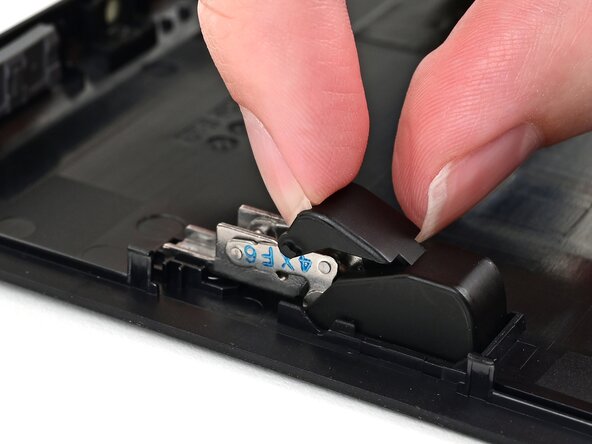
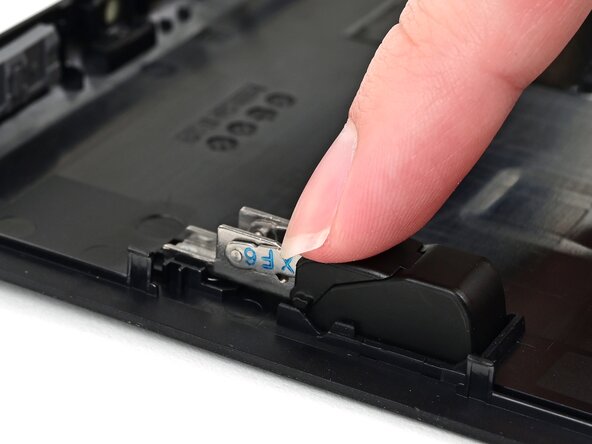
      • Align one of the upper hinge covers with its respective hinge, and slide it underneath the lower hinge cover.

      • Use your finger to press the upper hinge cover down until it clicks into place.

      Ask FixBot

      Add Comment

    4. Nintendo Switch 2 Kickstand Installation: step 4, image 1 of 3 Nintendo Switch 2 Kickstand Installation: step 4, image 2 of 3 Nintendo Switch 2 Kickstand Installation: step 4, image 3 of 3
      • Repeat this process to install the other upper hinge cover.

      Ask FixBot

      Add Comment

Conclusion

To reassemble your device, follow these instructions in reverse order.

Cancel: I did not complete this guide.

Nick Schultz

Member since: 03/24/24

70,853 Reputation

363 Guides authored

0 Guide Comments

Add Comment

View Statistics:

Past 24 Hours: 0

Past 7 Days: 2

Past 30 Days: 5

All Time: 117