
Acer Chromebook CB0311-1H-C1MX Heatsink Replacement

Izzy Hamann and 4 other contributors
Last updated on May 27, 2025
Views: 293
View statistics:
- Past 24 Hours:
- 0
- Past 7 Days:
- 13
- Past 30 Days:
- 61
- All Time:
- 293
Comments: 0
No one has left comments on this guide. Will you be first?
Go to guide commentsCompleted: 2 3
2 people have marked this guide "completed." Will you be next?
3 people have marked this guide "completed." Including you — great job!
Favorites: 0 1
No one has favorited (and subscribed to) this guide. Will you be the first?
1 person has favorited (and subscribed to) this guide — and that's you!
Featured Student Guide
This guide has been the hard work of our awesome students and is found to be exceptionally cool by the iFixit staff.
Introduction
Go to step 1 ↓The purpose of this guide is to demonstrate how to properly replace a faulty heatsink (also known as a “bus bar”) of the Acer Chromebook CB0311-1H-C1MX. The heatsink distributes high electrical currents across the motherboard and dissipates the heat across its surface in order to cool the device. If the device is experiencing overheating, the heatsink may need to be replaced.
What you need
Tools


-
-
-
Using a JIS #1 screwdriver, remove eleven 6.6 mm screws from the back cover.
 Ask FixBot
-
-
-
Beginning at the hinges, use an iFixit Opening Tool to pry open the back case.
-
Continue using the iFixit Opening Tool around the entire edge of the case.
-
-
-
-
-
Using a JIS #1 screwdriver, remove all four 4.8 mm screws holding the battery in place.
-
-
-
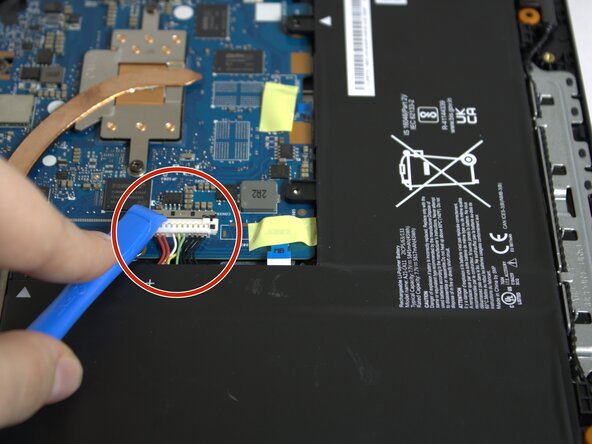
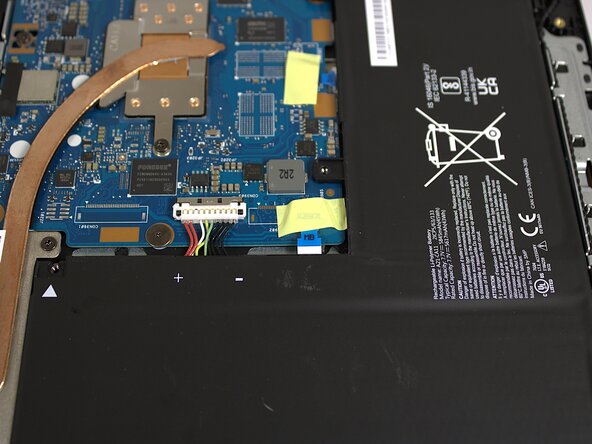
Gently push on either side of the silver connector so that it no longer covers the battery cable.
-
Disconnect the battery cable by pulling it straight out.
-
-
-
-
-
-
Remove all four 4.7 mm screws from the heat sink with the JIS #1 screwdriver.
-
-



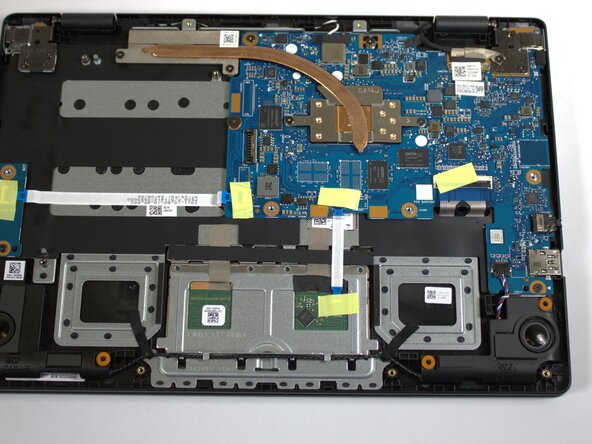


To reassemble your device, follow these instructions in reverse order.
Cancel: I did not complete this guide.
2 other people completed this guide.

Team

Colorado Mesa University, Team 1-1, Kinney Spring 2025 Member of Colorado Mesa University, Team 1-1, Kinney Spring 2025
CMU-KINNEY-S25S1G1
4 Members
84 Guides authored
