Free Shipping on Domestic Orders $75+

Disassembling the Garmin eTrex Vista-H Outer Case

What you need

  1. Disassembling the Garmin eTrex Vista-H Outer Case, Removing Battery: step 1, image 1 of 1
    • Flip the device to the backside, and locate the metal tab at the center of the back cover.

    Ask FixBot

    Add Comment

  2. Disassembling the Garmin eTrex Vista-H Outer Case: step 2, image 1 of 1
    • Lift the metal tab up, and rotate it counterclockwise. This will unlock the back case cover.

    Ask FixBot

    Add Comment

  3. Disassembling the Garmin eTrex Vista-H Outer Case: step 3, image 1 of 2 Disassembling the Garmin eTrex Vista-H Outer Case: step 3, image 2 of 2
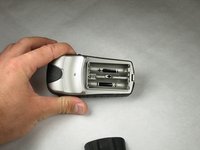
    • Lift the battery plate off to either insert or remove 2 AA batteries.

    Ask FixBot

    Add Comment

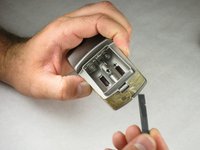
  4. Disassembling the Garmin eTrex Vista-H Outer Case, Disassembling the Garmin eTrex Vista-H Outer Case: step 4, image 1 of 2 Disassembling the Garmin eTrex Vista-H Outer Case, Disassembling the Garmin eTrex Vista-H Outer Case: step 4, image 2 of 2
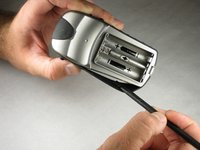
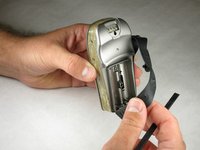
    • With the wedge side of a spudger (or a small, flat head screwdriver), remove the black rubber case support from the device body.

    Ask FixBot

    Add Comment

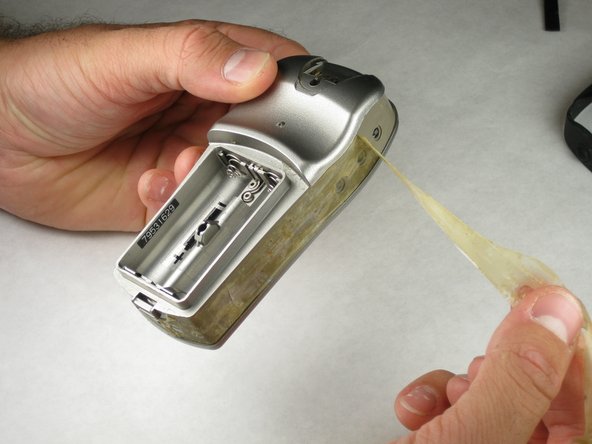
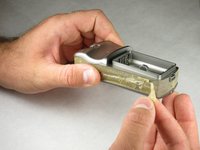
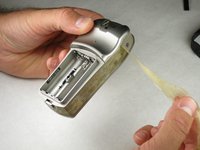
  5. Disassembling the Garmin eTrex Vista-H Outer Case: step 5, image 1 of 3 Disassembling the Garmin eTrex Vista-H Outer Case: step 5, image 2 of 3 Disassembling the Garmin eTrex Vista-H Outer Case: step 5, image 3 of 3
    Tool used on this step:
    Tweezers
    $4.99
    Buy
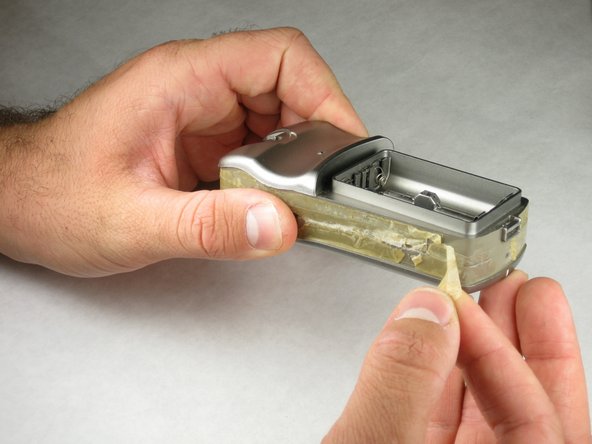
    • With the pick side of a spudger (or tweezers), peel the sticky tape from the device.

    Ask FixBot

    Add Comment

  6. Disassembling the Garmin eTrex Vista-H Outer Case: step 6, image 1 of 1
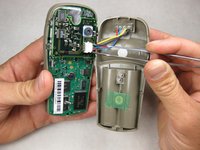
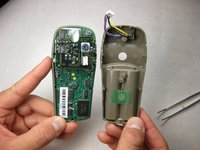
    • Split the front and rear panels by inserting a small pointed tool (such as a pen point or a screwdriver tip SL1.5) in the 5 plastic tabs along the sides of the device.

    • Do not remove the back panels quickly. If too much force is applied, there is a wire connection that will break.

    • CAUTION! Be careful not to force the tabs inward. This will result in broken tabs.

    Ask FixBot

    Add Comment

  7. Disassembling the Garmin eTrex Vista-H Outer Case: step 7, image 1 of 2 Disassembling the Garmin eTrex Vista-H Outer Case: step 7, image 2 of 2
    • With tweezers (or your fingernails), carefully disconnect the wires between the PC input and the motherboard.

    Ask FixBot

    Add Comment

Conclusion

To reassemble your device, follow these instructions in reverse order.

Cancel: I did not complete this guide.

7 other people completed this guide.

Ryan Green

Member since: 10/17/10

93 Reputation

1 Guide authored

Team

Cal Poly, Team 21-30, Regan Fall 2010 Member of Cal Poly, Team 21-30, Regan Fall 2010

CPSU-REGAN-F10S21G30

3 Members

5 Guides authored

0 Guide Comments

Add Comment

View Statistics:

Past 24 Hours: 1

Past 7 Days: 6

Past 30 Days: 41

All Time: 5,497