
Nintendo Family Computer (Famicom) Motherboard Replacement

Siddharth Murali and one other contributor
Last updated on Jun 24, 2024
Views: 2.1K
View statistics:
- Past 24 Hours:
- 8
- Past 7 Days:
- 22
- Past 30 Days:
- 112
- All Time:
- 2,078
Comments: 0
No one has left comments on this guide. Will you be first?
Go to guide commentsCompleted: 0 1
No one has marked this guide "completed." Will you be the first?
1 person has marked this guide "completed." It's you — great job!
Favorites: 0 1
No one has favorited (and subscribed to) this guide. Will you be the first?
1 person has favorited (and subscribed to) this guide — and that's you!
Introduction
Go to step 1 ↓The motherboard of a Nintendo Family Computer (Famicom) is a fundamental component that serves as the central hub for processing and coordinating all system functions. This critical circuit board houses the CPU (Central Processing Unit), memory modules, and various other essential chips that collectively enable the Famicom to function seamlessly. Over time, due to factors such as age, environmental conditions, or unforeseen damage, the Famicom's motherboard may require replacement to restore optimal performance and functionality.
What you need
Tools

-
-
-
Use a Phillips screwdriver to remove the six 13.5 mm screws that secure the lower case.
-
Remove the lower case.
 Ask FixBot
-
-
-
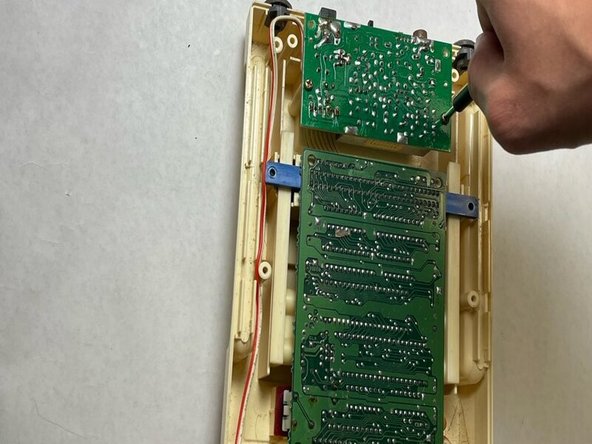
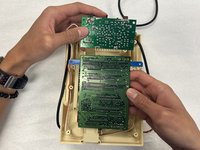
Remove the eight 13.5 mm Phillips screws that secure the motherboard.
-
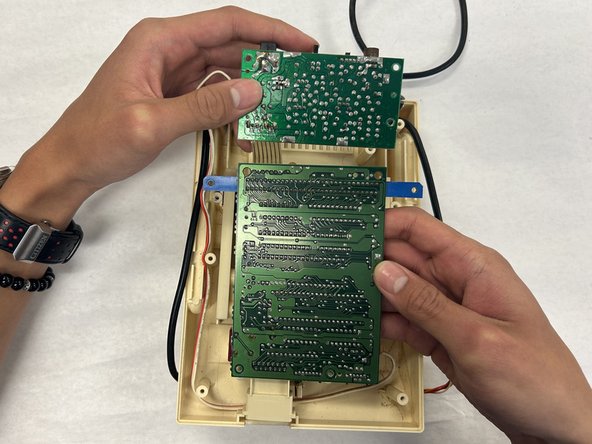
Lift the motherboard up and out of the chassis.
-
-
-



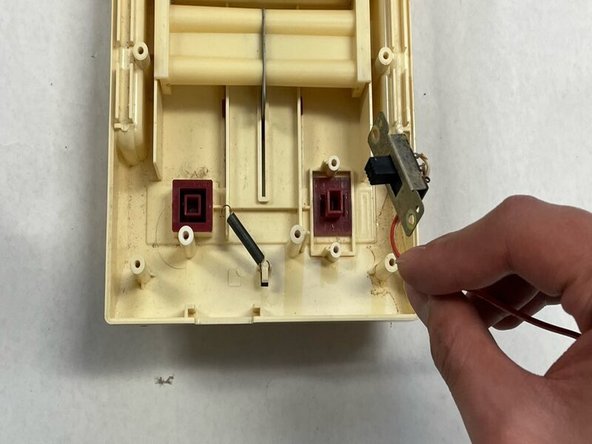
To reassemble your device, follow these instructions in reverse order.

Team

IUPUI, Team 2-2, Harley Spring 2024 Member of IUPUI, Team 2-2, Harley Spring 2024
IUPUI-HARLEY-S24S2G2
4 Members
36 Guides authored
