
Nintendo Family Computer (Famicom) Controller Motherboard Replacement

Trenton Saint and 2 other contributors
Last updated on Jun 24, 2024
Views: 1.1K
View statistics:
- Past 24 Hours:
- 7
- Past 7 Days:
- 19
- Past 30 Days:
- 70
- All Time:
- 1,110
Comments: 0
No one has left comments on this guide. Will you be first?
Go to guide commentsCompleted: 0 1
No one has marked this guide "completed." Will you be the first?
1 person has marked this guide "completed." It's you — great job!
Favorites: 0 1
No one has favorited (and subscribed to) this guide. Will you be the first?
1 person has favorited (and subscribed to) this guide — and that's you!
Featured Student Guide
This guide has been the hard work of our awesome students and is found to be exceptionally cool by the iFixit staff.
Introduction
Go to step 1 ↓The controller motherboard is a critical component responsible for translating button presses into readable inputs for the game system. All controller components, including the motherboard, are subject to accidents, gunk buildup, and wear and tear. The controller motherboard, often built durably and protected within a case, will typically outlive the buttons and wire connections. Nonetheless, controller motherboards do need replacement from time to time.
What you need


-
-
-
Use a Phillips screwdriver to remove the six 13.5 mm screws that secure the lower case.
-
Remove the lower case.
 Ask FixBot
-
-
-
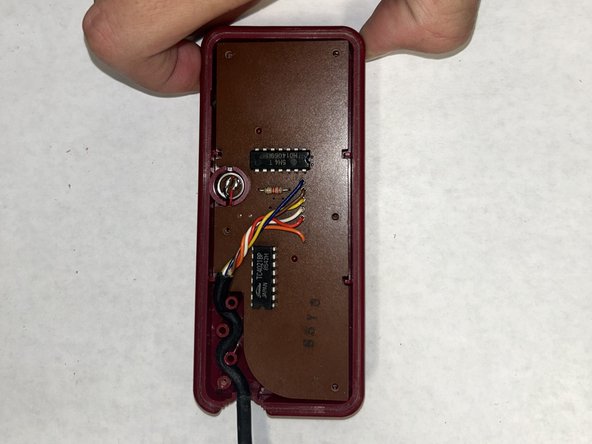
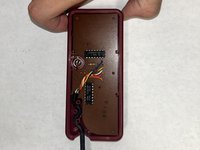
Carefully disconnect the faulty controller's connector from the motherboard port.
-
-
-
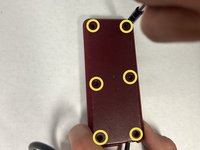
Use a Phillips screwdriver to remove the six 9.3 mm screws from the back side of the controller.
-
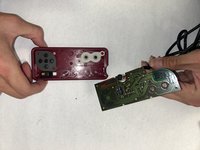
Remove the back cover of the controller.
-
-
-




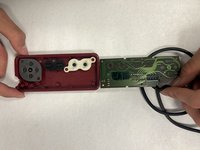
To reassemble your device, follow these instructions in reverse order.

Team

IUPUI, Team 2-2, Harley Spring 2024 Member of IUPUI, Team 2-2, Harley Spring 2024
IUPUI-HARLEY-S24S2G2
4 Members
36 Guides authored
