
Nintendo DSi XL Power Button Replacement

Brett Hartt and 4 other contributors
Last updated on Jul 31, 2013
Views: 9.9K
View statistics:
- Past 24 Hours:
- 2
- Past 7 Days:
- 18
- Past 30 Days:
- 112
- All Time:
- 9,898
Comments: 2
2 comments on steps.
Completed: 2 3
2 people have marked this guide "completed." Will you be next?
3 people have marked this guide "completed." Including you — great job!
Favorites: 9 10
9 people have favorited (and subscribed to) this guide. Will you be next?
10 people have favorited (and subscribed to) this guide — including you!
Introduction
Go to step 1 ↓Regain power over your DSi XL by replacing or cleaning a faulty or sticky power button.
What you need


-
-
-
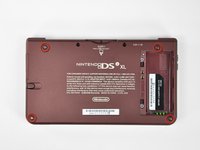
Remove the two Phillips screws securing the battery cover to the back of the handheld console.
-
Lift the battery cover off the back of the DSi XL.
 Ask FixBot
-
-
-
-
-
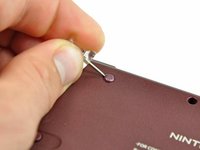
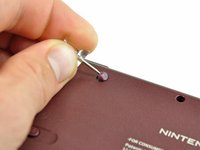
Remove the four rubber screw covers on the lower case by prying them up with a push pin.
-
-
-
Remove the following seven Phillips screws that secure the lower case to the rest of the DSi XL:
-
Four silver 5.3 mm screws
-
Two black 5.3 mm screws
-
One black 2.5 mm screw
-
-
-
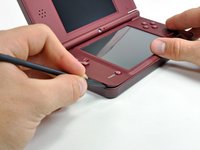
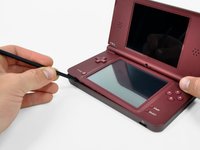
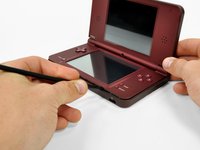
Insert a spudger between the upper and lower case at the bottom left corner of the DSi.
-
Slide the spudger along the bottom edge of the upper case to release the latches securing the upper case to the lower case.
-
-
-
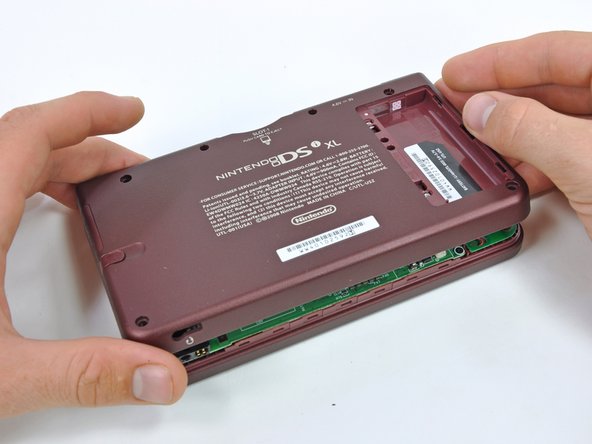
Lift the lower case from the front edge.
-
Rotate the lower case away from the DSi.
-
-
-
Using a spudger, pry the SD card/right shoulder button connector off its socket.
-
Pry the volume button/left shoulder button connector off its socket on the motherboard with a spudger.
-
-
-
-
-
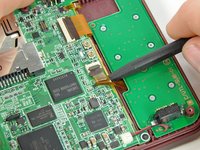
Using the flat end of a spudger, flip up the retaining flap on the ZIF connector for the D-pad/power button cable.
-
With the pointed end of the spudger, pull the D-pad/power button cable from its connector on the motherboard.
-
-
-
-
Using the flat end of the spudger, carefully pry the battery cable out of its socket on the motherboard.
-
-
-
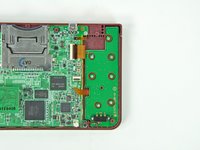
Remove the seven 2.5 mm silver screws securing the power board to the upper case.
-
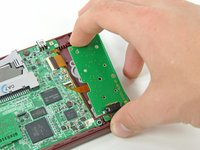
Lift the power board off the upper case.
-
-
-
-
-
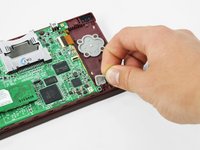
Lift the rubber pad off the back of the power button.
-
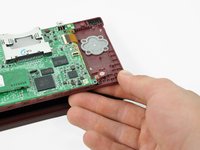
Open the display slightly and push the power button up through the upper case.
-
Remove the power button from the handheld console.
-
-





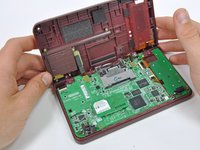


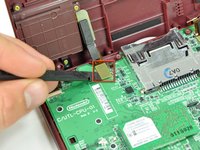
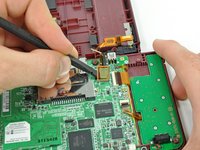


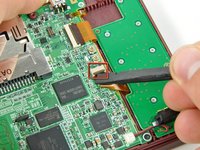




To reassemble your device, follow these instructions in reverse order.
Cancel: I did not complete this guide.
2 other people completed this guide.


