
Nintendo 2DS Joystick Replacement

Fina Beauchamp and
Last updated on May 6, 2024
Views: 49K
View statistics:
- Past 24 Hours:
- 37
- Past 7 Days:
- 200
- Past 30 Days:
- 694
- All Time:
- 49,353
Comments: 33
20 comments on steps, 13 guide comments.
Go to guide commentsCompleted: 30 31
30 people have marked this guide "completed." Will you be next?
31 people have marked this guide "completed." Including you — great job!
Favorites: 9 10
9 people have favorited (and subscribed to) this guide. Will you be next?
10 people have favorited (and subscribed to) this guide — including you!
Introduction
Go to step 1 ↓We will teach you how to first remove the battery and back panel then access the joystick for repair or cleaning purposes.
What you need
Tools


-
-
-
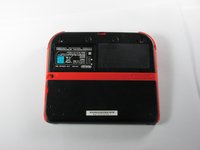
Remove the two Phillips captive screws securing the upper rear panel.
 Ask FixBot
-
-
-
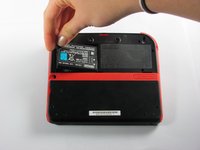
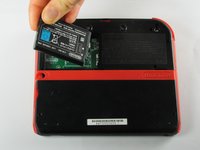
Remove the battery from its housing by lifting it up from the side closest to the outside edge.
-
-
-
-
-
-
Use your fingernail or the flat end of a spudger to flip up the connector securing the ribbon cable to the motherboard
-
Remove the cable from the connector
-
-
-
-
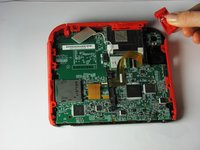
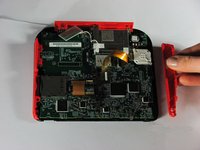
Remove the trigger button on the top right corner by pulling upwards and outwards.
-
Remove the right red side panel by pulling outwards.
-
-
-
Use a spudger to lift the gray locking lever on the joystick ribbon cable ZIF connector. Pry straight up from the motherboard on the side of the connector opposite the cable.
-
Gently slide the cable straight out of the connector.
-
-
-
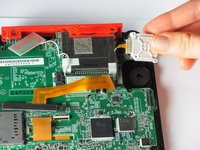
Remove the two 7.8mm Phillips corner screws holding the white joystick cover.
-
-
-
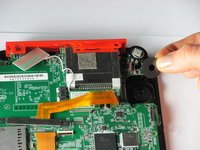
Remove the joystick cover. It should detach with little force.
-
Remove the joystick washer under the joystick cover.
-
-






To reassemble your device, follow these instructions in reverse order.
Cancel: I did not complete this guide.
30 other people completed this guide.

Team

Cal Poly, Team 70-1, Forte Winter 2015 Member of Cal Poly, Team 70-1, Forte Winter 2015
CPSU-FORTE-W15S70G1
4 Members
72 Guides authored
13 Guide Comments
My ribbon cable is broke, Is there a way to fix it?Thanks.
@deezsmith which ribbon cable? The joystick Flex? If is this Flex, there is nothing we can do, they are extremely fragile. You can buy a new joystick, i guess.
When I put the circle pad back in, my 2DS thinks that I am holding up and right on it, when in reality it is in the neutral position. Please help.
Use the calibrate option in system settings. Also make sure the cable is connected nicely.
Recalibrate it in system settings.
