Introduction
In order to replace anything in the camera, besides the battery or SD card, the camera’s casing must be removed. When removing the casing there are a few important factors to keep in mind.
The screws used to hold the casing together are very small, and easy to lose. Keep them in a safe place where you will be able to find them again.
Be gentle when removing the front and back casing from the body of the camera. It is tight around the body and can crack easily if you try to force it apart. Use the spudger if working it apart with your fingers is proving difficult.
What you need
-
-
-
Slide the battery door open with a finger or thumb and release it so the door opens.
 Ask FixBot
-
-
-
-
-
-
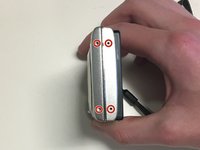
Remove four 2mm Phillips #000 screws.
-
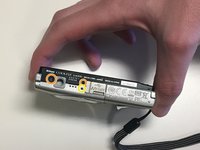
Remove two black 3mm Phillips #000 screws.
-
Remove one 4mm Phillips #000 screws.
-
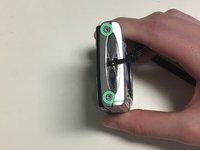
Remove two silver 3mm Phillips #000 screws.
-
-
-
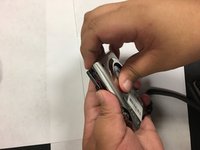
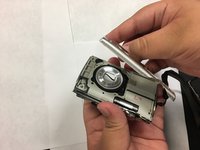
Use your fingers, or a spudger, to lift up one end of the casing and then pry the two pieces apart.
-
-
-
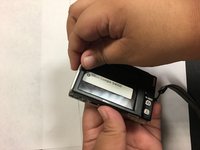
Turn the camera over.
-
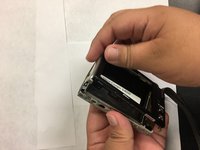
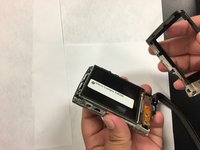
Use your fingers, or spudger, to lift one end of the back casing and pry it apart from back of the camera.
-
-






To reassemble your device, follow these instructions in reverse order.

Team

University of North Texas, Team S4-G1, Thompson Spring 2018 Member of University of North Texas, Team S4-G1, Thompson Spring 2018
UNT-THOMPSON-S18S4G1
5 Members
96 Guides authored
