
Nike+ Sportband Screen Replacement

Daniel Burtner and 7 other contributors
Last updated on Nov 13, 2025
Views: 706
View statistics:
- Past 24 Hours:
- 3
- Past 7 Days:
- 18
- Past 30 Days:
- 77
- All Time:
- 706
Comments: 0
No one has left comments on this guide. Will you be first?
Go to guide commentsCompleted: 0 1
No one has marked this guide "completed." Will you be the first?
1 person has marked this guide "completed." It's you — great job!
Favorites: 0 1
No one has favorited (and subscribed to) this guide. Will you be the first?
1 person has favorited (and subscribed to) this guide — and that's you!
Introduction
Go to step 1 ↓This repair might be needed if your NikePlus Sportband screen has been damaged due to being drop or stepping on the device.
What you need
Tools


-
-
-
Begin by removing the Nike+ Sport-band. This gives you access to the plastic housing so you can begin disassembly.
 Ask FixBot
-
-
-
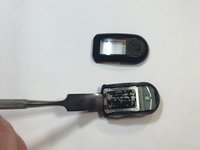
Finish the disassembly of your NikePlus Sportband by utilizing the metal spudger tool on the short edge to pry the external body pieces apart.
-
-
-
-
-
-
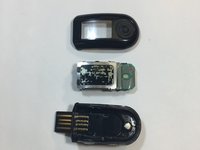
After the cover had been removed, use the metal spudger tool to remove the body of the device from the casing.
-
-
Tool used on this step:Tweezers$4.99
-
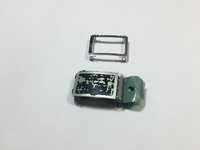
Use the metal tweezers to pry the screen casing from the body of the device.
-
The screen casing is fastened to the body of the device by four clips located in each corner of the casing. Make sure not to bend them.
-
-
-
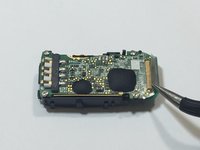
Flip the body of the device over so that the screen is now on the bottom.
-
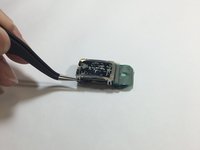
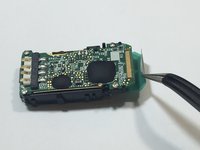
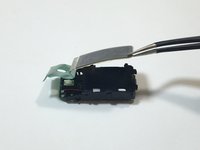
The display ribbon cable is soldered to the motherboard. We were able to peel up the ribbon cable with a pair of tweezers.
-
-
-
Flip the body of the device back over so that the screen is facing up.
-
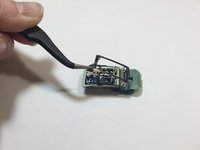
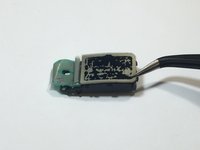
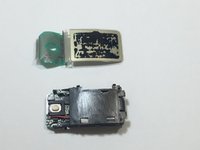
Using the tweezers, gently lift the screen from body of the device.
-
-








To reassemble your device, follow these instructions in reverse order.

Team

IUPUI, Team 9-9, Wilson Spring 2016 Member of IUPUI, Team 9-9, Wilson Spring 2016
IUPUI-WILSON-S16S9G9
5 Members
48 Guides authored
