Free Shipping on Domestic Orders $75+

Nexus One Secondary Microphone Replacement

What you need

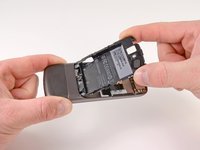
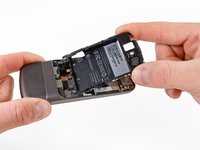
  1. Nexus One Secondary Microphone Replacement, Rear Cover: step 1, image 1 of 2 Nexus One Secondary Microphone Replacement, Rear Cover: step 1, image 2 of 2
    • Using two fingers, push up on the rear cover.

    Ask FixBot

    Add Comment

  2. Nexus One Secondary Microphone Replacement: step 2, image 1 of 1
    • The rear cover slides up and off.

    Ask FixBot

    Add Comment

  3. Nexus One Secondary Microphone Replacement, Battery: step 3, image 1 of 1
    • Using the plastic opening tools, pry the left bottom corner of the battery up.

    Ask FixBot

    Add Comment

  4. Nexus One Secondary Microphone Replacement: step 4, image 1 of 1
    • Pull the battery up and out.

    Ask FixBot

    Add Comment

  5. Nexus One Secondary Microphone Replacement, Battery Housing: step 5, image 1 of 1
    • Remove the two Torx T5 screws.

    • Remove the one Philips #00 screw.

    Ask FixBot

    Add Comment

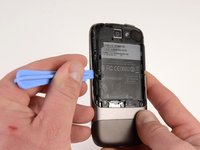
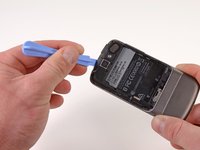
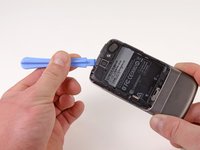
  6. Nexus One Secondary Microphone Replacement: step 6, image 1 of 2 Nexus One Secondary Microphone Replacement: step 6, image 2 of 2
    • Using the plastic opening tool, pry up the battery housing upwards.

    • Push pry tool down, undoing the plastic tab.

    Ask FixBot

    Add Comment

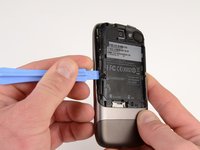
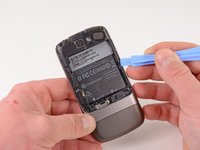
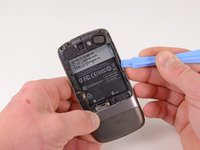
  7. Nexus One Secondary Microphone Replacement: step 7, image 1 of 2 Nexus One Secondary Microphone Replacement: step 7, image 2 of 2
    • Pry the upper left tab open on the battery housing.

    Ask FixBot

    Add Comment

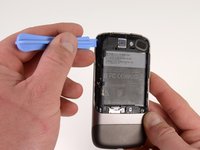
  8. Nexus One Secondary Microphone Replacement: step 8, image 1 of 2 Nexus One Secondary Microphone Replacement: step 8, image 2 of 2
    • Pry the top tab of the battery housing.

    Ask FixBot

    Add Comment

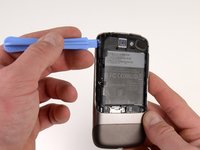
  9. Nexus One Secondary Microphone Replacement: step 9, image 1 of 2 Nexus One Secondary Microphone Replacement: step 9, image 2 of 2
    • Pry the right side tab of the battery housing.

    Ask FixBot

    Add Comment

  10. Nexus One Secondary Microphone Replacement: step 10, image 1 of 2 Nexus One Secondary Microphone Replacement: step 10, image 2 of 2
    • Pull up on the battery housing.

    • Slide the battery housing out to remove it.

    Ask FixBot

    Add Comment

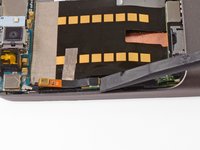
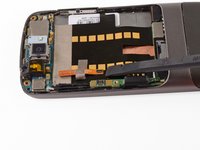
  11. Nexus One Secondary Microphone Replacement, Secondary Microphone: step 11, image 1 of 2 Nexus One Secondary Microphone Replacement, Secondary Microphone: step 11, image 2 of 2
    • Using the spudger, pry upwards on the second microphone connector.

    Ask FixBot

    Add Comment

  12. Nexus One Secondary Microphone Replacement: step 12, image 1 of 1
    • Pull up on the ribbon cable, the tape will detach from the main board ribbon.

    Ask FixBot

    Add Comment

Conclusion

To reassemble your device, follow these instructions in reverse order.

Cancel: I did not complete this guide.

Niklas Johnson

Member since: 01/31/12

1,207 Reputation

18 Guides authored

0 Guide Comments

Add Comment

View Statistics:

Past 24 Hours: 0

Past 7 Days: 15

Past 30 Days: 38

All Time: 2,535