Free Shipping on Domestic Orders $75+

Nexus One Antenna Cable Replacement

Prerequisite Only
This is a prerequisite-only guide! This guide is part of another procedure and isn’t meant to be used alone.

What you need

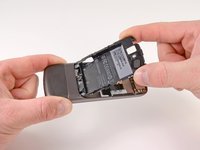
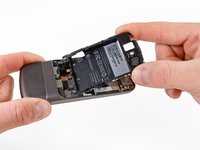
    1. Nexus One Antenna Cable Replacement, Rear Cover: step 1, image 1 of 2 Nexus One Antenna Cable Replacement, Rear Cover: step 1, image 2 of 2
      • Using two fingers, push up on the rear cover.

      Ask FixBot

      Add Comment

    2. Nexus One Antenna Cable Replacement: step 2, image 1 of 1
      • The rear cover slides up and off.

      Ask FixBot

      Add Comment

    1. Nexus One Antenna Cable Replacement, Battery: step 3, image 1 of 1
      • Using the plastic opening tools, pry the left bottom corner of the battery up.

      Ask FixBot

      Add Comment

    2. Nexus One Antenna Cable Replacement: step 4, image 1 of 1
      • Pull the battery up and out.

      Ask FixBot

      Add Comment

    1. Nexus One Antenna Cable Replacement, Battery Housing: step 5, image 1 of 1
      • Remove the two Torx T5 screws.

      • Remove the one Philips #00 screw.

      Ask FixBot

      Add Comment

    2. Nexus One Antenna Cable Replacement: step 6, image 1 of 2 Nexus One Antenna Cable Replacement: step 6, image 2 of 2
      • Using the plastic opening tool, pry up the battery housing upwards.

      • Push pry tool down, undoing the plastic tab.

      Ask FixBot

      Add Comment

    3. Nexus One Antenna Cable Replacement: step 7, image 1 of 2 Nexus One Antenna Cable Replacement: step 7, image 2 of 2
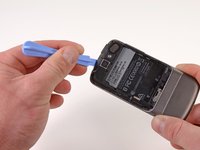
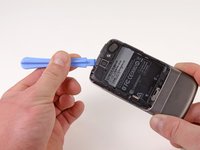
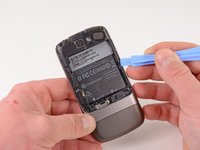
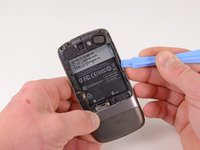
      • Pry the upper left tab open on the battery housing.

      Ask FixBot

      Add Comment

    4. Nexus One Antenna Cable Replacement: step 8, image 1 of 2 Nexus One Antenna Cable Replacement: step 8, image 2 of 2
      • Pry the top tab of the battery housing.

      Ask FixBot

      Add Comment

    5. Nexus One Antenna Cable Replacement: step 9, image 1 of 2 Nexus One Antenna Cable Replacement: step 9, image 2 of 2
      • Pry the right side tab of the battery housing.

      Ask FixBot

      Add Comment

    6. Nexus One Antenna Cable Replacement: step 10, image 1 of 2 Nexus One Antenna Cable Replacement: step 10, image 2 of 2
      • Pull up on the battery housing.

      • Slide the battery housing out to remove it.

      Ask FixBot

      Add Comment

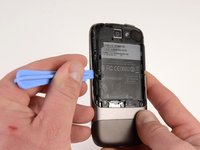
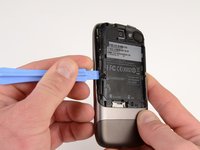
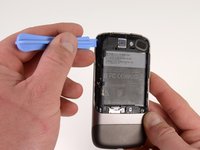
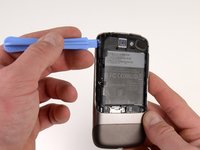
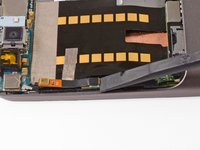
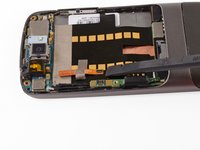
    1. Nexus One Antenna Cable Replacement, Antenna Cable: step 11, image 1 of 2 Nexus One Antenna Cable Replacement, Antenna Cable: step 11, image 2 of 2
      • Pry the antenna cable up.

      Ask FixBot

      Add Comment

    2. Nexus One Antenna Cable Replacement: step 12, image 1 of 1
      • Carefully pull up on the microphone board to release the tape from the phone.

      Ask FixBot

      Add Comment

Conclusion

To reassemble your device, follow these instructions in reverse order.

Cancel: I did not complete this guide.

Niklas Johnson

Member since: 01/31/12

1,207 Reputation

18 Guides authored

0 Guide Comments

Add Comment

View Statistics:

Past 24 Hours: 1

Past 7 Days: 4

Past 30 Days: 10

All Time: 628