15% Off Selected iFixit Tools — Limited Time
Free Shipping on Domestic Orders $75+

Nerf N-Strike Firestrike LED Replacement

What you need

  1. Nerf N-Strike Firestrike LED Replacement, Blaster Casing: step 1, image 1 of 1
    • Remove the seven 10-mm black Phillips screws from the blaster casing with a #1 Phillips Screwdriver.

    Ask FixBot

    Add Comment

  2. Nerf N-Strike Firestrike LED Replacement: step 2, image 1 of 2 Nerf N-Strike Firestrike LED Replacement: step 2, image 2 of 2
    • Slowly pull apart the blaster casing, starting at the battery location.

    • Keep pulling apart slowly until it separates completely. Be cautious as to not send the internal components flying.

    Ask FixBot

    Add Comment

  3. Nerf N-Strike Firestrike LED Replacement: step 3, image 1 of 2 Nerf N-Strike Firestrike LED Replacement: step 3, image 2 of 2
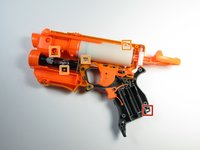
    • For reassembly, ensure that the chrome nut gets put back in the proper location, signified by the red box.

    • For reassembly, ensure that all the parts are lined up correctly on the dowels, signified by the four orange boxes.

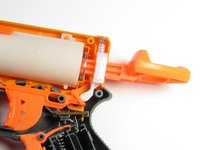
    • For reassembly, note the location of the springs as highlighted in the second photo.

    Ask FixBot

    Add Comment

  4. Nerf N-Strike Firestrike LED Replacement, Remove battery cover: step 4, image 1 of 1
    • Use a #1 Phillips screwdriver to remove the 10 -mm screw that secures the battery plate, then remove the battery cover using your hands.

    Ask FixBot

    Add Comment

  5. Nerf N-Strike Firestrike LED Replacement: step 5, image 1 of 2 Nerf N-Strike Firestrike LED Replacement: step 5, image 2 of 2
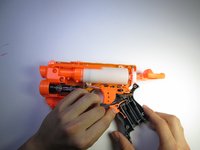
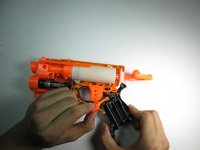
    • Slide out the two AAA batteries using your fingers.

    Ask FixBot

    Add Comment

  6. Nerf N-Strike Firestrike LED Replacement, Laser Trigger: step 6, image 1 of 2 Nerf N-Strike Firestrike LED Replacement, Laser Trigger: step 6, image 2 of 2
    • Remove the laser trigger by grabbing the trigger with your fingers and pulling it up and out.

    Ask FixBot

    Add Comment

  7. Nerf N-Strike Firestrike LED Replacement, Laser Assembly: step 7, image 1 of 1
    • Gently pull up on the circuit board located near the gun handle until it separates from the gun.

    • The wire that attaches to the circuit board is also attached to the laser. Be careful not to use excessive force and damage or disconnect the wire.

    Ask FixBot

    Add Comment

  8. Nerf N-Strike Firestrike LED Replacement: step 8, image 1 of 3 Nerf N-Strike Firestrike LED Replacement: step 8, image 2 of 3 Nerf N-Strike Firestrike LED Replacement: step 8, image 3 of 3
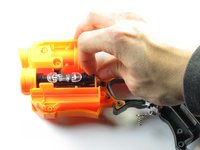
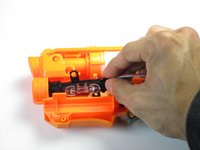
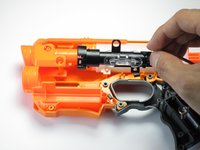
    • Grip the circuit board located at the base of the laser with your fingers; rotate it towards the ammo compartment on the blaster until the guide hole is clear of the guide pin.

    • Slide the laser assembly out.

    Ask FixBot

    Add Comment

  9. Nerf N-Strike Firestrike LED Replacement, LED: step 9, image 1 of 2 Nerf N-Strike Firestrike LED Replacement, LED: step 9, image 2 of 2
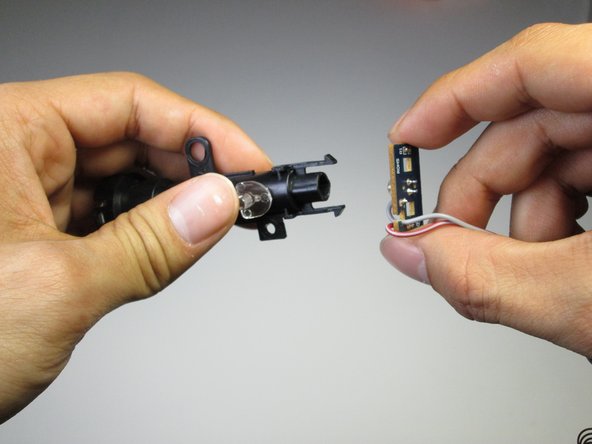
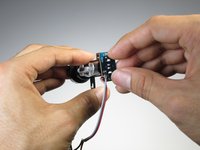
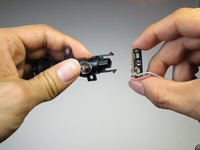
    • Pinch the clips holding the laser beam casing to the circuit board with your fingers. Slide off the casing revealing the LED.

    Ask FixBot

    Add Comment

  10. Nerf N-Strike Firestrike LED Replacement: step 10, image 1 of 1
    • Use a soldering iron to heat up the two connections holding the LED to the circuit board. Remove the LED.

    Ask FixBot

    Add Comment

Conclusion

To reassemble your device, follow these instructions in reverse order.

Cancel: I did not complete this guide.

6 other people completed this guide.

Hayes Kimball

Member since: 04/19/15

742 Reputation

5 Guides authored

Team

Cal Poly, Team 15-6, Amido Spring 2015 Member of Cal Poly, Team 15-6, Amido Spring 2015

CPSU-AMIDO-S15S15G6

3 Members

8 Guides authored

0 Guide Comments

Add Comment

View Statistics:

Past 24 Hours: 4

Past 7 Days: 13

Past 30 Days: 57

All Time: 3,522