Introduction
This guide gives detailed instructions on how to replace the NPET K10V3 USB cable. If you are having trouble with your keyboard being unresponsive or losing connection, follow this detailed guide on how to remove the current cable.
Hazards:
- Electric shock
- Sharp objects
Special Requirements:
- Disconnect keyboard from power source
- Clean workspace
- Careful removal to prevent risk of damaging delicate parts
What you need
-
-
-
Flip the keyboard over so the bottom is facing upwards.
-
Remove five 4.5 mm screws using a Phillips #2 screwdriver.
-
Remove three 9 mm screws using a Phillips #2 screwdriver.
 Ask FixBot
-
-
-
-
-
-
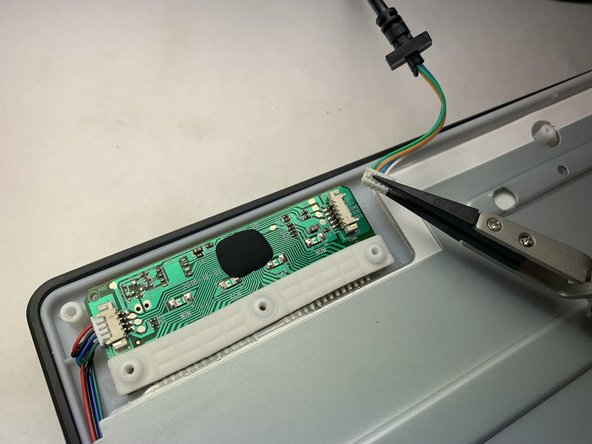
Remove the COM2 connection from its housing with a set of tweezers.
-
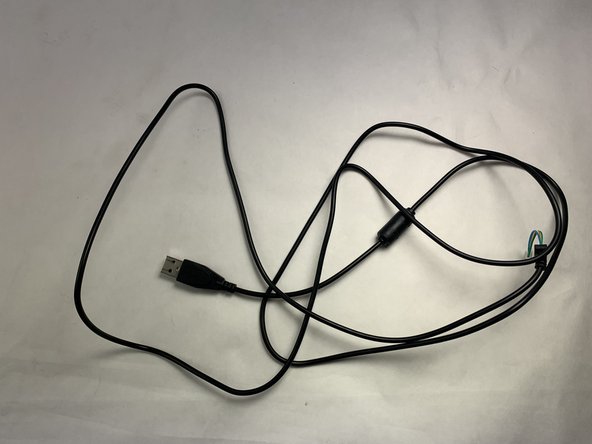
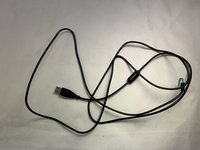
Remove the USB cable from the device.
-
-


To reassemble your device, follow these instructions in reverse order.

Team

UMass Dartmouth, Team 2-6, Konn Spring 2024 Member of UMass Dartmouth, Team 2-6, Konn Spring 2024
UMASSD-KONN-S24S2G6
5 Members
36 Guides authored
