15% Off Selected iFixit Tools — Limited Time
Free Shipping on Domestic Orders $75+

Motorola W385 speaker replacement

What you need

  1. Motorola W385 speaker replacement, Battery: step 1, image 1 of 1
    • Using your finger, press down on the clip holding the back cover on.

    Ask FixBot

    Add Comment

  2. Motorola W385 speaker replacement: step 2, image 1 of 1
    • Using the spudger or your finger, gently pull the battery out from the top.

    Ask FixBot

    Add Comment

  3. Motorola W385 speaker replacement, Front Casing: step 3, image 1 of 1
    • Remove the four rubber pieces from the face of the phone using the sharp end of the spudger.

    • The rubber pieces are held in with a mild adhesive.

    Ask FixBot

    Add Comment

  4. Motorola W385 speaker replacement: step 4, image 1 of 1
    • Remove the four Torx-6 screws from underneath the rubber pieces.

    Ask FixBot

    Add Comment

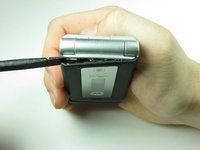
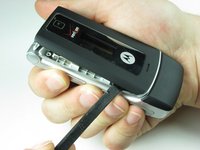
  5. Motorola W385 speaker replacement: step 5, image 1 of 2 Motorola W385 speaker replacement: step 5, image 2 of 2
    • Close the phone before proceeding.

    • Using the flat end of the spudger, insert it under the plastic at the top left of the phone.

    • Gently, although a small amount of force is required, use a twisting motion to pull the plastic casing away from the body of the phone.

    • Continue to move around the phone counter clockwise until the casing is separated from the body.

    • It is not unusual for it to pop off before making it back to the starting point.

    Ask FixBot

    Add Comment

  6. Motorola W385 speaker replacement: step 6, image 1 of 1
    • If the casing has not popped off of the body, remove it carefully from the the phone.

    Ask FixBot

    Add Comment

  7. Motorola W385 speaker replacement, Top Logic Board: step 7, image 1 of 1
    • After completing Steps 3-6 in the casing repair guide, your phone should look like this.

    Ask FixBot

    Add Comment

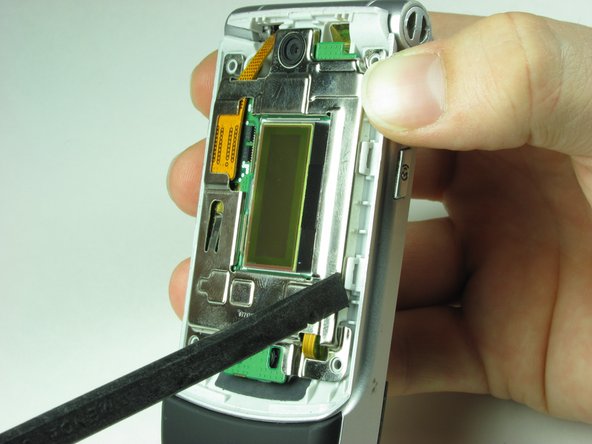
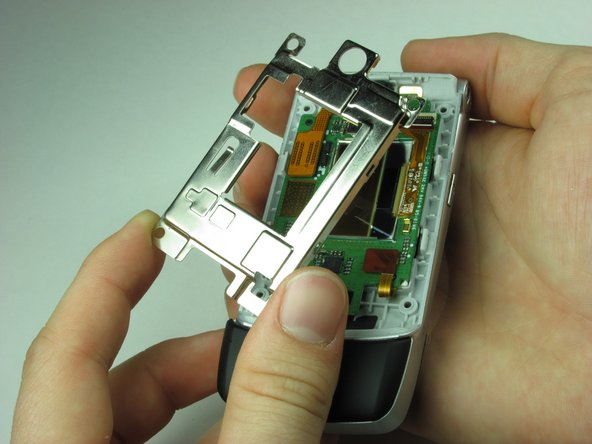
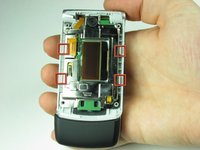
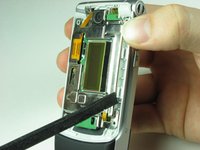
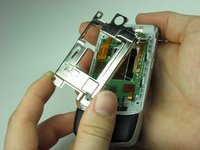
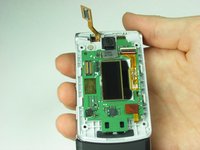
  8. Motorola W385 speaker replacement: step 8, image 1 of 3 Motorola W385 speaker replacement: step 8, image 2 of 3 Motorola W385 speaker replacement: step 8, image 3 of 3
    • Use the spudger to unhinge the four clips around the metal casing of the top logic board.

    • Gently take off the metal casing of the logic board.

    Ask FixBot

    Add Comment

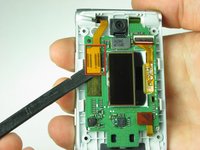
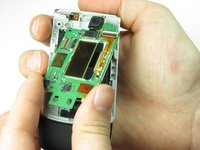
  9. Motorola W385 speaker replacement: step 9, image 1 of 3 Motorola W385 speaker replacement: step 9, image 2 of 3 Motorola W385 speaker replacement: step 9, image 3 of 3
    • Use spudger to gently disconnect the ribbon cable from phone.

    • Gently remove Logic Board making sure not to damage any other components.

    Ask FixBot

    Add Comment

  10. Motorola W385 speaker replacement, Main Speaker: step 10, image 1 of 1
    • Ignoring the top logic board, take the phone in your hand and turn your attention towards the speaker.

    Ask FixBot

    Add Comment

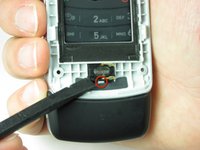
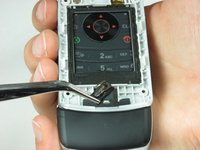
  11. Motorola W385 speaker replacement: step 11, image 1 of 2 Motorola W385 speaker replacement: step 11, image 2 of 2
    Tool used on this step:
    Tweezers
    $4.99
    Buy
    • Place the spudger between the speaker and the clip shown.

    • Separate the clip from the speaker while lifting on the speaker.

    • The speaker should separate. Use the tweezers to grab the speaker.

    Ask FixBot

    Add Comment

Conclusion

To reassemble your device, follow these instructions in reverse order.

Cancel: I did not complete this guide.

One other person completed this guide.

Koedy Brant

Member since: 01/26/10

41 Reputation

2 Guides authored

Team

Cal Poly, Team 8-50, Regan Winter 2010 Member of Cal Poly, Team 8-50, Regan Winter 2010

CPSU-REGAN-W10S8G50

3 Members

16 Guides authored

0 Guide Comments

Add Comment

View Statistics:

Past 24 Hours: 2

Past 7 Days: 8

Past 30 Days: 43

All Time: 3,513