15% Off Selected iFixit Tools — Limited Time
Free Shipping on Domestic Orders $75+

Motorola V551 Keypad Replacement

What you need

  1. Motorola V551 Keypad Replacement, Battery: step 1, image 1 of 2 Motorola V551 Keypad Replacement, Battery: step 1, image 2 of 2
    • Press down on the chrome button on the bottom of the chassis. Simultaneously slide the back cover down, away from the phone.

    Ask FixBot

    Add Comment

  2. Motorola V551 Keypad Replacement: step 2, image 1 of 1
    • Lever the battery out by pressing upwards on the bottom corners of the battery.

    Ask FixBot

    Add Comment

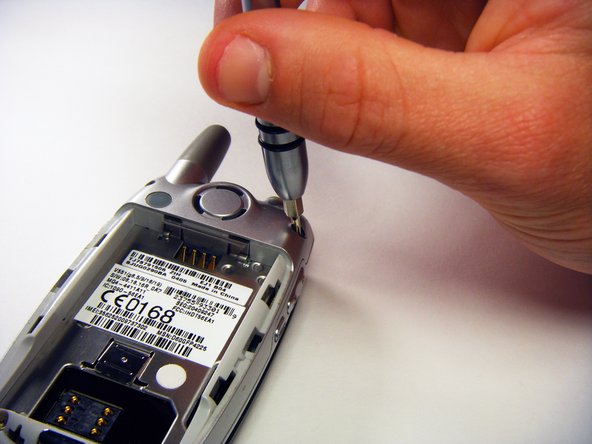
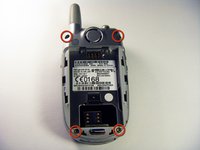
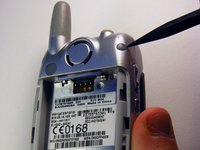
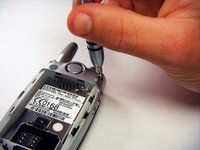
  3. Motorola V551 Keypad Replacement, Circuit Board: step 3, image 1 of 3 Motorola V551 Keypad Replacement, Circuit Board: step 3, image 2 of 3 Motorola V551 Keypad Replacement, Circuit Board: step 3, image 3 of 3
    • Remove the rubber screw covers using a plastic spudger.

    • Use a T6 Torx screwdriver to remove the screws underneath the rubber screw covers.

    Ask FixBot

    Add Comment

  4. Motorola V551 Keypad Replacement: step 4, image 1 of 1
    • Unscrew the antenna.

    Ask FixBot

    Add Comment

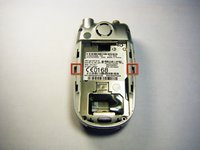
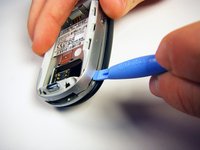
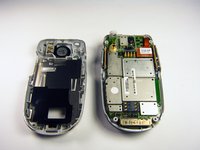
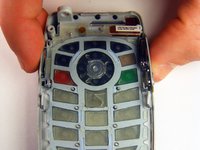
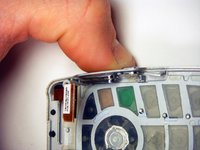
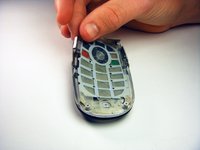
  5. Motorola V551 Keypad Replacement: step 5, image 1 of 3 Motorola V551 Keypad Replacement: step 5, image 2 of 3 Motorola V551 Keypad Replacement: step 5, image 3 of 3
    • Gently release the two latches using an opening tool.

    • The plastic latches are very fragile. Don’t use excessive force or they might break.

    • Pry off the back panel by wedging an opening tool into the crevice between the back panel and the circuit board.

    • Lift the back panel off of the phone.

    Ask FixBot

    Add Comment

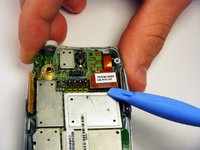
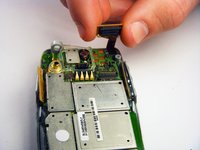
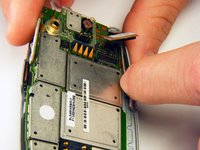
  6. Motorola V551 Keypad Replacement: step 6, image 1 of 2 Motorola V551 Keypad Replacement: step 6, image 2 of 2
    • Loosen the copper circuit board connection with an opening tool.

    • Gently lift the copper connection.

    Ask FixBot

    Add Comment

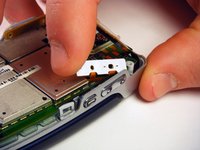
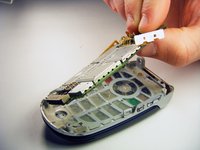
  7. Motorola V551 Keypad Replacement: step 7, image 1 of 3 Motorola V551 Keypad Replacement: step 7, image 2 of 3 Motorola V551 Keypad Replacement: step 7, image 3 of 3
    • Lift up and pull out the pressure pad from under the buttons on the side of the chassis.

    • Gently lift the motherboard off of the front panel.

    Ask FixBot

    Add Comment

  8. Motorola V551 Keypad Replacement, Keypad: step 8, image 1 of 3 Motorola V551 Keypad Replacement, Keypad: step 8, image 2 of 3 Motorola V551 Keypad Replacement, Keypad: step 8, image 3 of 3
    • Push both side keys in so they are not sticking out of the phone.

    • Remove the keypad.

    Ask FixBot

    Add Comment

Conclusion

To reassemble your device, follow these instructions in reverse order.

Cancel: I did not complete this guide.

2 other people completed this guide.

gregatron

Member since: 10/29/09

105 Reputation

6 Guides authored

Team

Cal Poly, Team 6-6, Maness Fall 2009 Member of Cal Poly, Team 6-6, Maness Fall 2009

CPSU-MANESS-F09S6G6

4 Members

12 Guides authored

0 Guide Comments

Add Comment

View Statistics:

Past 24 Hours: 1

Past 7 Days: 7

Past 30 Days: 47

All Time: 2,451