Introduction
Is your battery losing its charge faster than you would like? This guide will show you how to replace it.
-
-
On the back of the phone, locate the tab with the down arrow.
-
Using your finger, press the tab and slide the back cover down to release it from the phone.
 Ask FixBot
-
-
-
-
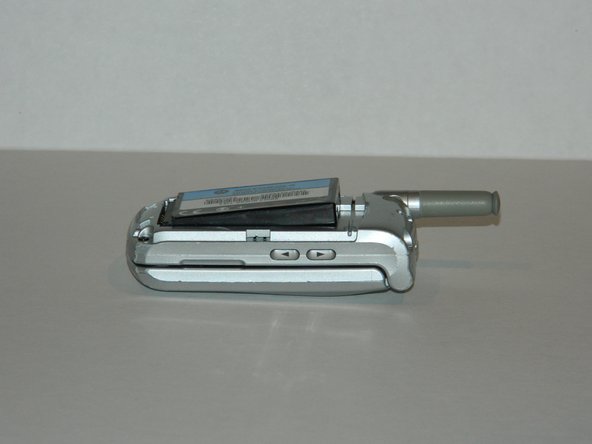
Inserting your finger in the recess at the top edge of the battery, pull the battery away from the housing to remove it.
-
-
-
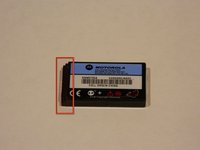
Locate the stepped indentations on the front of the battery.
-
With the front of the battery facing outward, insert the bottom edge into the battery housing and press battery into the phone .
-
Replace the back cover (not shown).
-



To reassemble your device, follow these instructions in reverse order.

Team

University of Maine, Team 1-4, Diaz Fall 2012 Member of University of Maine, Team 1-4, Diaz Fall 2012
UMAINE-DIAZ-F12S1G4
5 Members
6 Guides authored
