Free Shipping on Domestic Orders $75+

Motorola Moto X Style (Moto X Pure Edition) Teardown

Views: 84K

View statistics:

Past 24 Hours:
2
Past 7 Days:
32
Past 30 Days:
130
All Time:
83,827
Comments: 99

21 comments on steps, 78 guide comments.

Go to guide comments
Completed: 36

36 people have marked this guide "completed." Will you be next?

Favorites: 17

17 people have favorited (and subscribed to) this guide. Will you be next?

Time Required: 1 - 2 hours
Difficulty: Moderate
Community-Contributed Guide

An awesome member of our community made this guide. It was not created by iFixit staff.

Motorola Moto X Style (Moto X Pure Edition) Teardown

What you need

Tools

Video Overview

    1. Motorola Moto X Style (Moto X Pure Edition) Teardown, Motorola Moto X Style (Moto X Pure Edition) Teardown: step 1, image 1 of 1
      • Remove SIM card tray

      Ask FixBot

      Add Comment

    2. Motorola Moto X Style (Moto X Pure Edition) Teardown: step 2, image 1 of 3 Motorola Moto X Style (Moto X Pure Edition) Teardown: step 2, image 2 of 3 Motorola Moto X Style (Moto X Pure Edition) Teardown: step 2, image 3 of 3
      • Insert eject pin to the small hole to open a gap.

      • You can use heat gun/hair dryer to heat up the rear cover and help adhesive melting.

      • Use guitar picks to cut the strong adhesive underneath this rear cover.

      • Remove back cover.

      Ask FixBot

      Add Comment

    3. Motorola Moto X Style (Moto X Pure Edition) Teardown: step 3, image 1 of 3 Motorola Moto X Style (Moto X Pure Edition) Teardown: step 3, image 2 of 3 Motorola Moto X Style (Moto X Pure Edition) Teardown: step 3, image 3 of 3
      • Use T3 Torx screwdriver to twist off all 21 screws.

      • You don't need to remove the silver screw holding the volume buttons down for most tasks, such as replacing the screen, battery, or USB port.

      • Remove 2 protective rubbers securing the flashlight flex and battery flex connector.

      Ask FixBot

      Add Comment

    4. Motorola Moto X Style (Moto X Pure Edition) Teardown: step 4, image 1 of 2 Motorola Moto X Style (Moto X Pure Edition) Teardown: step 4, image 2 of 2
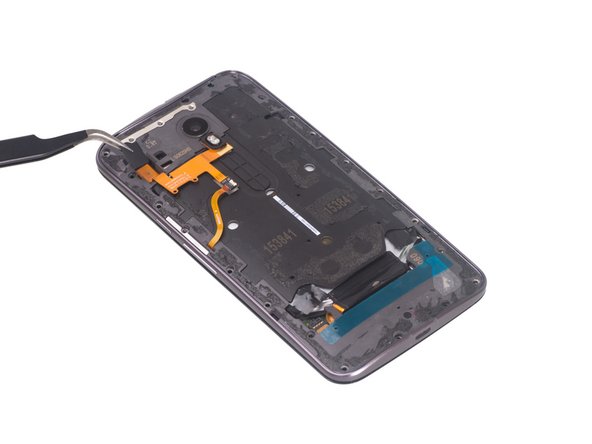
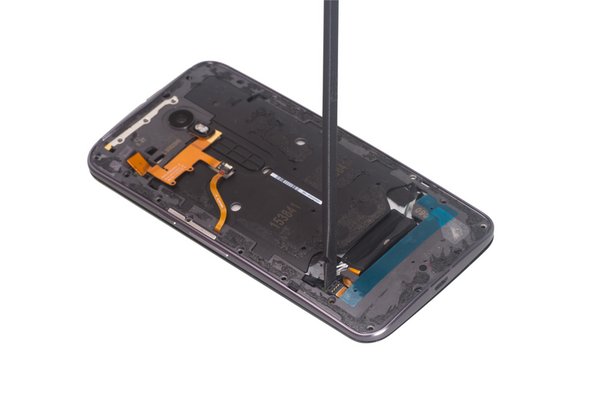
      • Release the flashlight flex and battery flex connector.

      Ask FixBot

      Add Comment

    5. Motorola Moto X Style (Moto X Pure Edition) Teardown: step 5, image 1 of 3 Motorola Moto X Style (Moto X Pure Edition) Teardown: step 5, image 2 of 3 Motorola Moto X Style (Moto X Pure Edition) Teardown: step 5, image 3 of 3
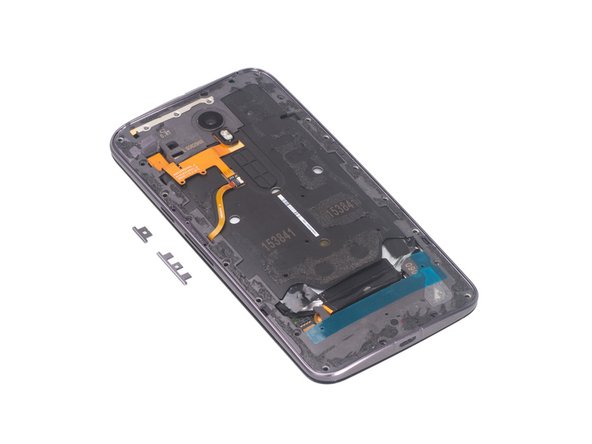
      • Remove metal bar securing side buttons, careful of the extremely tiny springs that provide pressure from the frame to the buttons, then be free to remove side buttons.

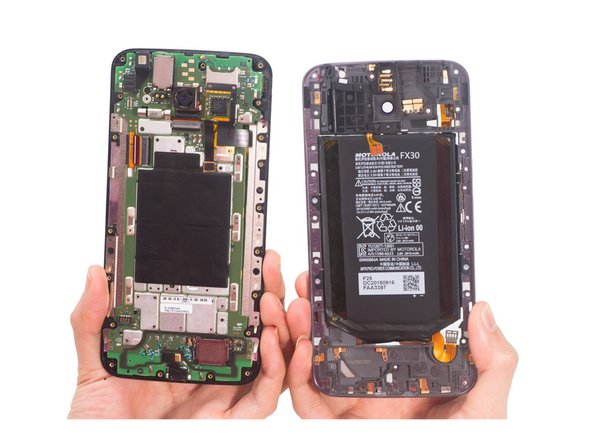
      • Remove middle frame bezel.

      Ask FixBot

      Add Comment

    6. Motorola Moto X Style (Moto X Pure Edition) Teardown: step 6, image 1 of 3 Motorola Moto X Style (Moto X Pure Edition) Teardown: step 6, image 2 of 3 Motorola Moto X Style (Moto X Pure Edition) Teardown: step 6, image 3 of 3
      • Pull out 2 battery sticker strips.

      • Loosen the NFC flex connector attached to the battery.

      • Pry up and remove battery.

      Ask FixBot

      Add Comment

    7. Motorola Moto X Style (Moto X Pure Edition) Teardown: step 7, image 1 of 3 Motorola Moto X Style (Moto X Pure Edition) Teardown: step 7, image 2 of 3 Motorola Moto X Style (Moto X Pure Edition) Teardown: step 7, image 3 of 3
      Tool used on this step:
      Tweezers
      $4.99
      Buy
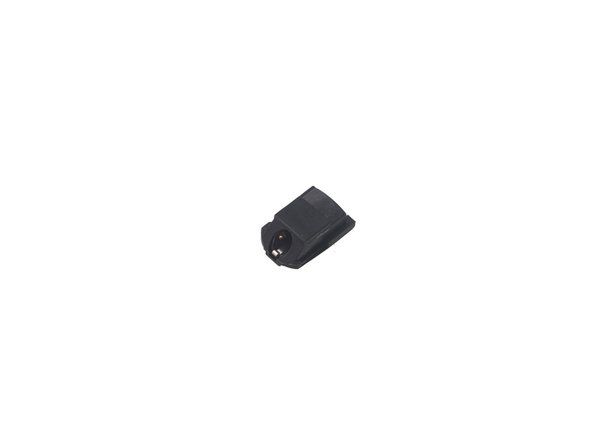
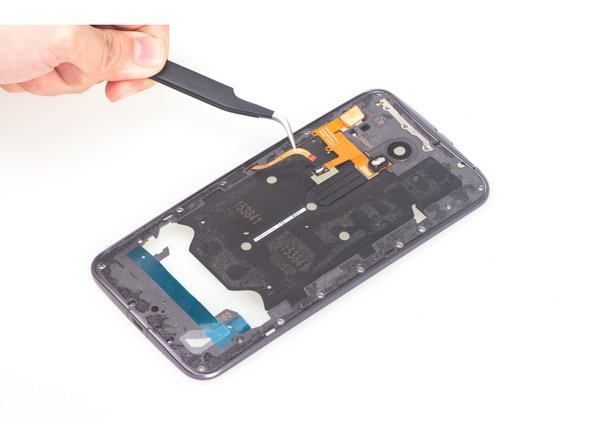
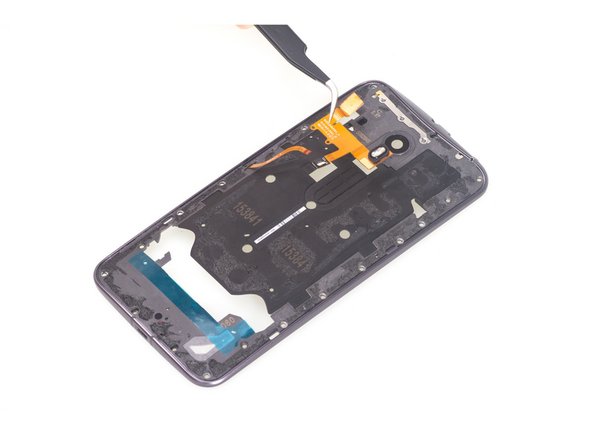
      • There is no adhesive sticking headphone jack, just use tweezers to remove it.

      • Then peel off the NFC antenna.

      Ask FixBot

      Add Comment

    8. Motorola Moto X Style (Moto X Pure Edition) Teardown: step 8, image 1 of 3 Motorola Moto X Style (Moto X Pure Edition) Teardown: step 8, image 2 of 3 Motorola Moto X Style (Moto X Pure Edition) Teardown: step 8, image 3 of 3
      • Release flashlight flex connector connecting side button flex.

      • Take away flashlight flex.

      Ask FixBot

      Add Comment

    9. Motorola Moto X Style (Moto X Pure Edition) Teardown: step 9, image 1 of 2 Motorola Moto X Style (Moto X Pure Edition) Teardown: step 9, image 2 of 2
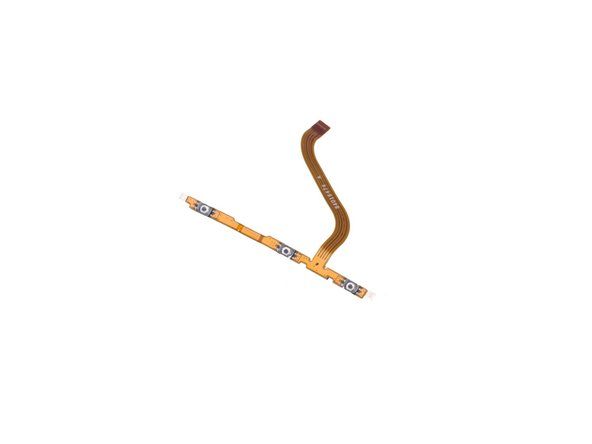
      • Pry up and remove power&volume button flex.

      Ask FixBot

      Add Comment

    10. Motorola Moto X Style (Moto X Pure Edition) Teardown: step 10, image 1 of 3 Motorola Moto X Style (Moto X Pure Edition) Teardown: step 10, image 2 of 3 Motorola Moto X Style (Moto X Pure Edition) Teardown: step 10, image 3 of 3
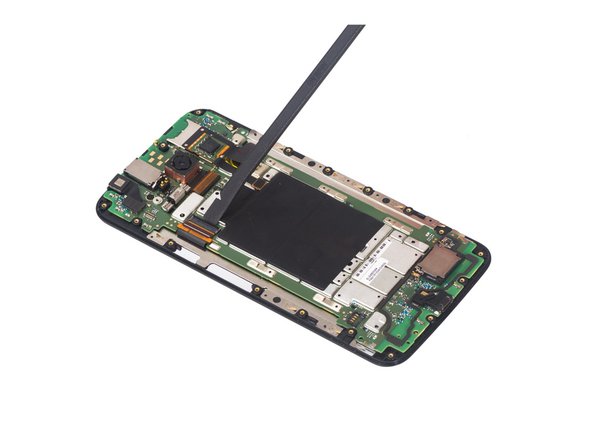
      • Twist off one Torx T3 screw securing motherboard.

      • Release the LCD screen connector here.

      Ask FixBot

      Add Comment

    11. Motorola Moto X Style (Moto X Pure Edition) Teardown: step 11, image 1 of 2 Motorola Moto X Style (Moto X Pure Edition) Teardown: step 11, image 2 of 2
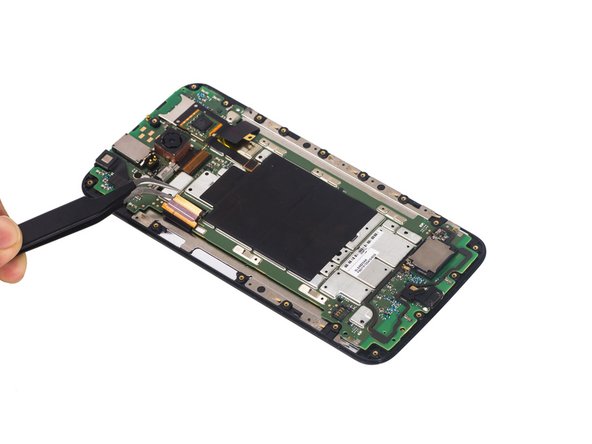
      • Release this connector.

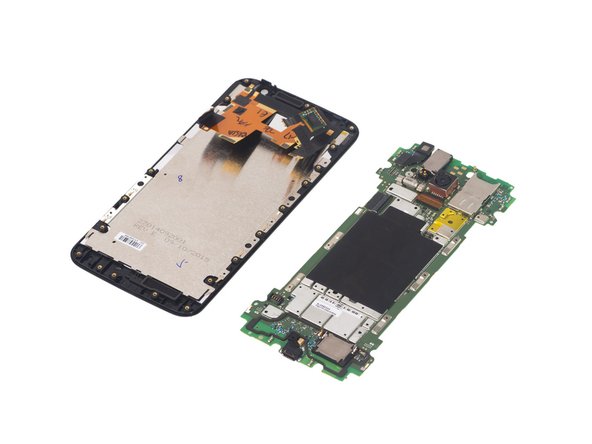
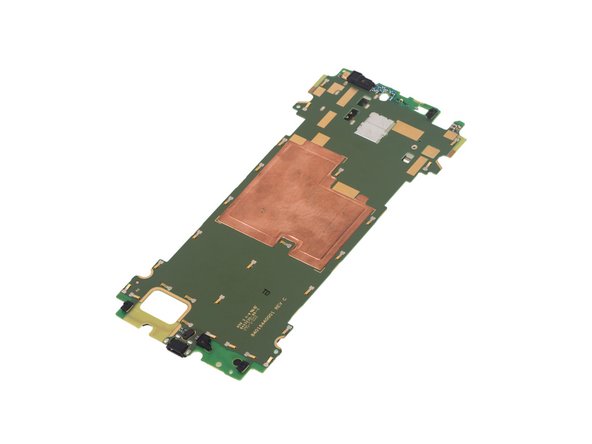
      • Separate motherboard assembly from LCD screen assembly.

      Ask FixBot

      Add Comment

    12. Motorola Moto X Style (Moto X Pure Edition) Teardown: step 12, image 1 of 2 Motorola Moto X Style (Moto X Pure Edition) Teardown: step 12, image 2 of 2
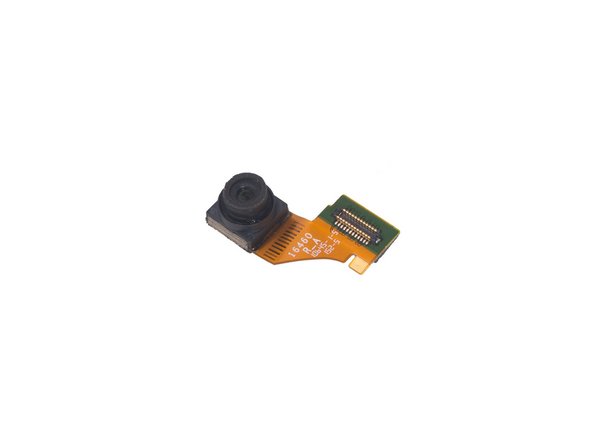
      • Release front camera flex and remove it.

      Ask FixBot

      Add Comment

    13. Motorola Moto X Style (Moto X Pure Edition) Teardown: step 13, image 1 of 2 Motorola Moto X Style (Moto X Pure Edition) Teardown: step 13, image 2 of 2
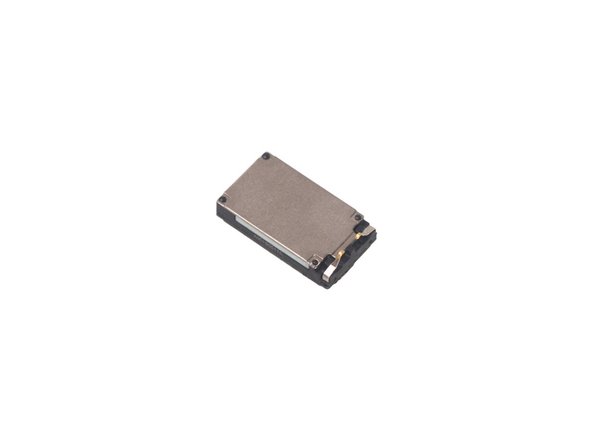
      • There is adhesive underneath. Pry up and then remove top speaker.

      Ask FixBot

      Add Comment

    14. Motorola Moto X Style (Moto X Pure Edition) Teardown: step 14, image 1 of 3 Motorola Moto X Style (Moto X Pure Edition) Teardown: step 14, image 2 of 3 Motorola Moto X Style (Moto X Pure Edition) Teardown: step 14, image 3 of 3
      • Peel off protective tape on the rear camera.

      • Release rear camera flex and then remove the camera.

      Ask FixBot

      Add Comment

    15. Motorola Moto X Style (Moto X Pure Edition) Teardown: step 15, image 1 of 3 Motorola Moto X Style (Moto X Pure Edition) Teardown: step 15, image 2 of 3 Motorola Moto X Style (Moto X Pure Edition) Teardown: step 15, image 3 of 3
      • Pry up and remove loudspeaker.

      • Now it leaves the motherboard assembly with some parts like charing port and vibration motor.

      Ask FixBot

      Add Comment

    16. Motorola Moto X Style (Moto X Pure Edition) Teardown: step 16, image 1 of 3 Motorola Moto X Style (Moto X Pure Edition) Teardown: step 16, image 2 of 3 Motorola Moto X Style (Moto X Pure Edition) Teardown: step 16, image 3 of 3
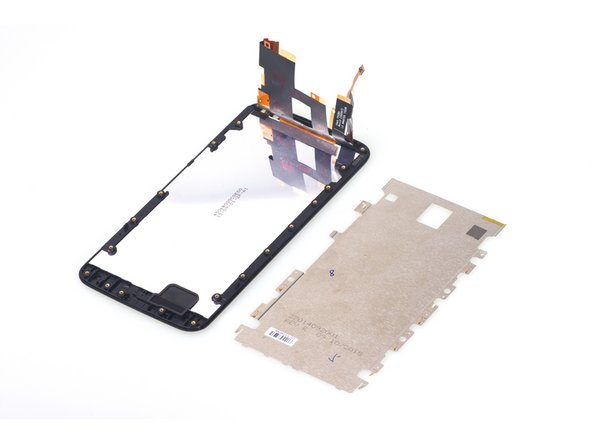
      • Remove the LCD shield easily.

      • Finally it leaves the LCD screen with digitizer and front housing.

      • It is better to replace Moto X Style LCD screen and digitizer assembly and front housing together, if you have no confidence to remove it without breaking the screen during the repair work.

      Ask FixBot

      Add Comment

Finish Line

Cancel: I did not complete this guide.

36 other people completed this guide.

Witrigs

Member since: 11/24/15

71,142 Reputation

377 Guides authored

78 Guide Comments

Can anybody help with how you replace the speaker grills? As it is not included in the replacement assembly screens?

kirstenrossouw - Reply Share

I believe they are underneath the 'housing frame' which is the piece of plastic around the edge of the glass.

Philip Clarke - Reply Share

Hi just take them off with tweezers

George Fernandez - Reply Share

Can anyone tell by looking at the board if the X Pure has a FM chip that is wired? Currently all anyone is saying on forums is that the phone isn't FM enabled (which could only mean it isn't turned on), not that is is missing the chip or that the chip hasn't been wired to allow the FM to be enabled.

nataku1245 - Reply Share

Does anybody know what lengths the 21 screws are?

Robert Petitpas - Reply Share

Add Comment

View Statistics:

Past 24 Hours: 2

Past 7 Days: 32

Past 30 Days: 130

All Time: 83,827