
Motorola Edge (2021) Camera module Replacement

Jaier and 4 other contributors
Last updated on Jan 15, 2026
Views: 644
View statistics:
- Past 24 Hours:
- 2
- Past 7 Days:
- 16
- Past 30 Days:
- 86
- All Time:
- 644
Comments: 0
No one has left comments on this guide. Will you be first?
Go to guide commentsCompleted: 0 1
No one has marked this guide "completed." Will you be the first?
1 person has marked this guide "completed." It's you — great job!
Favorites: 0 1
No one has favorited (and subscribed to) this guide. Will you be the first?
1 person has favorited (and subscribed to) this guide — and that's you!
Needs More Images
A few more images would make this guide's procedures crystal clear.
Introduction
Go to step 1 ↓This guide demonstrates how to properly remove the camera module attached to the motherboard casing in the back of your Motorola Edge (2021) phone. This module is responsible for protecting the camera like a case. This replacement may be needed if the phone falls and happens to crack the camera module.
What you need
Tools


-
-
-
Use the iFixit iOpeners to heat the back of the phone by placing them vertically along the sides. This will weaken the glue so it opens easier.
 Ask FixBot
-
-
-
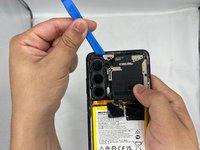
After the heating process, use the iFixit opening pick to slide in between the cracks, separating the glue.
-
-
-
-
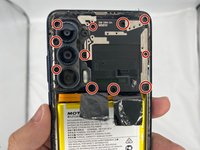
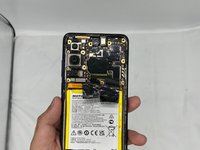
Now you need to uncrews the camera/motherboard casing.
-
Unscrew all the screws under the circles. Be careful not to miss a screw that might be hiding under the glue.
-
-
-
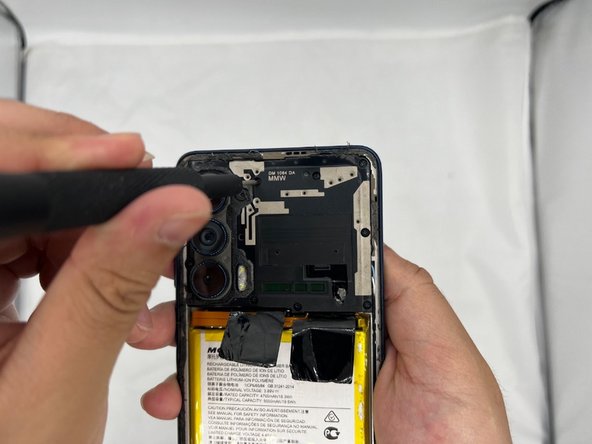
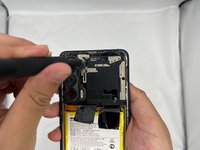
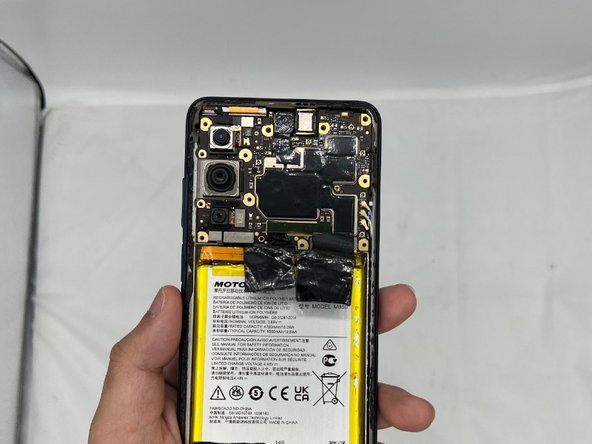
Use the iFixit prying tool to gently slide the camera casing off the phone. Be careful not to damage the motherboard underneath.
-
-



To reassemble your device, follow these instructions in reverse order.

Team

University of North Texas, Team 4-2, Harold Spring 2024 Member of University of North Texas, Team 4-2, Harold Spring 2024
UNT-HAROLD-S24S4G2
4 Members
36 Guides authored
