Motorola Droid RAZR Back Cover Replacement

David Hodson and 3 other contributors
Last updated on Jan 5, 2015
Views: 15K
View statistics:
- Past 24 Hours:
- 2
- Past 7 Days:
- 31
- Past 30 Days:
- 105
- All Time:
- 14,902
Comments: 0
No one has left comments on this guide. Will you be first?
Go to guide commentsCompleted: 7 8
7 people have marked this guide "completed." Will you be next?
8 people have marked this guide "completed." Including you — great job!
Favorites: 2 3
2 people have favorited (and subscribed to) this guide. Will you be next?
3 people have favorited (and subscribed to) this guide — including you!
Introduction
Go to step 1 ↓Replace your nifty Kevlar-clad back cover that you recently discovered isn't actually bulletproof.
What you need
Tools

-
-
-
Insert a plastic opening tool between the back cover and rear case at the lower left edge of the back cover.
-
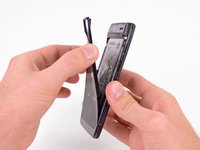
Pry the back cover up with the plastic opening tool to free the plastic clips.
-
Continue prying along the left edge of the back cover towards the top of the phone.
 Ask FixBot
-
-
-
-
Work the plastic opening tool across the top of the back case to free the plastic clips.
-
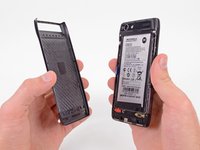
Continue prying down the right side of the back cover to free the remaining clips.
-
-


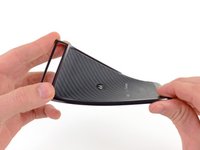
To reassemble your device, follow these instructions in reverse order.
Cancel: I did not complete this guide.
7 other people completed this guide.