Free Shipping on Domestic Orders $75+

Motorola C168 Front Panel Replacement

What you need

  1. Motorola C168 Front Panel Replacement, Battery: step 1, image 1 of 2 Motorola C168 Front Panel Replacement, Battery: step 1, image 2 of 2
    • Turn the phone so its back is facing you.

    • Press the release button on the back cover, while simultaneously pulling the cover down.

    • Remove the back cover.

    Ask FixBot

    Add Comment

  2. Motorola C168 Front Panel Replacement: step 2, image 1 of 2 Motorola C168 Front Panel Replacement: step 2, image 2 of 2
    • Pinch the sides of the bottom of the battery and pull upward.

    Ask FixBot

    Add Comment

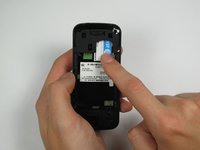
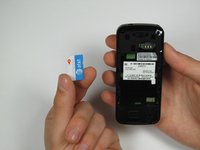
  3. Motorola C168 Front Panel Replacement, SIM Card: step 3, image 1 of 2 Motorola C168 Front Panel Replacement, SIM Card: step 3, image 2 of 2
    • Press and slide the SIM card down.

    • Remove the SIM card.

    Ask FixBot

    Add Comment

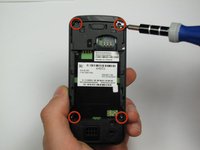
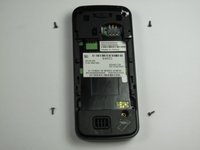
  4. Motorola C168 Front Panel Replacement, Front Panel: step 4, image 1 of 2 Motorola C168 Front Panel Replacement, Front Panel: step 4, image 2 of 2
    • Orient the phone so its back is facing you.

    • Using a Torx T-4 screwdriver, carefully remove the 4 screws located at the corners of the phone.

    • Note: If you are using iFixit's screwdriver toolkit, look for the smallest T-screwbit.

    Ask FixBot

    Add Comment

  5. Motorola C168 Front Panel Replacement: step 5, image 1 of 2 Motorola C168 Front Panel Replacement: step 5, image 2 of 2
    Tool used on this step:
    Spudger
    $3.99
    Buy
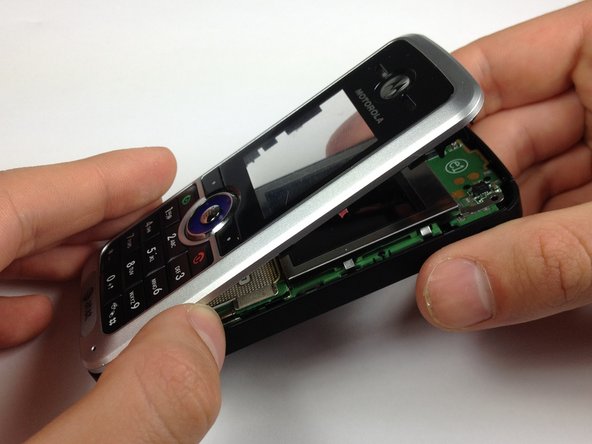
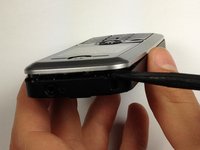
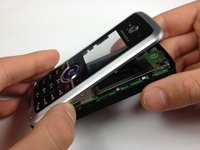
    • Lodge a spudger in between the front panel and the main frame of the phone.

    • Using a good amount of torque, pry the front panel from the phone.

    Ask FixBot

    Add Comment

Conclusion

To reassemble your device, follow these instructions in reverse order.

Cancel: I did not complete this guide.

One other person completed this guide.

Christopher Wu

Member since: 04/17/12

37 Reputation

3 Guides authored

Team

Cal Poly, Team 12-40, Regan Spring 2012 Member of Cal Poly, Team 12-40, Regan Spring 2012

CPSU-REGAN-S12S12G40

4 Members

10 Guides authored

0 Guide Comments

Add Comment

View Statistics:

Past 24 Hours: 2

Past 7 Days: 7

Past 30 Days: 31

All Time: 1,332