Free Shipping on Domestic Orders $75+

Motorola C139 SIM Card Replacement

    1. Motorola C139 SIM Card Replacement, Battery: step 1, image 1 of 3 Motorola C139 SIM Card Replacement, Battery: step 1, image 2 of 3 Motorola C139 SIM Card Replacement, Battery: step 1, image 3 of 3
      • Begin by flipping your phone over so that the back cover is facing up.

      • Apply force to the back cover and simultaneously slide the cover down.

      • Note: Applying pressure on the ridges will make it easier to remove the cover.

      Ask FixBot

      Add Comment

    2. Motorola C139 SIM Card Replacement: step 2, image 1 of 3 Motorola C139 SIM Card Replacement: step 2, image 2 of 3 Motorola C139 SIM Card Replacement: step 2, image 3 of 3
      • Press the button labeled "PUSH" located at the bottom back of the phone. This will release the battery.

      • Lift and remove the battery.

      Ask FixBot

      Add Comment

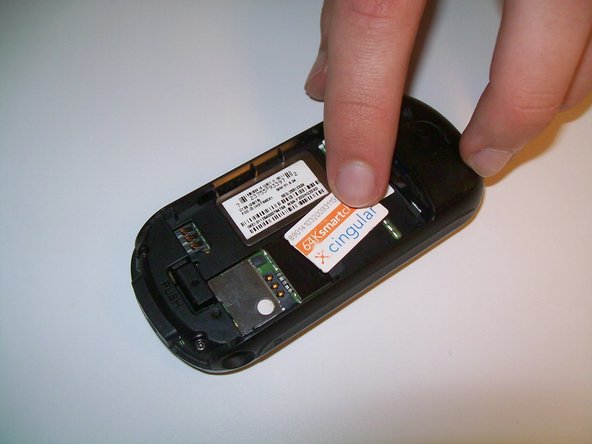
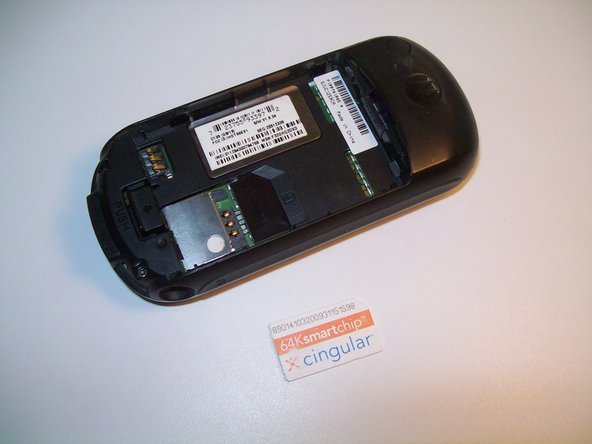
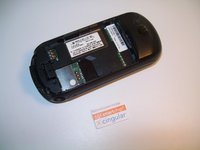
    1. Motorola C139 SIM Card Replacement, SIM Card: step 3, image 1 of 3 Motorola C139 SIM Card Replacement, SIM Card: step 3, image 2 of 3 Motorola C139 SIM Card Replacement, SIM Card: step 3, image 3 of 3
      • Do not bend or scratch the SIM card. In addition, keep it away from static electricity, dust, and water.

      • Gently slide the SIM card out and lift to remove it from the phone.

      Ask FixBot

      Add Comment

Conclusion

To reassemble your device, follow these instructions in reverse order.

Cancel: I did not complete this guide.

One other person completed this guide.

Christopher Stubbs

Member since: 03/09/12

77 Reputation

4 Guides authored

Team

Clemson, Team 2-2, Benson Spring 2012 Member of Clemson, Team 2-2, Benson Spring 2012

CLEM-BENSON-S12S2G2

3 Members

96 Guides authored

0 Guide Comments

Add Comment

View Statistics:

Past 24 Hours: 2

Past 7 Days: 9

Past 30 Days: 28

All Time: 2,378