
Mobee Magic Bar Replacement Batteries

Nikita Vdovin and 3 other contributors
Last updated on Jul 31, 2024
Views: 1.8K
View statistics:
- Past 24 Hours:
- 1
- Past 7 Days:
- 11
- Past 30 Days:
- 72
- All Time:
- 1,841
Comments: 6
2 comments on steps, 4 guide comments.
Go to guide commentsCompleted: 3 4
3 people have marked this guide "completed." Will you be next?
4 people have marked this guide "completed." Including you — great job!
Favorites: 1 2
1 person has favorited (and subscribed to) this guide. Will you be next?
2 people have favorited (and subscribed to) this guide — including you!
Needs More Images
A few more images would make this guide's procedures crystal clear.
Community-Contributed Guide
An awesome member of our community made this guide. It was not created by iFixit staff.
Better Introduction
Improve this guide by completing or revising its introduction.
What you need
Parts
-
×2

-
-
-
-
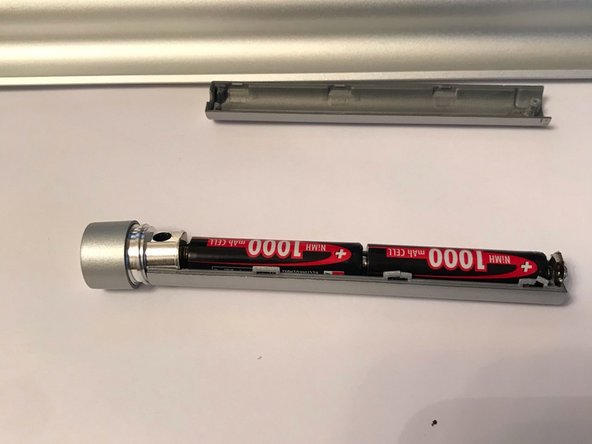
Remove the old batteries and install new ones. Observe polarity. Next, assemble the device.
-

 Ask FixBot


To reassemble your device, follow these instructions in reverse order.
Cancel: I did not complete this guide.
3 other people completed this guide.

4 Guide Comments
The link provided for the replacement batteries are not rechargeable batteries. Don't we need to replace with rechargeable ones?
do we need to use rechargeable batteries
