Introduction
Mechanical keyboards are often built in a way that potentially makes them vulnerable to getting various types of debris/hair in them. Over time, this can cause more problems than just being a little gross. Hair can cause certain models of keyboards to behave irrationally and can make someone think they need to replace their keyboard prematurely.
What you need
-
-
-
Materials Needed (based on method of choice): Compressed Air / Electronic Safe Vacuum, Isopropyl Alcohol, Microfiber Cloth / Shop Towel, key-cap puller
-
Unplug the keyboard from all devices before cleaning
-
Methods of cleaning - in order from least work to most work, not all steps are required
-
Once the keyboard is unplugged from everything take your Compressed Air / Electronic Safe Vacuum and use it to remove any loose debris from the keyboard. Move over spots a few times to ensure any debris is collected. If using Compressed Air, do not turn the can in ways the packaging describes as dangerous, and do not spray one spot for too long.
-
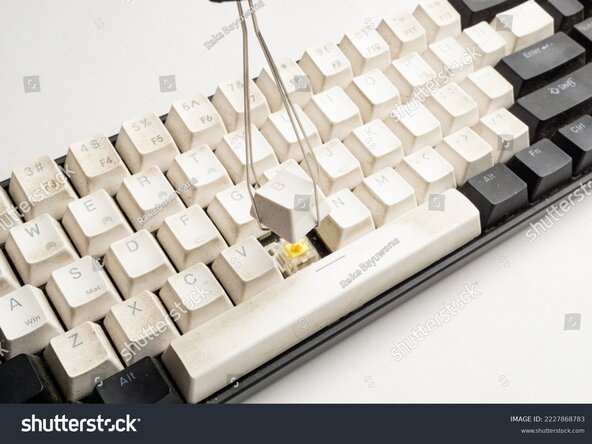
If having trouble getting all debris out, remove any key-caps in the area that is being difficult to clean and try again. Removing key-caps can be done without a tool but a tool should be used if scared of potential damage if done improperly.
-
Remove all key-caps in areas being cleaned, making sure to take note / a photo of where removed keys go. Place them in a container containing a mixture of water and isopropyl alcohol/soap. Note that if using soap, do not use dish-soap as it may cause cosmetic damage to your key-caps. Use hand-soap!
-
The mixture of alcohol/soap with water should consist of mainly water. This mixture is simply to get any dirt/debris out of the post of the key-cap while we clean the board itself. To clean the board once key-caps are removed, either soak a microfiber cloth or shop towel in isopropyl alcohol and rub dirty areas.
-
Make sure all key-caps are dry before reinstalling them onto the board. Also make sure any alcohol used to clean the board has evaporated before powering the keyboard back on. After all this, your cleaning is done!
 Ask FixBot
-
-
-
Cancel: I did not complete this guide.
One other person completed this guide.

