
Measuring Current with Clamp Meter and AC Line Splitter

rickwag and one other contributor
Last updated on Feb 6, 2025
Views: 463
View statistics:
- Past 24 Hours:
- 1
- Past 7 Days:
- 26
- Past 30 Days:
- 100
- All Time:
- 463
Comments: 0
No one has left comments on this guide. Will you be first?
Go to guide commentsCompleted: 1 2
1 person has marked this guide "completed." Will you be next?
2 people have marked this guide "completed." Including you — great job!
Favorites: 0 1
No one has favorited (and subscribed to) this guide. Will you be the first?
1 person has favorited (and subscribed to) this guide — and that's you!
Community-Contributed Guide
An awesome member of our community made this guide. It was not created by iFixit staff.
Introduction
Go to step 1 ↓This wiki explains how to use a clamp meter and the AC line splitter to measure the current draw of a device under test.
What you need
-
-
-
Connect AC Line Splitter to power Source.
-
Connect device to test to AC line splitter.
-
On Multimeter, select AC Current.
 Ask FixBot
-
-
-
-
Clamp meter on the x1 loop of the line splitter for most devices. Only use the x10 loop if you are testing a very low current device.
-
Turn on the device you are testing.
-
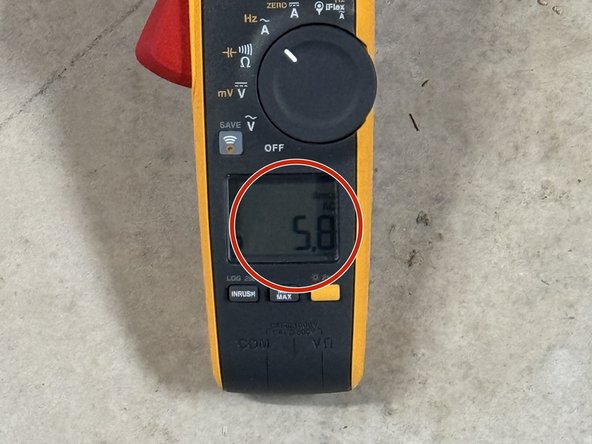
Read the current indicated on your meter.
-
You are done with this procedure. Turn off the device you are testing and disconnect your equipment.
-
-




Using this process can allow you to measure how much current a device is drawing which can aid in troubleshooting. A device drawing more than it's rated amount of current can be an indication of a problem.
Cancel: I did not complete this guide.
One other person completed this guide.

