Free Shipping on Domestic Orders $75+

Manual Pencil Sharpener Blade Replacement

Views: 445

View statistics:

Past 24 Hours:
11
Past 7 Days:
39
Past 30 Days:
136
All Time:
445
Comments: 0

No one has left comments on this guide. Will you be first?

Go to guide comments
Completed: 0

No one has marked this guide "completed." Will you be the first?

Favorites: 0

No one has favorited (and subscribed to) this guide. Will you be the first?

Time Required: 2 minutes
Difficulty: Moderate
Manual Pencil Sharpener Blade Replacement

Introduction

Go to step 1 ↓

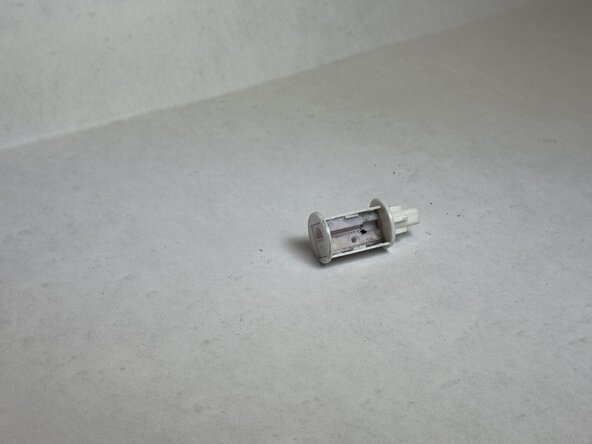
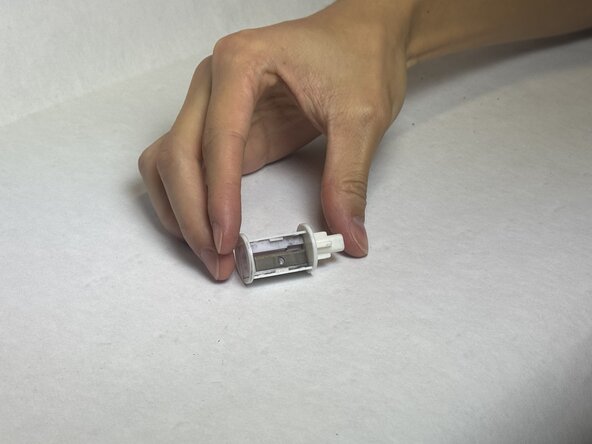
If the blade inside your pencil sharpener is dull and isn't sharpening your pencil accordingly, this guide will help with replacing the current blade with a new one. The blade increases the efficiency of sharpening your pencil, so a blunt one prevents its ability to successfully sharpen the pencil.

Before using this guide, make sure the tray of the pencil sharpener is fully emptied. If there are shavings in the tray, this may be preventing the effectiveness of the blade. Steps 10 and 11 require you to handle a razor blade, so you will need to be cautious of replacement.

What you need

Tools

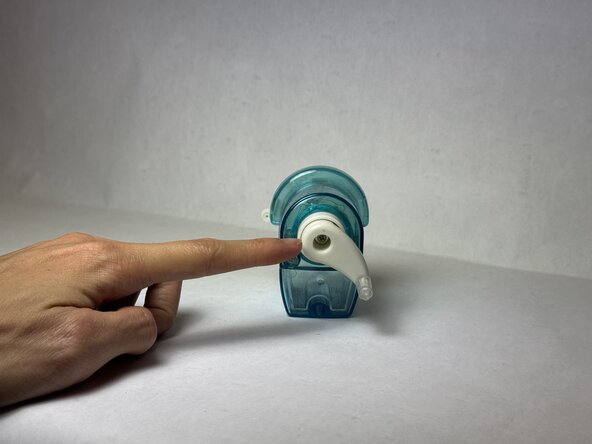
    1. Manual Pencil Sharpener Blade Replacement, Blade: step 1, image 1 of 3 Manual Pencil Sharpener Blade Replacement, Blade: step 1, image 2 of 3 Manual Pencil Sharpener Blade Replacement, Blade: step 1, image 3 of 3
      • Remove the back screw located inside the crank.

      Ask FixBot

      Add Comment

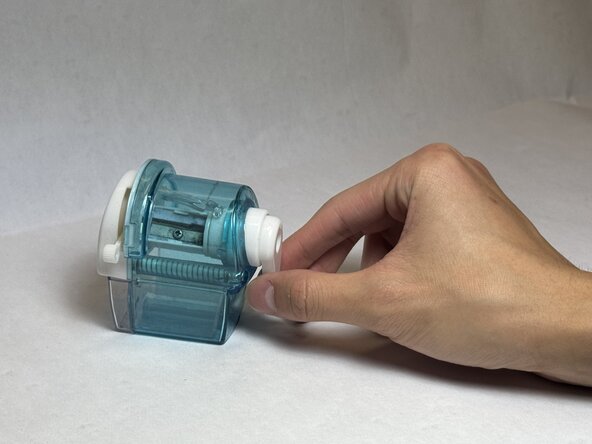
    2. Manual Pencil Sharpener Blade Replacement: step 2, image 1 of 2 Manual Pencil Sharpener Blade Replacement: step 2, image 2 of 2
      • Extract the crank from main body of the pencil sharpener.

      Ask FixBot

      Add Comment

    3. Manual Pencil Sharpener Blade Replacement: step 3, image 1 of 3 Manual Pencil Sharpener Blade Replacement: step 3, image 2 of 3 Manual Pencil Sharpener Blade Replacement: step 3, image 3 of 3
      • Remove the two screws holding down the springs.

      Ask FixBot

      Add Comment

    4. Manual Pencil Sharpener Blade Replacement: step 4, image 1 of 2 Manual Pencil Sharpener Blade Replacement: step 4, image 2 of 2
      • Remove both springs from the pencil sharpener.

      Ask FixBot

      Add Comment

    5. Manual Pencil Sharpener Blade Replacement: step 5, image 1 of 3 Manual Pencil Sharpener Blade Replacement: step 5, image 2 of 3 Manual Pencil Sharpener Blade Replacement: step 5, image 3 of 3
      • Extract the front vice assembly.

      Ask FixBot

      Add Comment

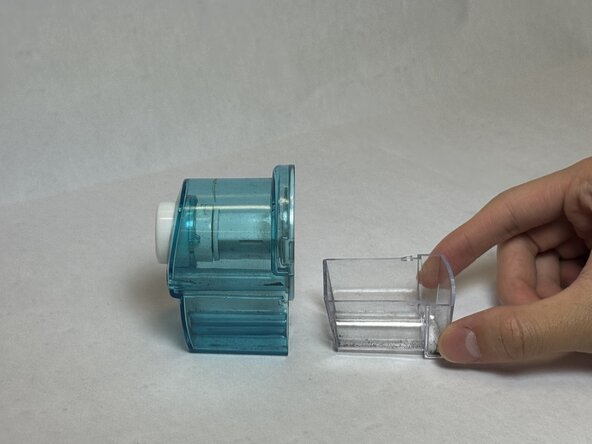
    6. Manual Pencil Sharpener Blade Replacement: step 6, image 1 of 2 Manual Pencil Sharpener Blade Replacement: step 6, image 2 of 2
      • Remove the collection tray.

      Ask FixBot

      Add Comment

    7. Manual Pencil Sharpener Blade Replacement: step 7, image 1 of 3 Manual Pencil Sharpener Blade Replacement: step 7, image 2 of 3 Manual Pencil Sharpener Blade Replacement: step 7, image 3 of 3
      • Extract the sharpening assembly, which may require force to pull out.

      Ask FixBot

      Add Comment

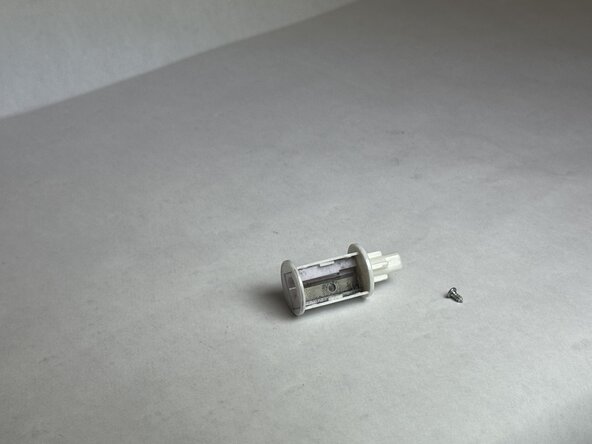
    8. Manual Pencil Sharpener Blade Replacement: step 8, image 1 of 2 Manual Pencil Sharpener Blade Replacement: step 8, image 2 of 2
      • Extract the sharpening assembly.

      Ask FixBot
      Add Comment

    9. Manual Pencil Sharpener Blade Replacement: step 9, image 1 of 2 Manual Pencil Sharpener Blade Replacement: step 9, image 2 of 2
      • Remove the screw holding down the razor blade.

      Ask FixBot

      Add Comment

    10. Manual Pencil Sharpener Blade Replacement: step 10, image 1 of 3 Manual Pencil Sharpener Blade Replacement: step 10, image 2 of 3 Manual Pencil Sharpener Blade Replacement: step 10, image 3 of 3
      • Extract the razor blade.

      • Avoid grazing over the sides of the blade when picking up the part to prevent cuts.

      Ask FixBot

      Add Comment
    11. Manual Pencil Sharpener Blade Replacement: step 11, image 1 of 3 Manual Pencil Sharpener Blade Replacement: step 11, image 2 of 3 Manual Pencil Sharpener Blade Replacement: step 11, image 3 of 3
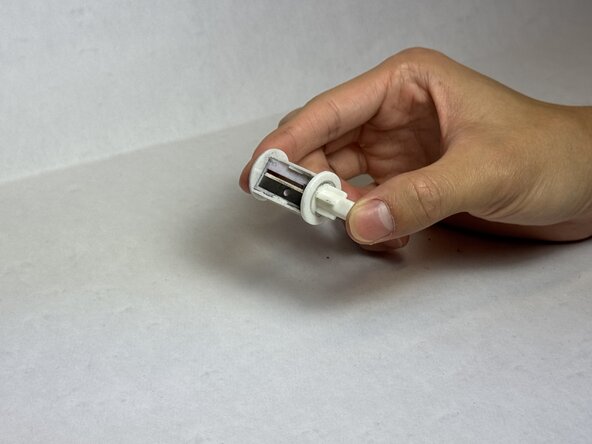
      • Insert the new razor blade.

      • Avoid grazing the edges of the blade when inserting the razor.

      Ask FixBot

      Add Comment

Conclusion

To reassemble your device, follow these instructions in reverse order.

Cancel: I did not complete this guide.

Obert Vongsavanh

Member since: 01/20/26

193 Reputation

1 Guide authored

Team

UC Davis, Team 2-6, Morris Winter 2026 Member of UC Davis, Team 2-6, Morris Winter 2026

UCD-MORRIS-W26S2G6

3 Members

12 Guides authored

0 Guide Comments

Add Comment

View Statistics:

Past 24 Hours: 11

Past 7 Days: 39

Past 30 Days: 136

All Time: 445