Main Board Removal (Buttons and Screen)

Prerequisite Only
This is a prerequisite-only guide! This guide is part of another procedure and isn’t meant to be used alone.
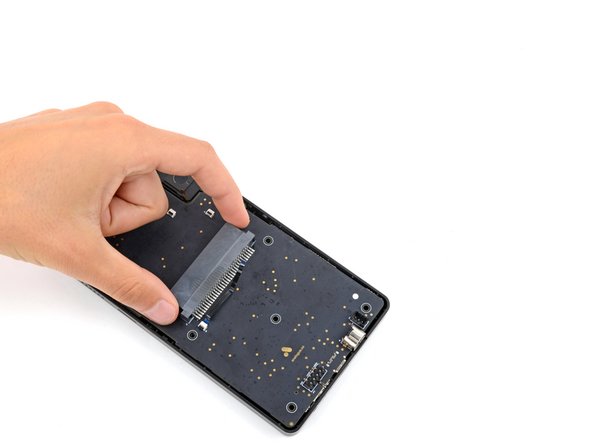
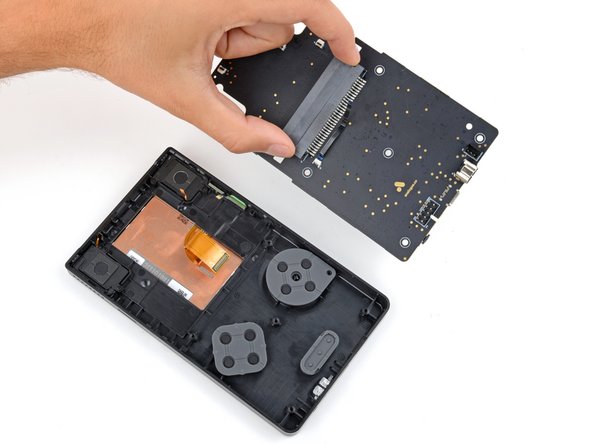
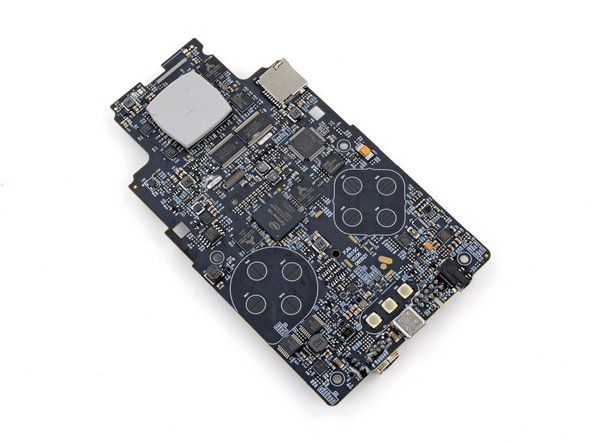
  1. Main Board Removal (Buttons and Screen), Remove the main board: step 1, image 1 of 3 Main Board Removal (Buttons and Screen), Remove the main board: step 1, image 2 of 3 Main Board Removal (Buttons and Screen), Remove the main board: step 1, image 3 of 3
    • Lift and remove the main board from the front shell.

    • To prevent damaging any surface mounted components, lay the board on your workspace cartridge reader side down.

    • If any part of the thermal pad came off the large CPU on the board's top edge, use your fingers to gently put it back in place.

Conclusion

To reassemble your device, follow these instructions in reverse order.

Spencer Day

Member since: 09/14/22

154,631 Reputation

1,033 Guides authored

Team

iFixit Member of iFixit

Staff

123 Members

23,755 Guides authored

0 Guide Comments

Add Comment

View Statistics:

Past 24 Hours: 0

Past 7 Days: 0

Past 30 Days: 2

All Time: 21