
MacBook Pro 13" Software: Safe Simple Customizing Replacement

DCummuta and 4 other contributors
Last updated on Feb 20, 2015
Views: 853
View statistics:
- Past 24 Hours:
- 1
- Past 7 Days:
- 11
- Past 30 Days:
- 17
- All Time:
- 853
Comments: 0
No one has left comments on this guide. Will you be first?
Go to guide commentsCompleted: 7 8
7 people have marked this guide "completed." Will you be next?
8 people have marked this guide "completed." Including you — great job!
Favorites: 53 54
53 people have favorited (and subscribed to) this guide. Will you be next?
54 people have favorited (and subscribed to) this guide — including you!
Community-Contributed Guide
An awesome member of our community made this guide. It was not created by iFixit staff.
Introduction
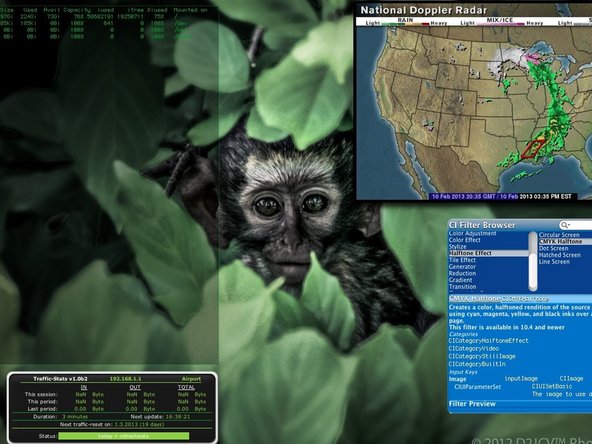
Go to step 1 ↓Where to go to locate image files responsible for Mission control and dashboard backgrounds. Then I will show you HOW TO SAFELY AND PROPERLY CHANGE THEM!
-
-
-
As Always: Be Careful. The Files around what you are working with ARE VITAL TO YOU Operating SYSTEM and IT's UI!
 Ask FixBot
-
-
-
Open up Finder.
-
Navigate to your System Hard Drive (ie: Mine is "Macintosh HD")
-
Open "SYSTEM"
-
Open "LIBRARY"
-
Open "CORE SERVICES"
-
NOW BE CAREFUL Some of these Apps are important! Find the app "DOCK.APP" open the menu (right click/two finger click) and click "SHOW PACKAGE CONTENTS"
-
Open "CONTENTS"
-
AGAIN BE CAREFUL HERE!!! Open "RESOURCES"
-
-
-
-
The Files within this folder are very important for part of your Mac's GUI; So Only mess with the following files mentioned!
-
"PIRELLI.png" & PIRELLI@2... These files are responsible for you dashboard background and Mission Control Tab for Dashboard(if enabled)
-
There is a set Tiling mode in the OS so selecting an image of proper size is crucial.
-
Create a new folder called "pirelliORIGINAL" and place these two AND ONLY TWO files here
-
Next Take your desired Image and rename it to "pirelli.png"
-
Dimensions: I Use 2880 x1900
-
And as shown move the image to the RESOURCES FOLDER
-
-
-
Now for Mission Control:
-
Same steps as before instead find the files labeled "defaultdesktop.png" & " defaultdesktop@2x.png"
-
put in a new folder labeled "defaultdesktopORIGINAL"
-
Chose Your Image (Make sure it is a Higher Resolution Image) and rename it to defaultdesktop.png
-
Again Drag the new image to this folder ("RESOURCES")
-
So the files are moved and in place, now to activate it...
-
-
-
open up your terminal
-
type the following EXACTLY (case-sensitive) killall Dock [press enter]
-
*You may need to have super user permissions for the step above. If so, add the word "sudo" before the command above. (So the whole command will read sudo killall Dock)
-
'YOU SHOULD NOW SEE YOUR NEW BACKDROPS!""
-
-



To reassemble your device, follow these instructions in reverse order.
Cancel: I did not complete this guide.
7 other people completed this guide.

