
MacBook Pro 13" Retina Display Late 2012 Trackpad Replacement

Walter Galan and 4 other contributors
Last updated on Apr 12, 2018
Views: 323
View statistics:
- Past 24 Hours:
- 0
- Past 7 Days:
- 6
- Past 30 Days:
- 18
- All Time:
- 323
Comments: 0
No one has left comments on this guide. Will you be first?
Go to guide commentsCompleted: 0 1
No one has marked this guide "completed." Will you be the first?
1 person has marked this guide "completed." It's you — great job!
Favorites: 1 2
1 person has favorited (and subscribed to) this guide. Will you be next?
2 people have favorited (and subscribed to) this guide — including you!
Introduction
Go to step 1 ↓Prereq for removing the upper case.
What you need
Tools
-
Spudger4.9


-
-
-
Remove the following screws securing the trackpad to the upper case:
-
Four 1.4 mm Phillips #000 screws
 Ask FixBot
-
-
-
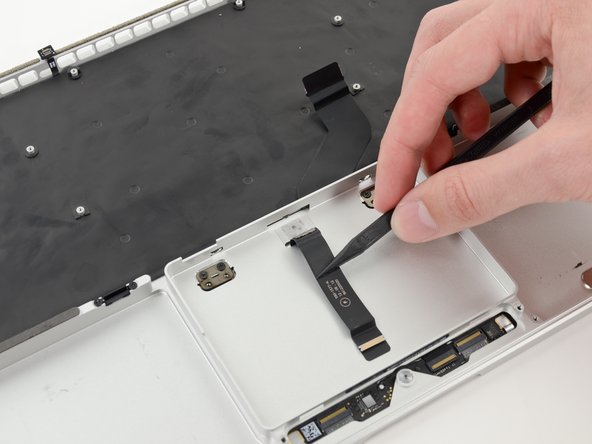
Wedge the spudger between the trackpad ribbon cable and the upper case.
-
Run the spudger along the bottom to release the trackpad ribbon cable from the adhesive securing it to the upper case.
-
-
-
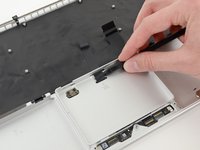
Insert the tip of a spudger in between the trackpad ribbon cable and the upper case.
-
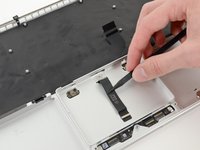
Carefully thread the trackpad ribbon cable out of the notch near the top of the SSD assembly cavity.
-
-
-
-
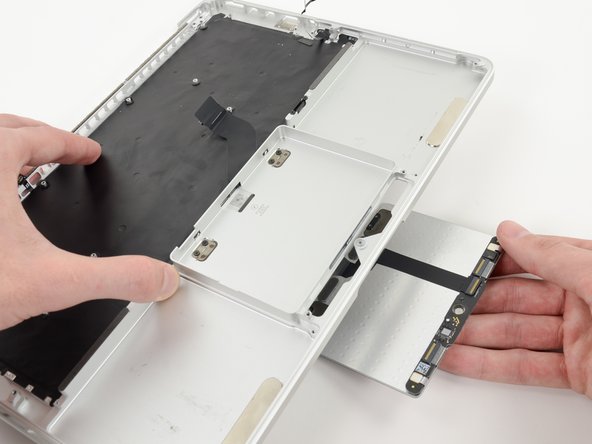
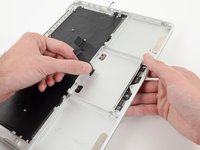
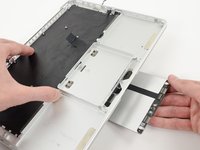
Once the trackpad is free of the upper case, guide the trackpad ribbon cable through the slot cut in the upper case.
-
Remove the trackpad from the upper case.
-
-



To reassemble your device, follow these instructions in reverse order.

