Introduction
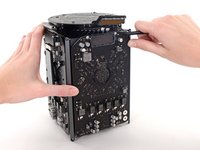
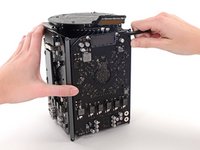
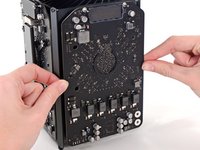
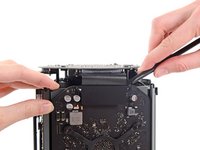
Use this guide to replace either of the dual graphics cards in your Mac Pro. The procedure is shown on one card, but it is essentially identical for either.
When you're replacing your card, be sure to reapply a layer of thermal compound.
Before beginning any work on your Mac Pro: Unplug the computer and press and hold the power button for ten seconds to discharge the power supply's capacitors.
Be very careful not to touch the capacitor leads or any exposed solder joints on the back of the power supply. Only handle the board by the edges.
Tools
Parts
No parts required.
-
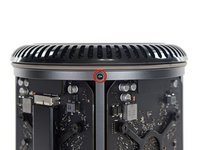
Slide the lock switch to the right, to the unlocked position.
-
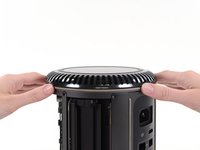
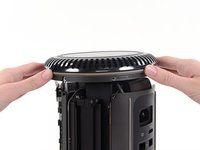
Lift the outer case straight up off the Mac Pro.
-
Remove five 5.1 mm T10 Torx screws from around the outer perimeter of the fan assembly.
Fat Mango is correct. That said. If you do pull the fan assembly note that the screws are all held in with blue Permatex and breaking them free takes a fair amount of effort. Getting a good set of Torx screwdrivers is a must.
-
Tilt the assembly up away from the IO board.
-
While supporting the fan assembly with one hand, loosen the two T7 captive screws in the fan cable bracket.
-
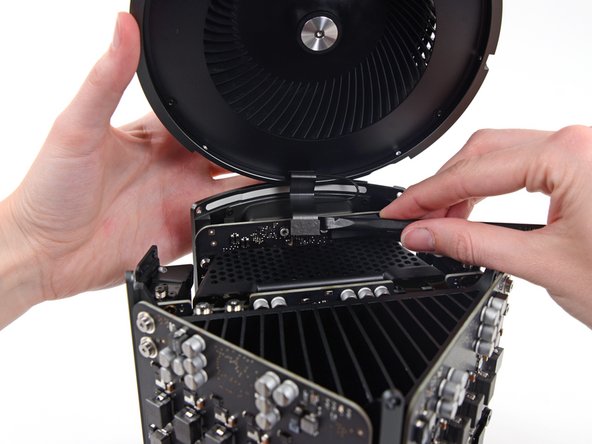
Use a pair of tweezers to pull the fan cable bracket away from the fan assembly.
-
Use the flat end of a spudger to disconnect the fan assembly ribbon cable from the IO board.
-
Disconnect the fan assembly antenna cable from the IO board.
-
Remove the fan assembly from the Mac Pro.
-
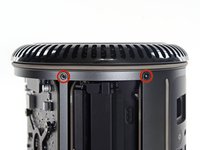
Remove five 5.1 mm T10 Torx screws from the outer perimeter of the lower case.
-
Carefully lift the lower case up and remove it from the Mac Pro.
-
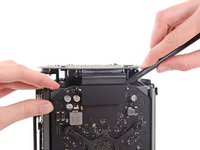
Use the flat end of a spudger and a twisting motion to gently separate one side of the graphics card data connection.
-
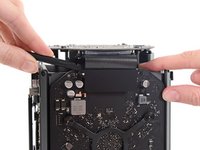
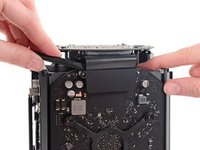
Gently separate the other side as well.
-
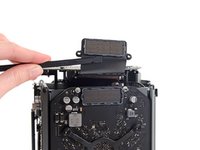
Flip the connector up and out of the way of the graphics card.
-
Remove the two 6.6 mm T9 Torx Security screws securing the GPU to the Mac Pro.
-
Remove the four 8.4 mm T10 screws from the GPU heat sink bracket.
-
Remove the GPU heat sink bracket.
-
Remove the graphics card from the heat sink.
To reassemble your device, follow these instructions in reverse order.
Cancel: I did not complete this guide.
15 other people completed this guide.
12 Comments
hey! is it possible to upgrade the GPU or is this just for replacing exactly the same part?
I am guessing you can upgrade them with OEM parts, but where would we find them?
I have the D300s, and would like to upgrade to the D500s or D700s. Where might I find the replacement graphics cards? Also, any recommendations on service providers who would do this procedure?
I'd love to know this as well. The only reason I picked up the ,ad pro was the potential for upgrades. As it turns out D300s are crap. I can't even run boot camp properly.
Is it possible to put Nividia cards in?
If you get a similar card whit the same Conector Yes, but well, theres no cards like that
Join our battle to get our money back...
Did you check if your wiring is faulty? Just plug in a UPS if it comes with a ground fault indicator. I fried my Mac Pro 2013 on a line that ended up having a ground fault. After fixing the building's wiring I have had zero issues with the replacement Apple sent me. I always power it through the UPS now.
Robert -
So I have a Mac Pro6,1. Found out that the D300 boards are not covered under the Repair Extension program that Apple quietly instituted due to all the problems. I had the D300's replaced under warranty within the first 6 months, now they have gone out and I'm controlling my Pro via Screen Share on my MacBook. I'd like to replace them with some other aftermarket option. Any recommendations?
Your GPU fried? I had a similar issue and absurdly traced it all back to just faulty wiring. Buy a UPS, make sure it comes with a ground fault indicator. Check if the wiring is faulty. Let me know if that is the issue. I got my UPS for about 70 dollars. Always power all of your expensive computer equipment through a UPS it conditions the signal and protects it from surges and brownouts it will increase the lifetime of your equipment.
Robert -
PCI Express is a private standard. To even get a legal copy of the specification you have to be a paid member of PCI-SIG. Membership costs $4,000 every year. You could try and find a schematic for the Mac Pro 2013 to figure out what the pinout is for the proprietary GPU connector but even knowing the full pinout and what each pin is for it still won't make sense unless you have the spec for the PCI Express standard. That would be the only way to make your own adapter cable to convert the proprietary connector to standard PCI Express. This is why no 3rd party option is currently available. It is a huge R&D effort that costs thousands of dollars JUST to whip up an adaptor cable.
where is the GPU Riser Board??