Introduction
This a guide designed to assist you in removing and replacing both speakers present in your Logitech UE Megaboom speaker.
What you need
-
-
-
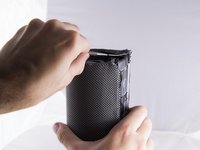
Locate the ends of the speaker.
-
Put a plastic opening tool in-between the rubber end and the mesh.
-
Apply a upward force in order to pry open the end.
-
Apply this procedure to the other side as well.
 Ask FixBot
-
-
-
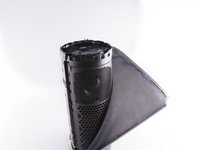
Take the Jimmy and pry up the rubber strip that has the volume buttons on it.
-
Remove all the rubber you pried off.
-
-
Tool used on this step:Tweezers$4.99
-
Use tweezers to lift end of plastic retainer on edge of mesh out of its channel.
-
Work the plastic retainer out of the channel all the way around the speaker.
-
Repeat for other side.
-
-
-
-
-
-
Remove inner plastic gasket on circuit board.
-
Remove 2nd plastic gasket around outer circuit board edge, under rubber gasket.
-
-
-
-
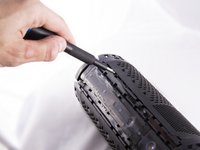
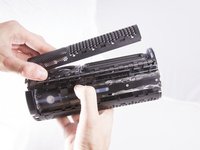
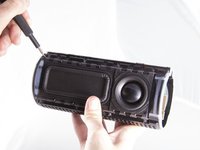
Insert a opening tool between the grating and the body of the speaker
-
Pry up allowing the tabs to pop out of place.
-
Apply the same procedure to the grating covering the second speaker.
-
-
-
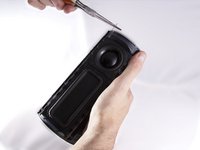
Use a opening tool to push the thin metal rod located on the side of the speaker out.
-
Using needle nose pliers grasp the rod and pull the rod out of the speaker until fully removed.
-
Remove the remaining three rods.
-
-
-
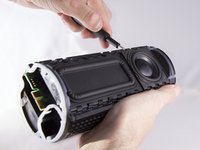
Insert a opening tool between the speaker and the base
-
Pry up allowing the speaker tabs to pop out of place
-
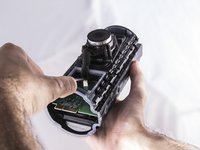
Find and disconnect the wire from the motherboard by pulling in an upward motion.
-
Apply the same procedure to the second speaker.
-
-








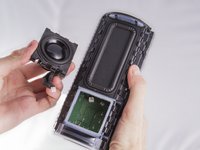
To reassemble your device, follow these instructions in reverse order.
Cancel: I did not complete this guide.
7 other people completed this guide.

Team

Cal Poly, Team S9-G2, Banghart Fall 2017 Member of Cal Poly, Team S9-G2, Banghart Fall 2017
CPSU-BANGHART-F17S9G2
4 Members
84 Guides authored
7 Guide Comments
Thank you! I was able to glue one of the passive radiators back in place.
Where can I find a speaker replacement? Thanks for your time
I’ve got the same issue. Where can i find the speaker replacement?
For those looking for replacement speakers - either directly from Logitech ( $$$ ) or find a broken one on eBay that’s been water logged or some such thing and recover the speakers from that (since they are waterproof speakers)
Thanks for the article - turns out one of my speaker grills had popped loose and was imitating a blown speaker!
yes! same issue!
i bought a replacement speaker (which i still have if anyone is looking), but it was a speaker grill stopper that had come unglued and vibrated - sounding exactly as if a blown speaker or radiator.
