
Logitech K345 Key Replacement

Aumirius Robinson and 2 other contributors
Last updated on Dec 18, 2024
Views: 1.3K
View statistics:
- Past 24 Hours:
- 2
- Past 7 Days:
- 25
- Past 30 Days:
- 113
- All Time:
- 1,326
Comments: 0
No one has left comments on this guide. Will you be first?
Go to guide commentsCompleted: 2 3
2 people have marked this guide "completed." Will you be next?
3 people have marked this guide "completed." Including you — great job!
Favorites: 0 1
No one has favorited (and subscribed to) this guide. Will you be the first?
1 person has favorited (and subscribed to) this guide — and that's you!
Introduction
Go to step 1 ↓If you can't see the letter on your key or the keys are getting stuck with every click on your Logitech MK345, you can reference this guide to learn how to remove your key properly. Keeping the keyboard clean is essential to its use, especially if you use it everyday. In order to figure out if this is the right guide for you check out the Troubleshooting Page to discover the exact issue.
What you need
Tools


 Ask FixBot


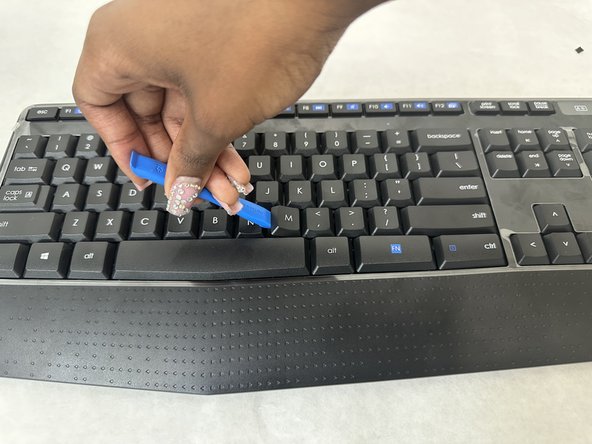
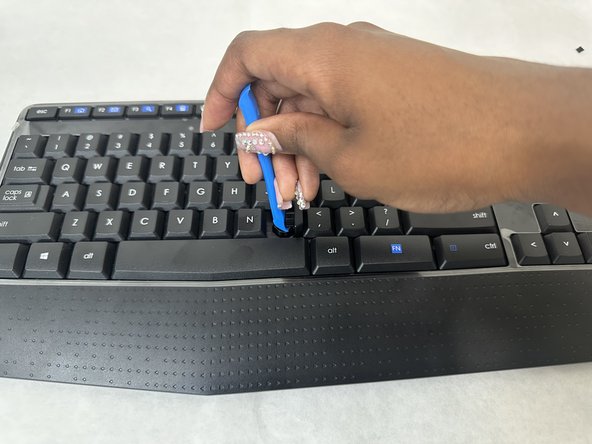
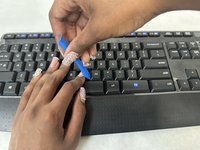
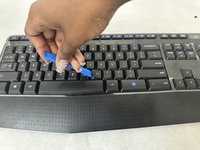

To reassemble your device, follow these instructions in reverse order.
Cancel: I did not complete this guide.
2 other people completed this guide.

Team

University of North Texas, Team 4-1, Harold Fall 2024 Member of University of North Texas, Team 4-1, Harold Fall 2024
UNT-HAROLD-F24S4G1
3 Members
60 Guides authored
