
Logitech Gamepad F310 Buttons Replacement

Aaron Ajo Joseph and 4 other contributors
Last updated on Jun 12, 2024
Views: 1.9K
View statistics:
- Past 24 Hours:
- 6
- Past 7 Days:
- 37
- Past 30 Days:
- 148
- All Time:
- 1,902
Comments: 2
1 comment on steps, 1 guide comment.
Go to guide commentsCompleted: 1 2
1 person has marked this guide "completed." Will you be next?
2 people have marked this guide "completed." Including you — great job!
Favorites: 0 1
No one has favorited (and subscribed to) this guide. Will you be the first?
1 person has favorited (and subscribed to) this guide — and that's you!
Introduction
Go to step 1 ↓Have the buttons on your controller been through enough wear and tear? If so, here is the guide to help you with that. All you need is a Phillips #1 driver head, and a pry-tool. This guide will help you replace the buttons on your Logitech Gamepad F310.
The buttons is the input for controller to transmission's to pc for gaming purpose. The buttons are necessary for controller to play the gaming because it will not work if the buttons aren't working property. So that is reason to replacement for the buttons.
No special tools or skills are required.
What you need
Tools


-
-
-
Use a Phillips #1 screwdriver to remove all seven 3 mm screws that secure the rear case.
 Ask FixBot
-
-
-
Press along the seams of the controller and gently pull the front and rear case apart.
-
-
-
-


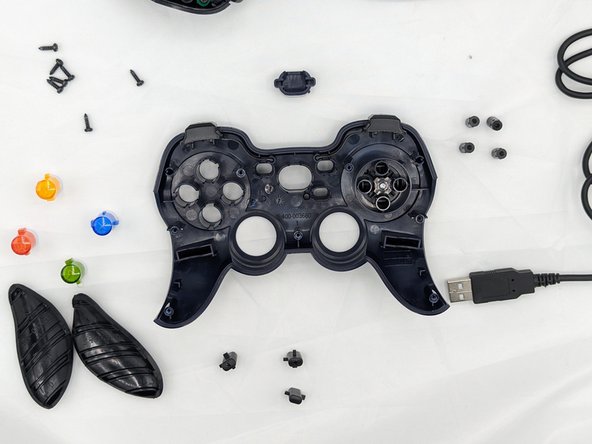
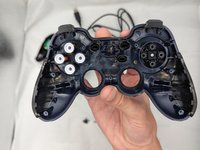
You're all finished! To reassemble your device, follow these instructions in reverse order.
Cancel: I did not complete this guide.
One other person completed this guide.

Team

University of North Texas, Team 2-6, Kilpatrick Fall 2023 Member of University of North Texas, Team 2-6, Kilpatrick Fall 2023
UNT-KILPATRICK-F23S2G6
1 Member
12 Guides authored
1 Guide Comment
Any idea where I can get the d-pad rubber dome replacement part?
