
Nvidia Shield Pro Android TV Controller Triggers Replacement

Jared Campbell and 3 other contributors
Last updated on Oct 17, 2024
Views: 865
View statistics:
- Past 24 Hours:
- 1
- Past 7 Days:
- 10
- Past 30 Days:
- 61
- All Time:
- 865
Comments: 2
2 guide comments.
Go to guide commentsCompleted: 0 1
No one has marked this guide "completed." Will you be the first?
1 person has marked this guide "completed." It's you — great job!
Favorites: 0 1
No one has favorited (and subscribed to) this guide. Will you be the first?
1 person has favorited (and subscribed to) this guide — and that's you!
Introduction
Go to step 1 ↓Every gamer knows how important triggers are for our gaming experience. So, if your Nvidia Shield Pro Android TV Controller triggers are sticking or aren't functioning properly, then you need to replace your controllers’ triggers. Luckily, you're in the right place, this is an easy to follow guide and there are no special skills required. The goal of this guide is for you to be able to properly replace the controllers’ triggers, so you can go back to enjoying your games. Although, please be cautious when disconnecting the wires and gently apply pressure to thumbsticks when removing so nothing gets damaged. Lastly, Two different screwdrivers will be used, so if you're unfamiliar with them, then please refer to this link for Screwdriver Best Practices.
What you need
Tools


-
-
-
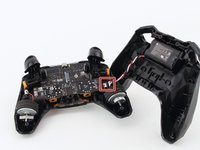
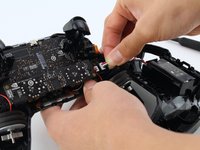
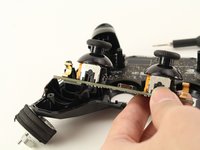
Gently pull the wire connector directly out of its socket, separating the two halves of the controller.
-
-
-
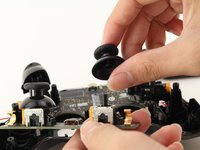
Remove the guard piece that secures the thumb-sticks to the controller.
-
Apply vertical pressure with two fingers to carefully pop off the thumb-stick(s) in need of repair.
-
-
-
-
-
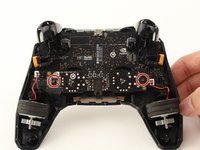
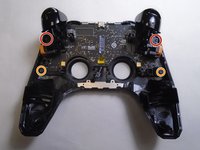
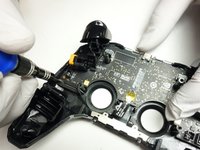
Use a Torx T6 screwdriver to remove the two 7 mm screws from the triggers (one on each trigger).
-
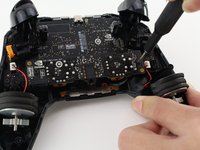
Use a Torx T5 screwdriver to remove the two 5 mm screws securing the motherboard.
-
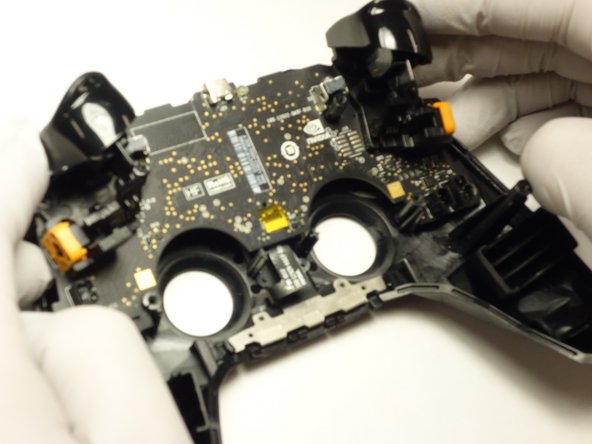
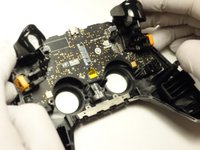
Gently lift the motherboard from the controller housing.
-
-
-
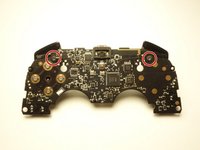
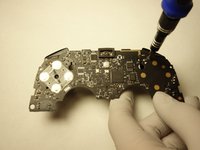
Use a Torx T5 screwdriver to remove the two 5 mm screws from the motherboard.
-
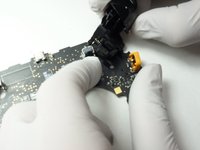
Carefully pull the trigger directly out of its socket.
-
-


 Ask FixBot










To reassemble your device, follow these instructions in reverse order.

Team

The Citadel Military College of South Carolina, Team 1-1, Eggleston Spring 2022 Member of The Citadel Military College of South Carolina, Team 1-1, Eggleston Spring 2022
CMCSC-EGGLESTON-S22S1G1
3 Members
36 Guides authored
2 Guide Comments
how do you put the shoulder buttons back in. They fell out when I was trying to replace the battery
Where do you buy parts? My RB broke and I'm trying to find where to buy a replacement part, but can't find anywhere.
