
Lightahead DV328 Arrow Button Replacement

Last updated on Jan 17, 2025
Views: 765
View statistics:
- Past 24 Hours:
- 2
- Past 7 Days:
- 13
- Past 30 Days:
- 68
- All Time:
- 765
Comments: 0
No one has left comments on this guide. Will you be first?
Go to guide commentsCompleted: 0 1
No one has marked this guide "completed." Will you be the first?
1 person has marked this guide "completed." It's you — great job!
Favorites: 0 1
No one has favorited (and subscribed to) this guide. Will you be the first?
1 person has favorited (and subscribed to) this guide — and that's you!
Action Shots
Be an action hero! This guide needs images that better demonstrate how to perform specific actions.
Needs More Images
A few more images would make this guide's procedures crystal clear.
Introduction
Go to step 1 ↓We will be explaining how to replace the arrow button in the Lightahead DV328 camcorder.
There is only one caution that should be noted when working on this device. Opening the cover, which contains the motherboard underneath, should be done with caution. If it is lifted up too much, the piece will snap in half.
What you need
Tools
-
Spudger4.9

-
-
-
Use a spudger to remove the two screw covers.
-
Remove the two Phillips #0 screws.
 Ask FixBot
-
-
-
-
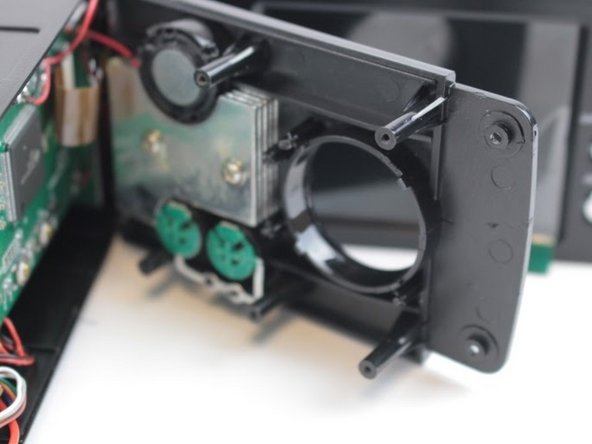
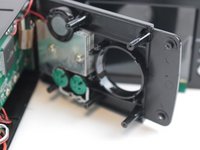
Once you are able to lift the cover up, you will then be able to pry off the lens which will allow for the device to open more.
-
Once you have this up, pull up the cover and you will now be able to work on the arrow key button
-
-
-
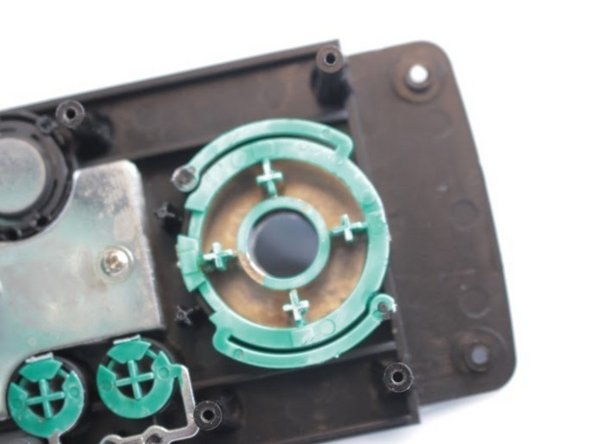
Lay the camcorder on its side. The arrow key button is now in full view.
-
There is a small green piece locking in the arrow key button. Once you remove that, the piece will be able to come out.
-
Gently push on the button and it will come out of the device. Replace as needed
-
-


To reassemble your device, follow these instructions in reverse order.
Team

USF Tampa, Team 10-2, Remmell Spring 2016 Member of USF Tampa, Team 10-2, Remmell Spring 2016
USFT-REMMELL-S16S10G2
3 Members
36 Guides authored
