Introduction
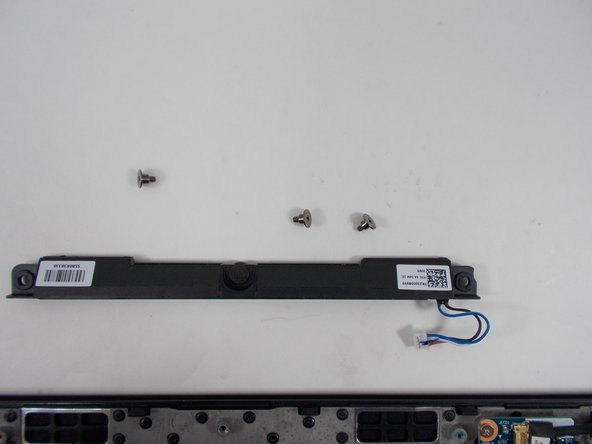
If you have an issue with distorted audio or none at all, then your speaker unit may be damaged or broken, and is in need of replacement. This guide will instruct you on how to replace your speaker unit for the Lenovo Thinkpad T495.
What you need
-
-
-
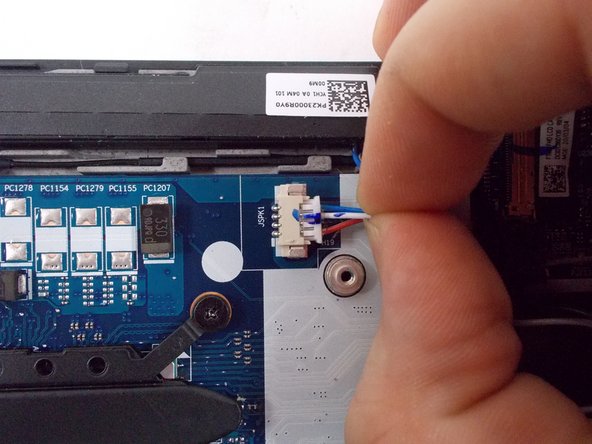
Grip the speaker cable as close as possible to its motherboard plug, and pull directly backwards, parallel to the motherboard, until the plug releases.
-




To reassemble your device, follow these instructions in reverse order.
To reassemble your device, follow these instructions in reverse order.


Team

UMass Dartmouth, Team 1-6, Petersen Spring 2022 Member of UMass Dartmouth, Team 1-6, Petersen Spring 2022
UMASSD-PETERSEN-S22S1G6
3 Members
7 Guides authored
