Free Shipping on Domestic Orders $75+

Lenovo IdeaPad Flex 6-14IKB Battery Replacement

Views: 5.1K

View statistics:

Past 24 Hours:
3
Past 7 Days:
20
Past 30 Days:
112
All Time:
5,099
Comments: 1

1 comment on steps.

Completed: 8

8 people have marked this guide "completed." Will you be next?

Favorites: 0

No one has favorited (and subscribed to) this guide. Will you be the first?

Time Required: 1 hour
Difficulty: Very easy
Lenovo IdeaPad Flex 6-14IKB Battery Replacement

Introduction

Go to step 1 ↓

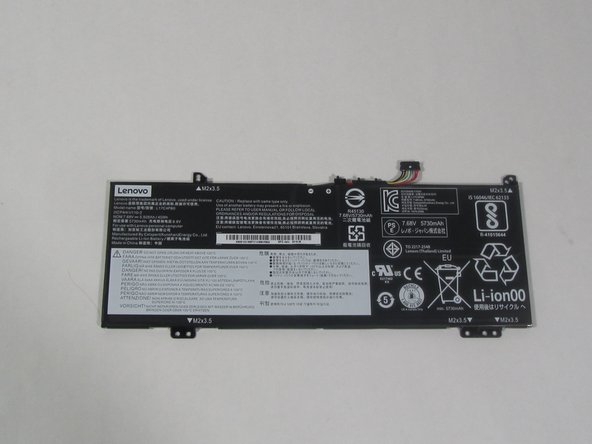
This guide will show you how to replace the battery in your Lenovo IdeaPad Flex 6-14IKB. The battery is an essential part of the laptop because it is the energy storage device. The battery gives power to the laptop while it is not plugged into a charger. Your battery may need replacement if your laptop only powers on while plugged into a charger or it discharges very quickly when unplugged.

Before starting the replacement, make sure the laptop is fully turned off and unplugged from a power cord.

What you need

Parts

Tools

    1. Lenovo IdeaPad Flex 6-14IKB Battery Replacement, Base Cover: step 1, image 1 of 1
      • Remove the ten 6.5 mm screws that secure the base cover using a T5 Torx screwdriver.

      Ask FixBot

      Add Comment

    2. Lenovo IdeaPad Flex 6-14IKB Battery Replacement: step 2, image 1 of 1
      • Use the plastic opening tool to pry in the seam between the bottom cover and the rest of the laptop.

      • The goal is to unhook the plastic hooks that secure the bottom cover.

      • Work your way around the bottom cover of the laptop in a clockwise rotation until every clip is free.

      • You will feel and hear a clicking noise when the clips are undone.

      Ask FixBot

      Add Comment

    1. Lenovo IdeaPad Flex 6-14IKB Battery Replacement, Battery: step 3, image 1 of 1
      • Remove the four 3.5 mm screws around the battery using a Phillips #00 screwdriver.

      Ask FixBot

      Add Comment

    2. Lenovo IdeaPad Flex 6-14IKB Battery Replacement: step 4, image 1 of 2 Lenovo IdeaPad Flex 6-14IKB Battery Replacement: step 4, image 2 of 2
      Tool used on this step:
      Tweezers
      $4.99
      Buy
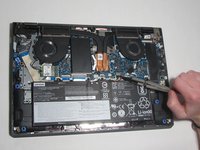
      • Disconnect the battery supply from the motherboard using a pair of tweezers.

      • Remove the battery from the laptop.

      • If the battery has an adhesive patch on the underside, gently pry off the battery.

      Ask FixBot

      Add Comment

Conclusion

To reassemble your device, follow these instructions in reverse order.

Cancel: I did not complete this guide.

8 other people completed this guide.

0 Guide Comments

Add Comment

View Statistics:

Past 24 Hours: 3

Past 7 Days: 20

Past 30 Days: 112

All Time: 5,099