
Lenovo IdeaCentre K410 Power Supply Unit Replacement

Timothy Grebe and
Last updated on Jan 8, 2015
Views: 5.3K
View statistics:
- Past 24 Hours:
- 4
- Past 7 Days:
- 18
- Past 30 Days:
- 101
- All Time:
- 5,293
Comments: 2
1 comment on steps, 1 guide comment.
Go to guide commentsCompleted: 10 11
10 people have marked this guide "completed." Will you be next?
11 people have marked this guide "completed." Including you — great job!
Favorites: 1 2
1 person has favorited (and subscribed to) this guide. Will you be next?
2 people have favorited (and subscribed to) this guide — including you!
Better Introduction
Improve this guide by completing or revising its introduction.
What you need
Tools

-
-
-
Lay the computer down on its side as shown.
-
Remove the two 14mm screws shown. The screws are loose enough to unscrew with your hands.
 Ask FixBot
-
-
-
-
-
-
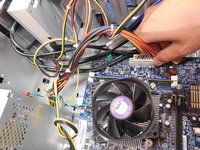
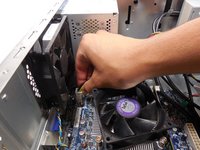
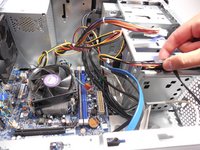
Unplug both sets of wires attaching the power supply unit to the motherboard.
-
-
-
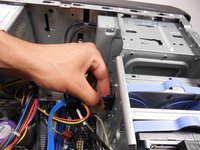
Using the Phillips #2 driver, unscrew the four 8mm screws attaching the power supply unit to the outside of the computer.
-
-
-
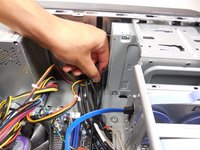
Remove the power supply unit by pulling away from the screw side and then out.
-
-






To reassemble your device, follow these instructions in reverse order.
Cancel: I did not complete this guide.
10 other people completed this guide.

Team

Cal Poly, Team 10-39, Amido Fall 2014 Member of Cal Poly, Team 10-39, Amido Fall 2014
CPSU-AMIDO-F14S10G39
4 Members
108 Guides authored
1 Guide Comment
What part do I need to replace the POWER BUTTON, it's broke and have to press inside to power on?
