Free Shipping on Domestic Orders $75+

LeapFrog LeapPad2 Explorer Back Cover Replacement

What you need

    1. LeapFrog LeapPad2 Explorer Back Cover Replacement, Battery: step 1, image 1 of 2 LeapFrog LeapPad2 Explorer Back Cover Replacement, Battery: step 1, image 2 of 2
      • Before disassembling your LeapPad, ensure your device is shut off.

      • Push outward on the plastic side panels to remove and reveal battery.

      • The panels should detach fully from the main device.

      Ask FixBot

      Add Comment

    2. LeapFrog LeapPad2 Explorer Back Cover Replacement: step 2, image 1 of 3 LeapFrog LeapPad2 Explorer Back Cover Replacement: step 2, image 2 of 3 LeapFrog LeapPad2 Explorer Back Cover Replacement: step 2, image 3 of 3
      • Push down from the positive end of the battery towards the negative end to pry the battery up out of its dispenser.

      • Remove all four AA alkaline batteries from the device.

      Ask FixBot

      Add Comment

    1. LeapFrog LeapPad2 Explorer Back Cover Replacement, Back Cover: step 3, image 1 of 2 LeapFrog LeapPad2 Explorer Back Cover Replacement, Back Cover: step 3, image 2 of 2
      • This step will void your device warranty.

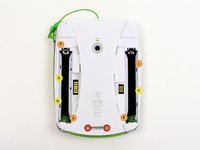
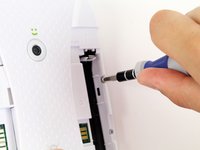
      • Remove the following screws securing the back cover to the main device:

      • Two 10.0 mm Phillips screws

      • Four 4.0 mm Phillips screws

      • Three 3.0 mm Phillips screws

      Ask FixBot

      Add Comment

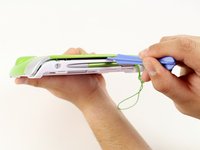
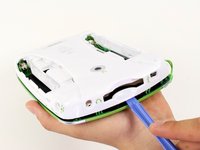
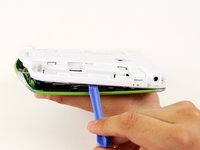
    2. LeapFrog LeapPad2 Explorer Back Cover Replacement: step 4, image 1 of 3 LeapFrog LeapPad2 Explorer Back Cover Replacement: step 4, image 2 of 3 LeapFrog LeapPad2 Explorer Back Cover Replacement: step 4, image 3 of 3
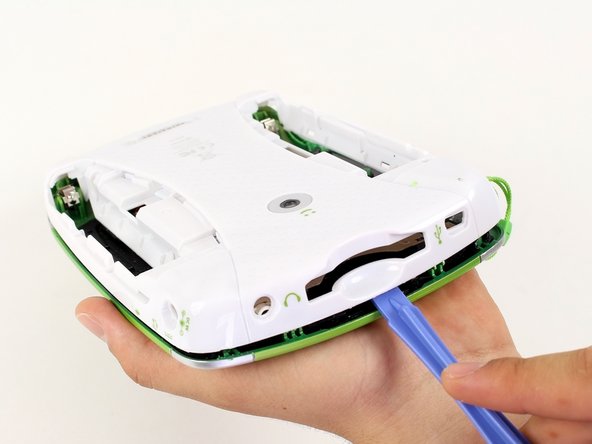
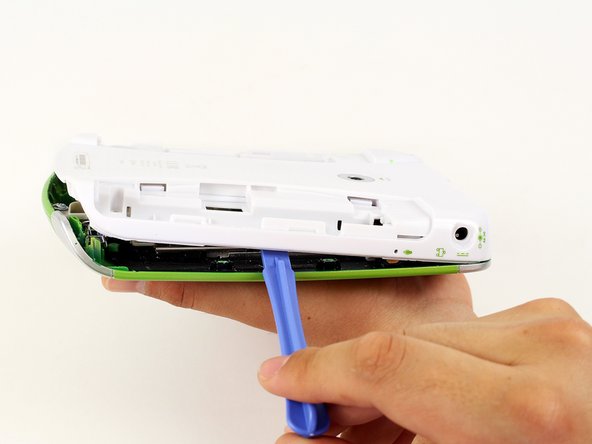
      • Insert a plastic opening tool into the seam between the front and rear covers to detach the back cover from the rest of the device.

      • Move the plastic opening tool around the perimeter of the LeapPad2.

      • Lift up and remove the rear case from the tablet.

      • A butter knife can help when prying the device.

      Ask FixBot

      Add Comment

Conclusion

To reassemble your device, follow these instructions in reverse order.

Cancel: I did not complete this guide.

Nupur Garg

Member since: 04/12/14

867 Reputation

7 Guides authored

Team

Cal Poly, Team 8-10, Regan Spring 2014 Member of Cal Poly, Team 8-10, Regan Spring 2014

CPSU-REGAN-S14S8G10

4 Members

20 Guides authored

0 Guide Comments

Add Comment

View Statistics:

Past 24 Hours: 0

Past 7 Days: 5

Past 30 Days: 28

All Time: 1,807