Free Shipping on Domestic Orders $75+

LG-P970 touch screen Replacement

What you need

    1. LG-P970 touch screen Replacement, touch screen: step 1, image 1 of 3 LG-P970 touch screen Replacement, touch screen: step 1, image 2 of 3 LG-P970 touch screen Replacement, touch screen: step 1, image 3 of 3
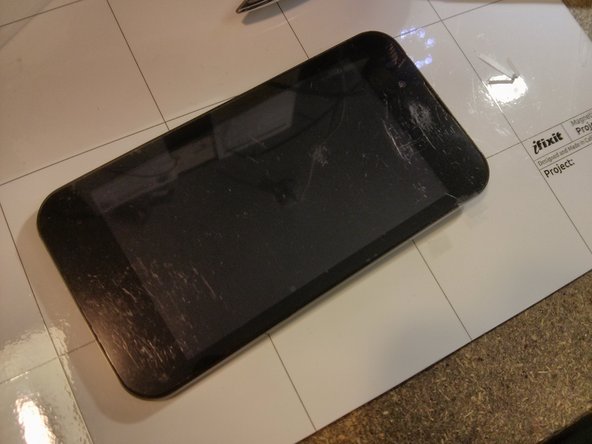
      • remove the back cover

      • remove the battery

      • remove the SIM card

      • remove the µSD card (Memory)

      Ask FixBot

      Add Comment

    2. LG-P970 touch screen Replacement: step 2, image 1 of 3 LG-P970 touch screen Replacement: step 2, image 2 of 3 LG-P970 touch screen Replacement: step 2, image 3 of 3
      • remove 7 screws on the back

      • with a tool start to open the back frame

      • and it's now easy to remove the back frame with hand, carefully

      Ask FixBot

      Add Comment

    3. LG-P970 touch screen Replacement: step 3, image 1 of 3 LG-P970 touch screen Replacement: step 3, image 2 of 3 LG-P970 touch screen Replacement: step 3, image 3 of 3
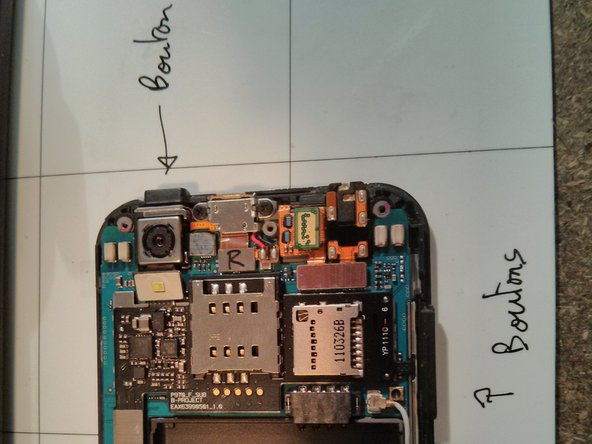
      • remove buttons

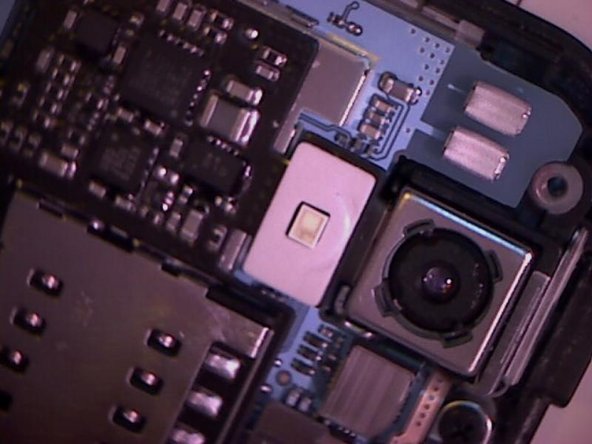
      • locate the back camera

      • with a tool raise up the led.carefully

      Ask FixBot

      Add Comment

    4. LG-P970 touch screen Replacement: step 4, image 1 of 3 LG-P970 touch screen Replacement: step 4, image 2 of 3 LG-P970 touch screen Replacement: step 4, image 3 of 3
      • with a tool disconnect the back camera

      • and remove the camera with your fingers.

      Ask FixBot

      Add Comment

    5. LG-P970 touch screen Replacement: step 5, image 1 of 2 LG-P970 touch screen Replacement: step 5, image 2 of 2
      • don't forget to remove the little connector of screen, with a tool, right next to the empty slot of the camera.

      Ask FixBot

      Add Comment

    6. LG-P970 touch screen Replacement: step 6, image 1 of 3 LG-P970 touch screen Replacement: step 6, image 2 of 3 LG-P970 touch screen Replacement: step 6, image 3 of 3
      • It's time to remove carefully the tactile screen.

      • don't scratch le LCD!!!

      Ask FixBot

      Add Comment

    7. LG-P970 touch screen Replacement: step 7, image 1 of 3 LG-P970 touch screen Replacement: step 7, image 2 of 3 LG-P970 touch screen Replacement: step 7, image 3 of 3
      • the touch panel is glued with double-sided tape. You can remove it with your fingers. carefull with the touch screen connector.

      • cut new double sided tape (1-2mm width), put it on the are and peel it.

      Ask FixBot

      Add Comment

    8. LG-P970 touch screen Replacement: step 8, image 1 of 3 LG-P970 touch screen Replacement: step 8, image 2 of 3 LG-P970 touch screen Replacement: step 8, image 3 of 3
      • remove the inside protection on the new touch screen.

      • carefully put the news touch screen on the LG. Take care that the connector goes right through the right hole.

      • to finish, add all part by reading these instructions in reverse ;-)

      • and try if it work !

      Ask FixBot

      Add Comment

Conclusion

To reassemble your device, follow these instructions in reverse order.

Cancel: I did not complete this guide.

19 other people completed this guide.

Fox4EGX

Member since: 10/01/12

545 Reputation

1 Guide authored

1 Guide Comment

Hi. To take the screws out do I need a phillips? Thanks.

schutze61 - Reply Share

Add Comment

View Statistics:

Past 24 Hours: 0

Past 7 Days: 7

Past 30 Days: 30

All Time: 10,063